

While we may not have control over our names in real life, we can definitely choose the way we are called on TikTok. You have the full choice and freedom to keep your TikTok username as you want or change it anytime.
This blog will guide you on how to change TikTok username within minutes, what comes along with changing usernames, problems while changing usernames, and clear confusion between display name and username on TikTok.
There are a lot of things you can do on TikTok to make it your favourite place, such as turning off analytics, making it more private, removing Instagram from TikTok etc.
You can learn all of these settings in just 10 minutes, just follow our blogs.
 Time killer · Pain
Spending 6 hours writing posts that get zero traction?
Paste your URL. ZuAI turns it into 30 brand-on captions in 10 minutes — no blank-page panic, no generic AI filler.
What is “name” on TikTok? How to change name on TikTok?
People often get confused regarding the term “name” on TikTok. There are two types of names on TikTok.
Display Name: The name that is displayed at the top of your TikTok profile.
User Name: It is the name with which people call us on TikTok. It is used to mention/tag you, search you, and open your profile link.

Username is considered more important on TikTok than display name.
If anyone is talking about the TikTok name, it usually refers to the username.
How to change TikTok username?
Changing your username on TikTok takes less than 1 minute. Here are the steps to change your username on TikTok
1. Open TikTok, click on the lower right corner, and click on the profile picture.
2. Now click on “Edit.”
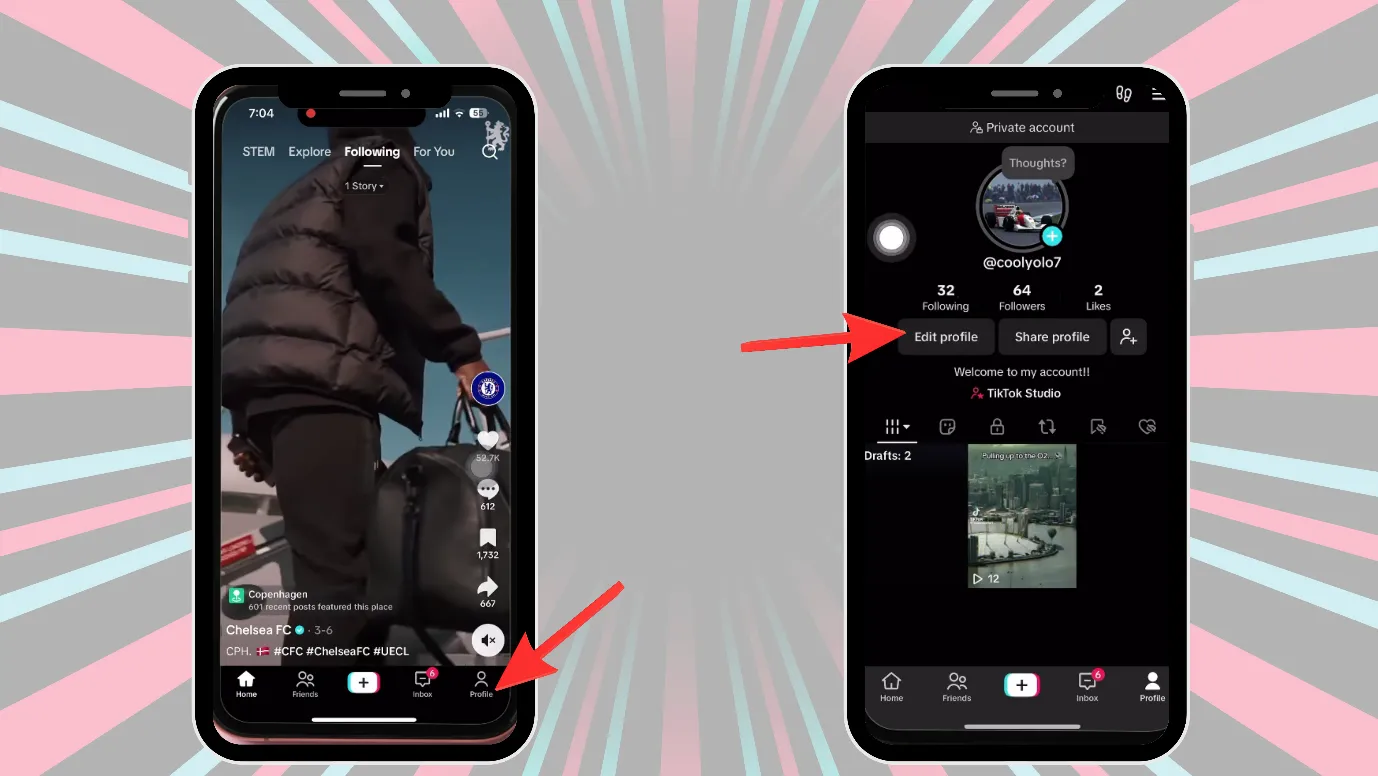
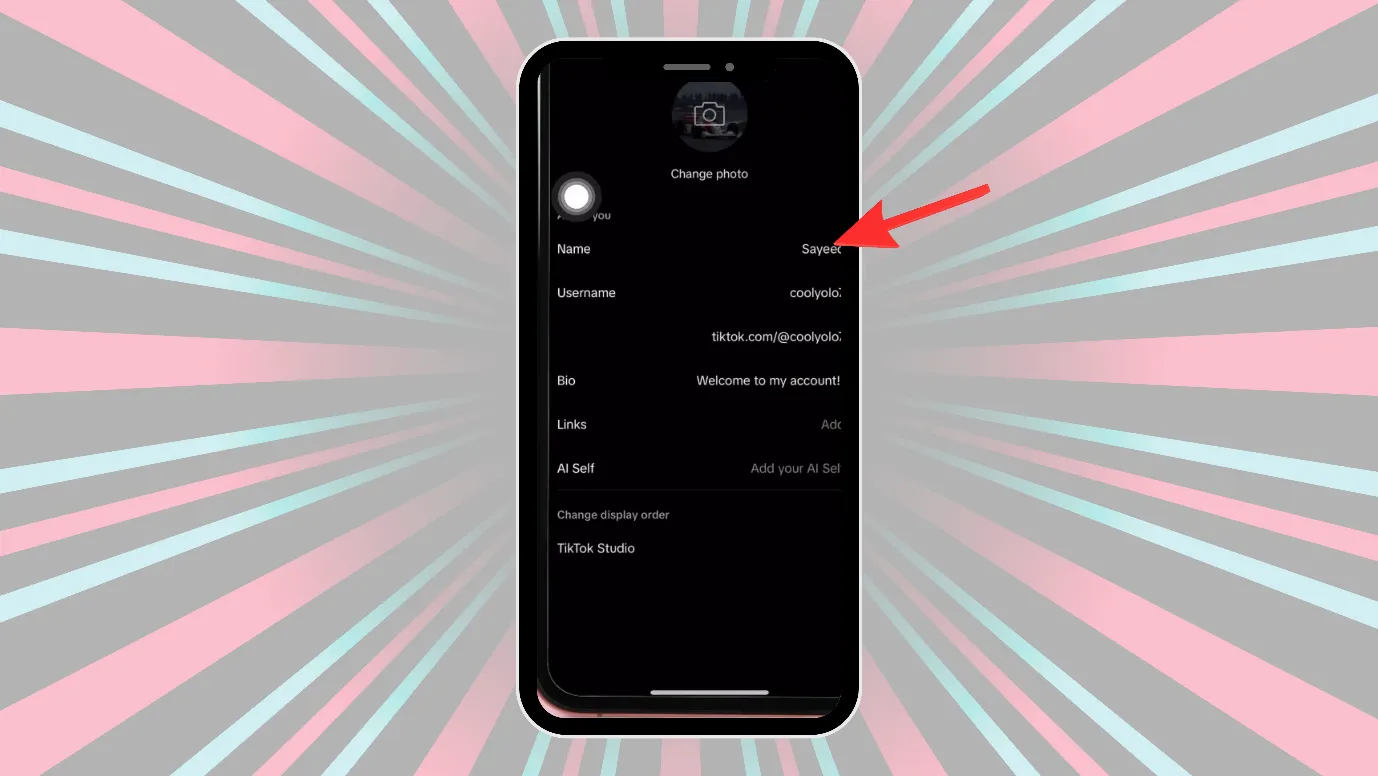
3. Edit profile page would open, next click on “username.”
4. Now you can edit and save your username.
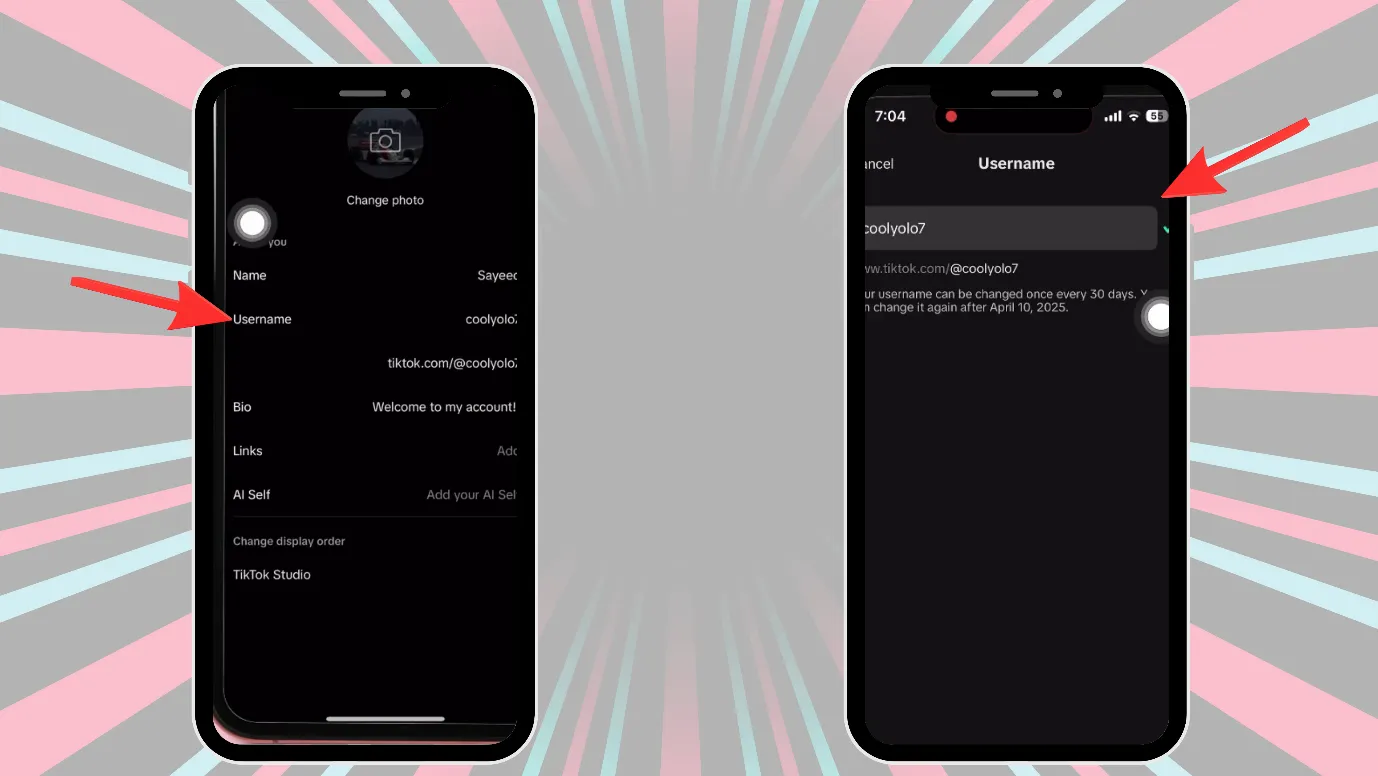
Remember that
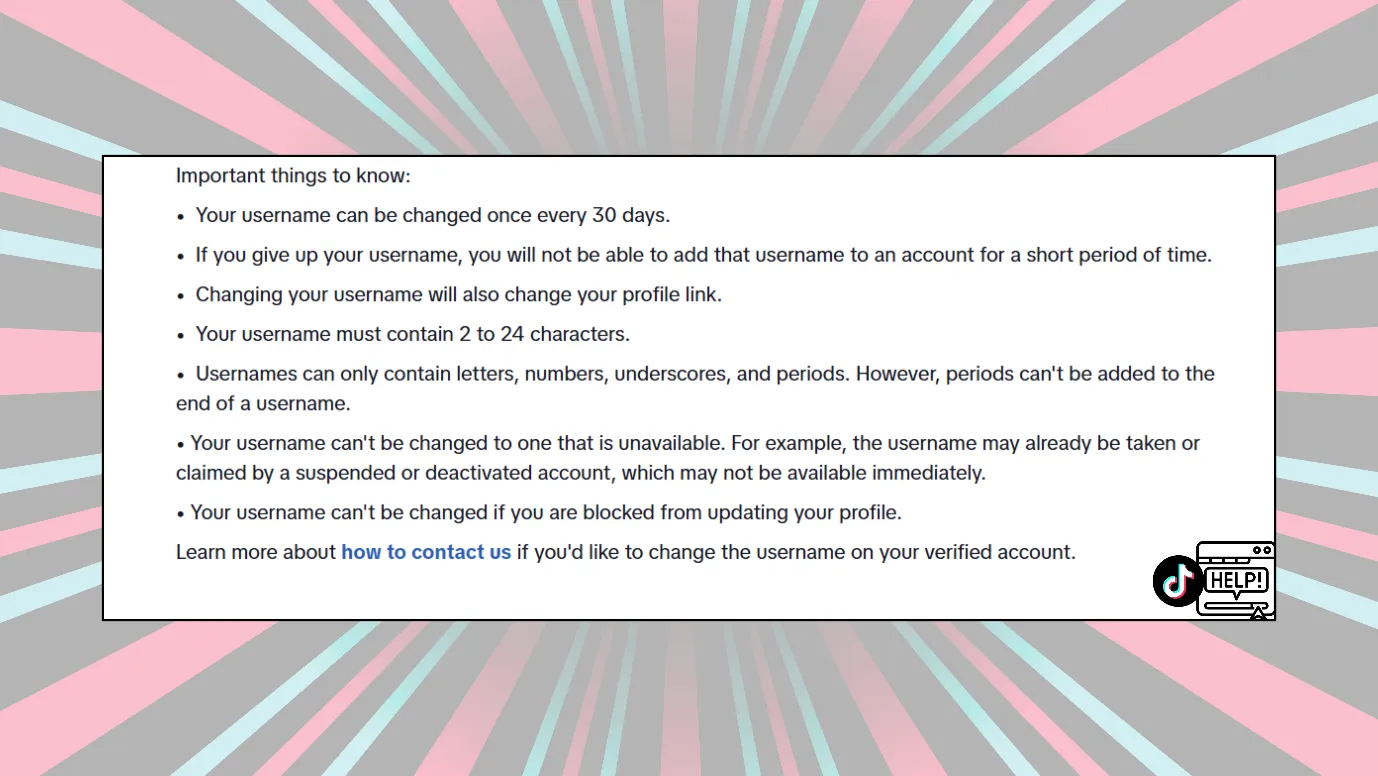
1. Once you change your username on TikTok, you have to keep that username for at least 30 days before changing it again.
2. Your username also decides your profile link on TikTok.
3. When you change your TikTok username, your old username does not become available immediately.
4. If you are verified on TikTok and you change your username, you will also lose your verification.
Outcome · RecommendedGet 30 days of social content from your website — in 10 minutes.
Can you change your TikTok username within 30 days?
You can change your TikTok username once every 30 days. If you are wondering how to change your TikTok username within 30 days, then you can follow these steps.
1. Open TikTok, click on the lower right corner, and click on the profile picture.
2. Next, go and click on the 3 vertical lines.
3. Go and click on “Settings and Privacy.”
4. Scroll down and reach “Help Centre.”
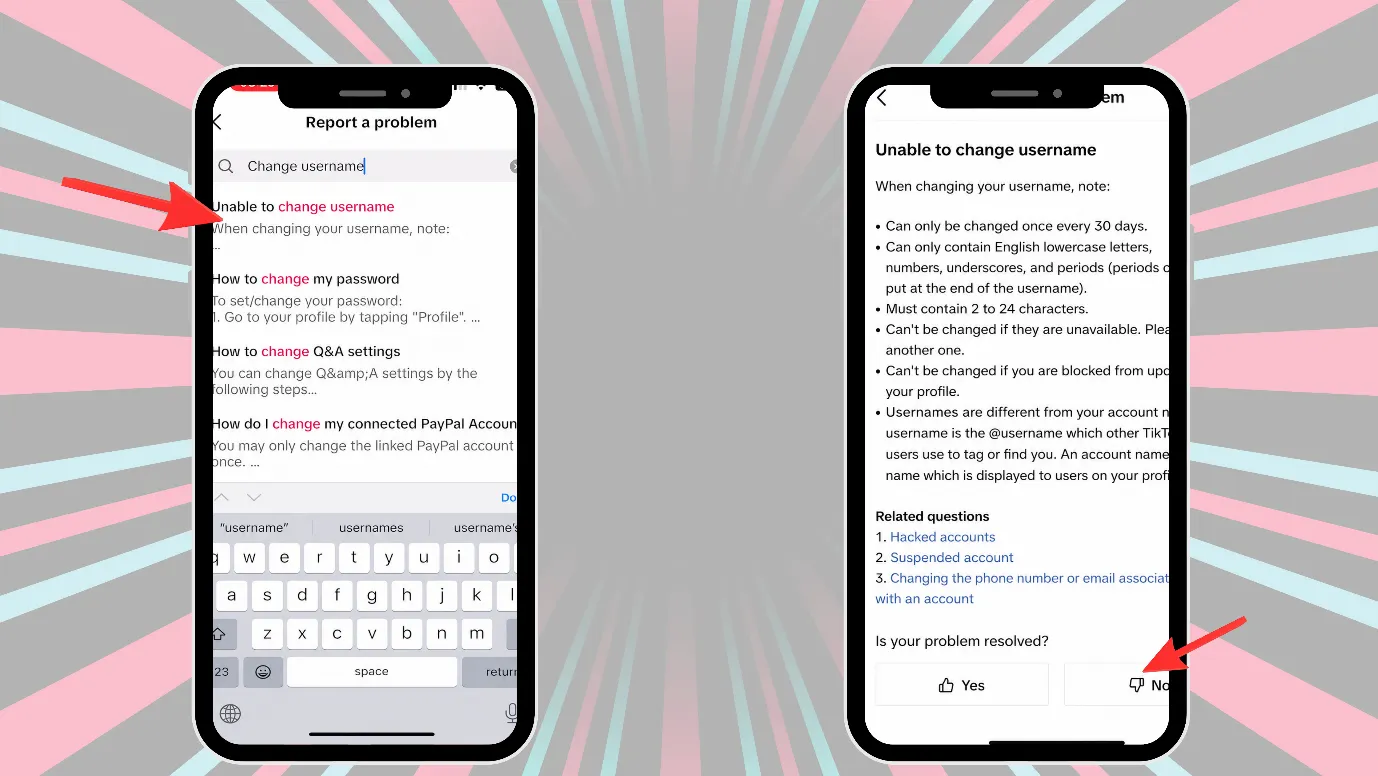
5. This will lead you to the TikTok support page, where you can contact the support team.
6. Here you can request them by typing “You mistakenly changed your username earlier, and now you want to change it again before 7 days or any number of days.”
7. TikTok first lets you talk with its AI agent, but you can ask it to talk with a real agent.
8. After you get a human agent, you can again mention your problem and ask them for an immediate solution.
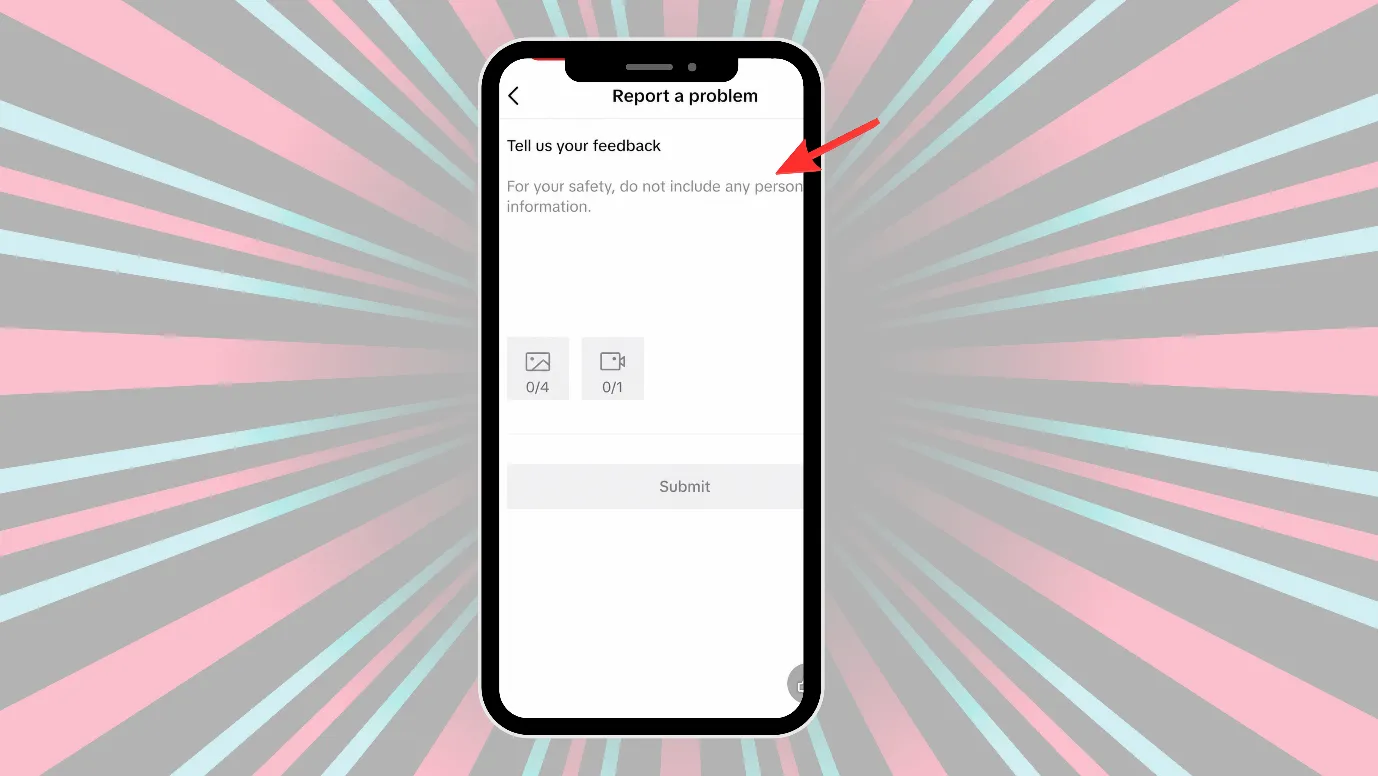
You can expect an answer within 3 days.
Proof · Verified
2k+ grew faster with one tool.
Rules for choosing a TikTok user name.
Here are some rules for choosing a TikTok username
1. TikTok’s username should be a minimum of 2 characters and a maximum of 24 characters.
| Minimum: 2 characters |
| Maximum: 24 characters |
2. TikTok allows: letters, numbers, underscores _, and periods.
TikTok does not allow a period at the end of the username. Also, TikTok does not allow spaces, emojis, hyphens, or special symbols
Here is a table showing the data.
| Type | Allowed / Not Allowed | Examples |
| Letters | Allowed | mybrand, tiktokuser |
| Numbers | Allowed | brand123, user2026 |
| Underscore _ | Allowed | my_brand, user_2027 |
| Period . | Allowed | my.brand, user.2027 |
| Spaces | Not allowed | my brand❌ |
| Emojis | Not allowed | brand🔥❌ |
| Hyphen – | Not allowed | my-brand❌ |
| Special symbols | Not allowed | brand!, user@name, shop#1❌ |
| Period. At the end | Not allowed | Mybrand.❌ |
3. If TikTok blocks you for any reason, you cannot change your username
4. If someone has already taken a username before. You cannot take it, i.e., you have to always think of a fresh username.
Free · Instant · No signupSee what ZuAI generates from your website — right now.
Paste your URL. Watch ZuAI write a month of brand-on captions in seconds. Preview before you create an account.
Can you change TikTok username in pc?
Yes, you can change your TikTok username on a PC. Let us learn how to change TikTok username on PC.
1. Log in to your TikTok account on PC.
2. Now click on “edit profile.”
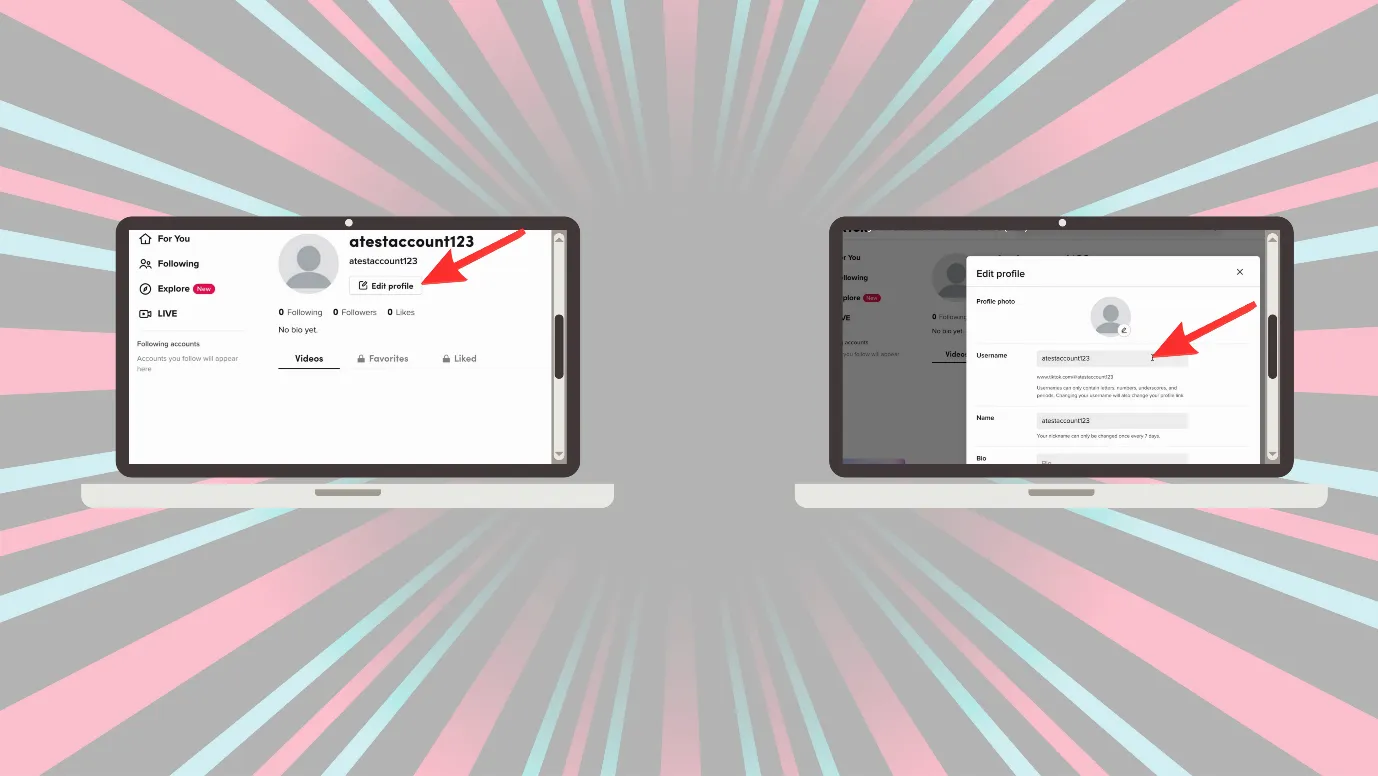
3. Then you can change your username on PC.
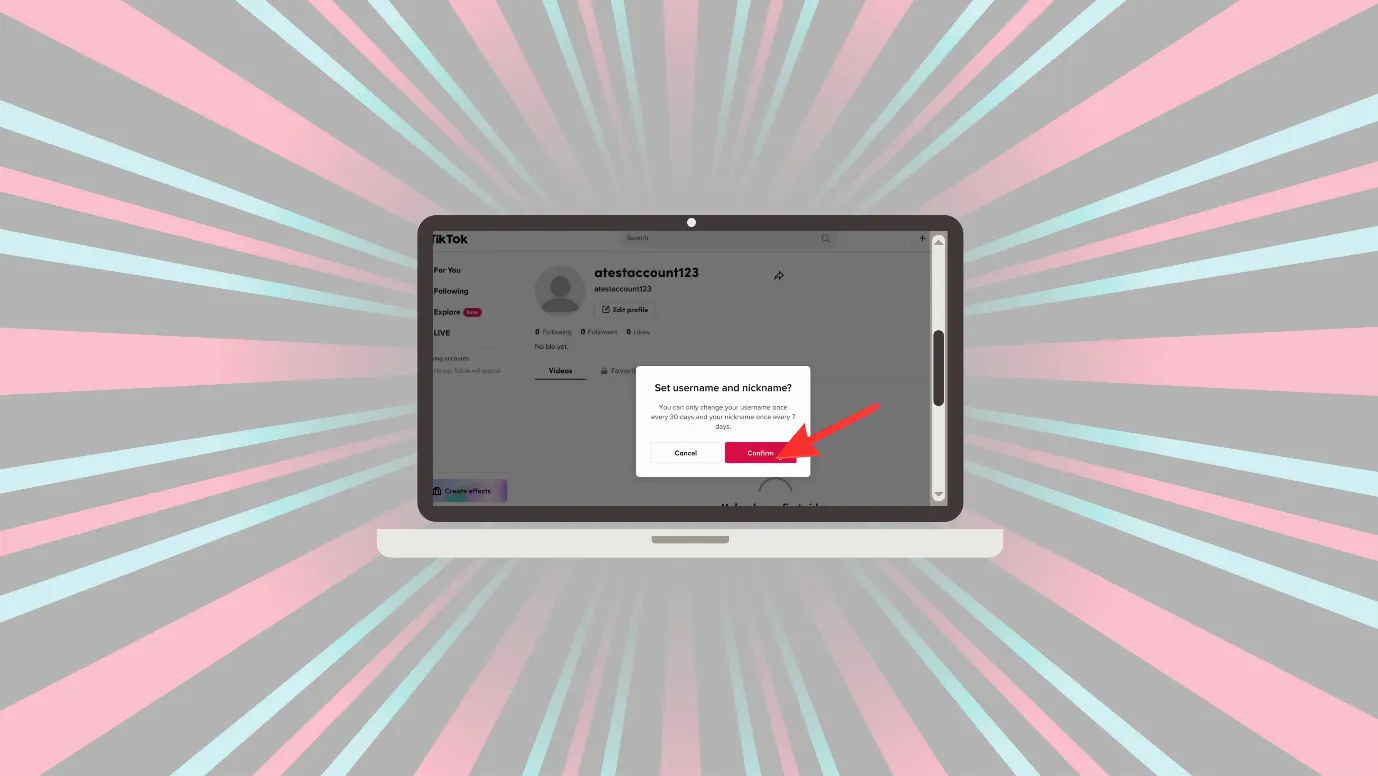
How to change TikTok display name?
The process to change the display name on TikTok is almost the same as changing the username.
Username has the TikTok 30-day username rule, while display name has a 7-day username limit.
Here is a step-by-step guide on changing your display name on TikTok.
1. Open TikTok, click on the lower right corner, and click on the profile picture.
2. Now click on “Edit Profile.”
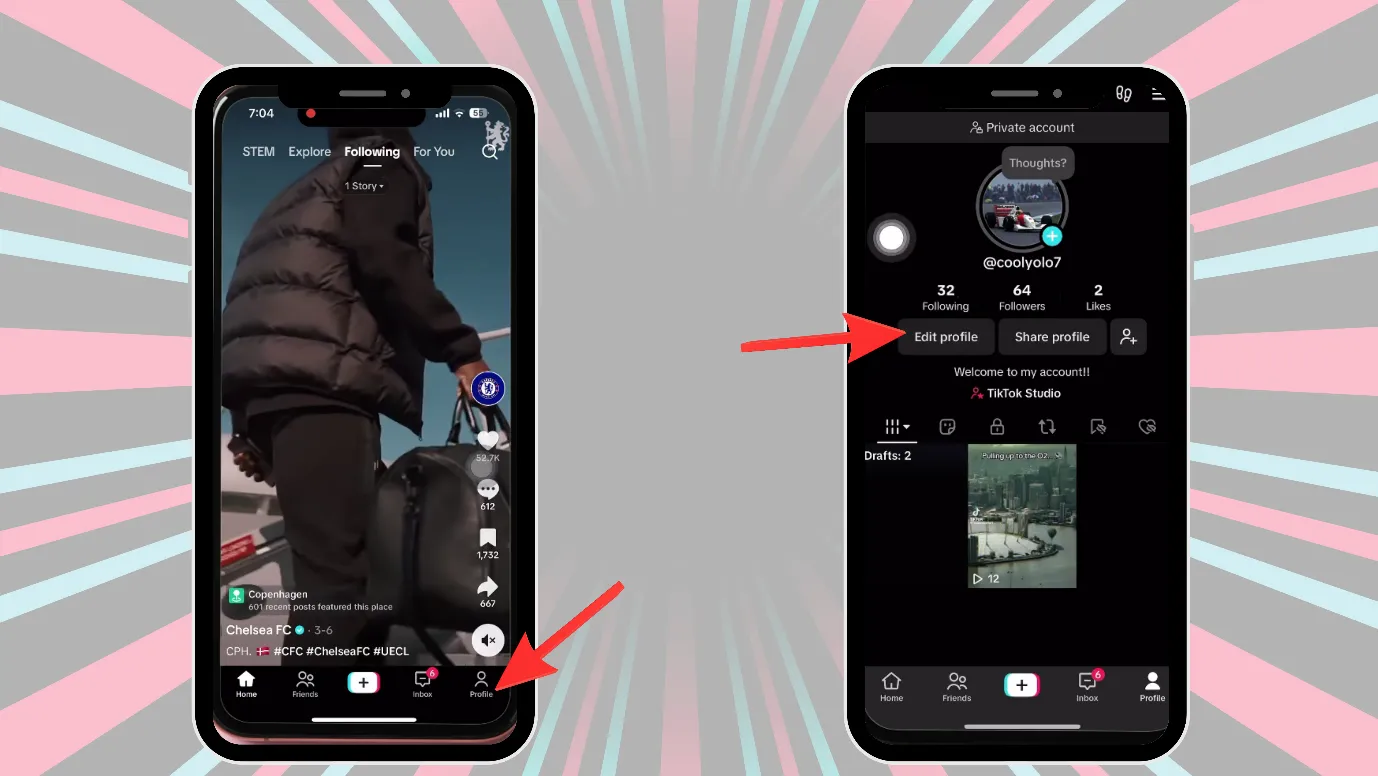
3. Here you can change the display name.
Speed · 10-minute setupOne coffee from URL to a full month of scheduled posts.
Drop your URL, brew your coffee, come back to 30 brand-on captions ready to publish.
Why won’t my TikTok username change?
After learning how to change TikTok username, if you are still unable to change your username, then there could be some reasons.
Even after changing your username again and again and hitting the save button, your old username is still appearing? Does this happen to you, too?
Let’s look at the reasons.
Your username is not a fresh one
The username you are trying to use has already been taken by someone else, so TikTok is not letting you take that username. So, even after trying again and again, you are not able to change the username.
You are trying to change the username before 30 days
If you have changed the username recently, and 30 days have not passed since then, you will not be able to change the username. TikTok allows you to change your username once every 30 days.
There could be an error in your username
TikTok has a set of rules for usernames. For example, TikTok does not allow periods at the end of a username.
You should check the rules before changing the usernames.
Blank tab. Six open browsers. No clue what to post.


 After · With Indzu
Paste one URL. Get 30 scheduled posts.
Ready to have a new username on TikTok?
Just learning how to change TikTok username is not enough, as there are some rules and restrictions that you should know while changing the username.
We hope that by the end of this blog, you have cleared all confusion regarding TikTok usernames.
If you want to be regular with content creation on TikTok, you can try Indzu TikTok post creator tool.
And if you are managing TikTok with other social media platforms, then you can create a free account with Indzu and manage everything under one platform.
Time killer · Pain
Spending 6 hours writing posts that get zero traction?
Paste your URL. ZuAI turns it into 30 brand-on captions in 10 minutes — no blank-page panic, no generic AI filler.
Faqs
Q1. What are TikTok username rules?
Ans. Here are the rules for TikTok usernames
- TikTok’s username should be a minimum of 2 characters and a maximum of 24 characters.
- TikTok allows letters, numbers, underscores, and periods in its username.
TikTok does not allow a period at the end of the username. Also, TikTok does not allow spaces, emojis, hyphens, or special symbols
- If you are blocked by TikTok for any reason, you cannot change your username.
- If someone has already taken a username before. You cannot take it, i.e., you have to always think of a fresh username.
Q2. Why does it say TikTok username isn’t available?
Ans. TikTok believes in giving unique usernames to everyone. If it says the username is not available, that means that the username is taken by someone, and you should think of a fresh and unique username.
Q3. What is TikTok 30-day username rule?
Ans. TikTok’s 30-day username rule says that you can change your username only once every 30 days. So, if you have changed your TikTok username, you can change it again after 30 days only.
But a TikTok display name can be changed once every 7 days.
Q4. How to change TikTok username on Android?
Ans. Here are the steps to change the username on Android.
- Open TikTok, click on the lower right corner, and click on the profile picture.
- Now click on “Edit.”
- Edit profile page would open, next click on “username.”
- Now you can edit and save your username.