While scrolling LinkedIn, do you wonder how people or brands are so consistent, creative, and effective?
That is because they are not alone on their LinkedIn journey. They have an assistant- an AI assistant. Their posts are human-like but backed by powerful AI assistance. In this blog, we will cover that: how to write LinkedIn posts that convert, with AI assistance.
 Time killer · Pain
Spending 6 hours writing posts that get zero traction?
Paste your URL. ZuAI turns it into 30 brand-on captions in 10 minutes — no blank-page panic, no generic AI filler.
What kinds of Posts convert on LinkedIn?
Impressions, Engagements, Shares.
What exactly is important on LinkedIn? What factor decides that your LinkedIn post is doing well?
Based on our research, here is a table showing what matters more on LinkedIn.
Content type that helps get more reach. | Carousels/document posts |
Content type that helps get more conversions | Problem-based or proof-based posts |
| Metrics that matter more | Comments and saves |
Outcome · RecommendedGet 30 days of social content from your website — in 10 minutes.
How to write LinkedIn posts that convert? How can AI help you?
Have you seen the top posts on LinkedIn? Are they exceptional? In 90 percent of the cases, they are just normal thoughts published in a well-presented way.
But why does a post, profile, or page seem well presented?
Why do they do well? Let us understand that.
Their page name says it all.
Have you seen top business pages on LinkedIn? They do not have any fancy names; their page names are simple, effective, and convey class.
Do you get confused regarding page names before starting a page name?
Then you can try Indzu page name generator. It is hassle-free, does not require any logins or signups, and it’s free.
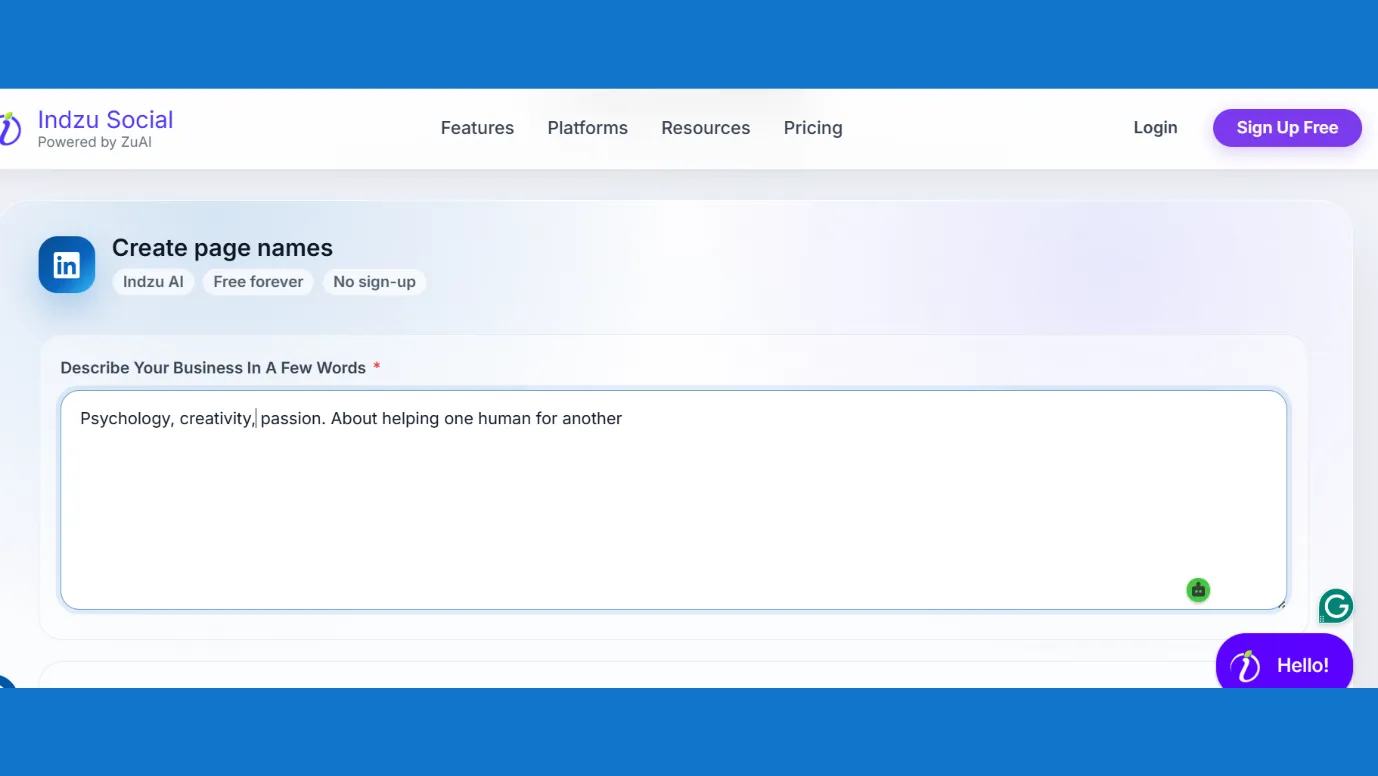
You just have to describe what your business is about, choose the number of words for your page name, and you will get a fresh page name in milliseconds.
They have a good profile picture.
Your LinkedIn profile picture grabs a lot of attention; people are obviously trying to figure you out by looking at it.
1. Your picture should be clear; the picture should take up 60 percent of the space.
2. Messy backgrounds should be avoided.
3. If possible, try to take your photo with a good camera, or at least with the back camera of your phone, as it has a higher resolution than the front camera.

You can use a headshot image. Google Gemini is a good place to make headshot images.
You can upload your picture in Gemini, give it a good prompt, and your headshot image is ready.
They have a clear and to-the-point banner image.
Your banner image should depict class, highlight your value and should align with your goals on LinkedIn
1. Use high-quality images.
2. Add your Call to Action or value you offer in offer in 5-7 clear words.
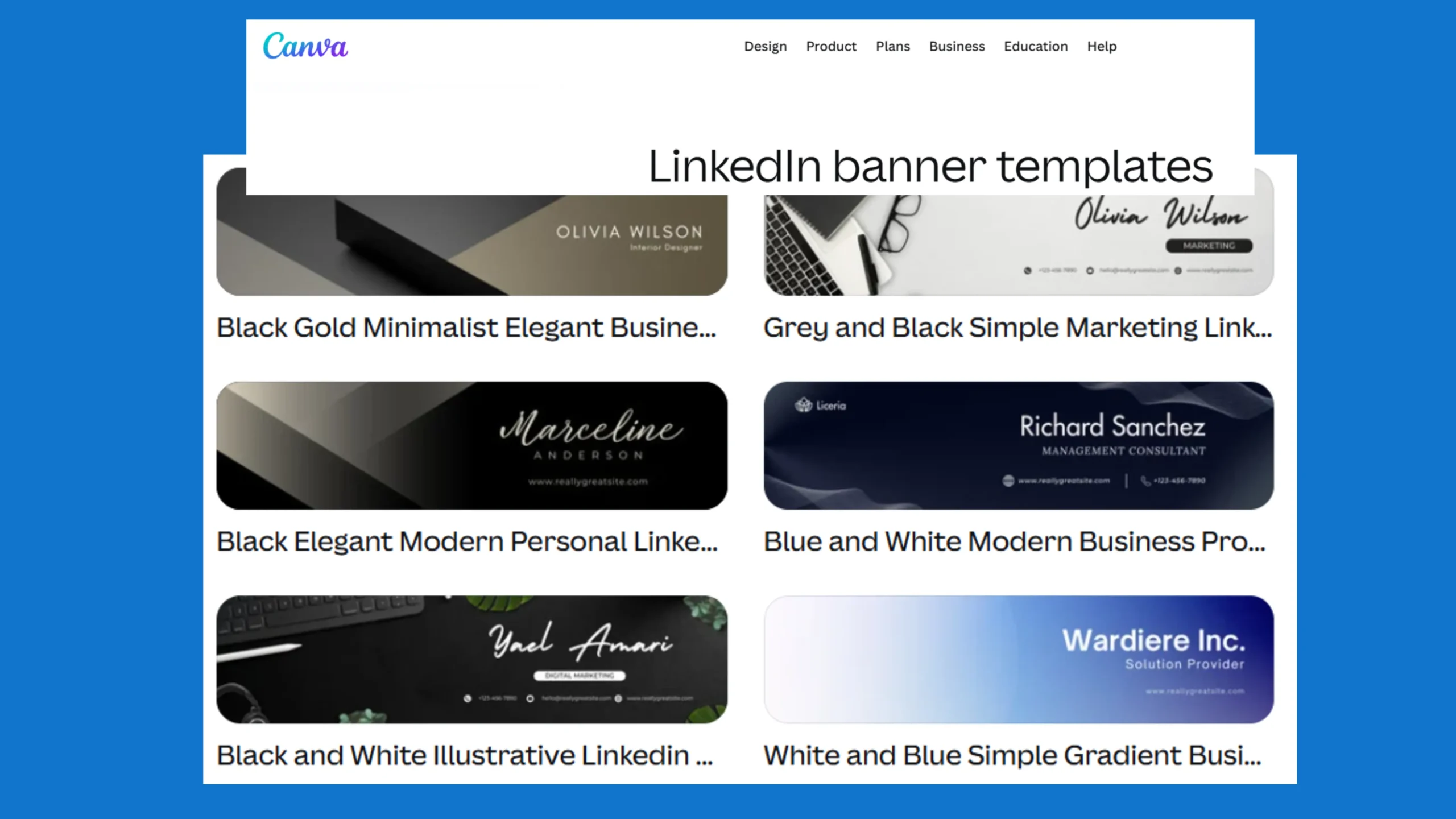
You can use Canva to get banners. There are a lot of free LinkedIn banners present. You can slightly edit them and use them.
They focus on simple and effective “About Section”
LinkedIn is the only social media platform where your about section is more important than your profile and banner picture.
That is why writing a short but effective “About section” can be trickier.
1. You can start with a strong first line. The first 2–3 lines should clearly tell people what you do and who you help.
2. Slowly, you can add proof and show what you achieved in the past and what you can offer.
3.You can also add your specializations, like “extremely good at solving complex technical errors,” etc., and end with a call to action.
Here you can take the help of Indzu Bio generator. It will help you write the first two lines.
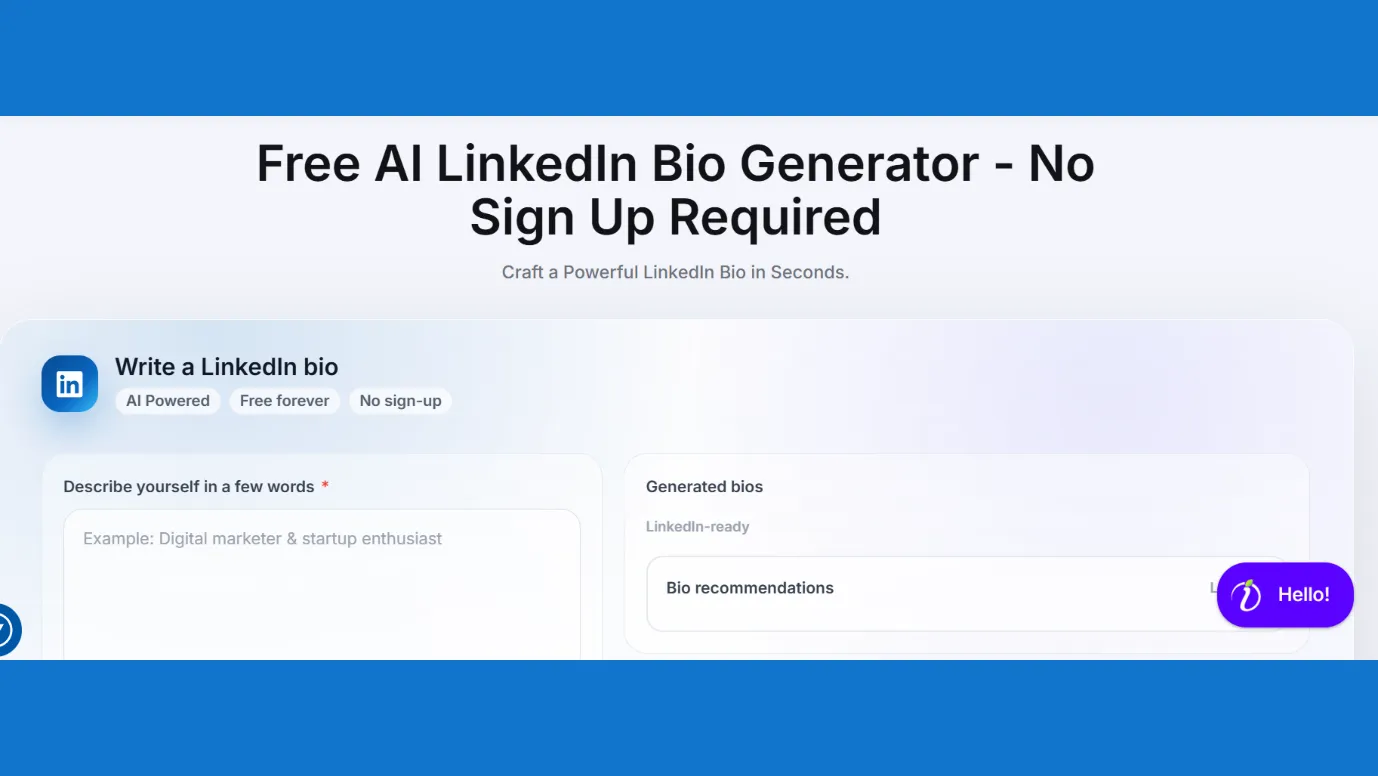
Just describe yourself in a few words, choose the tone and first few lines of your “about section” is ready.
This tool is free, does not require sign-ups, and gives you three options in one prompt.
They have good hooks.
When you look at any top LinkedIn posts, they all have a strong and attractive hook, i.e the first line of the LinkedIn post.
You too can write good hooks for your LinkedIn posts.
1. Go through a minimum of top ten LinkedIn posts related to your niche. After that you will have a basic idea of how your hook can be.
2. You can also take the help of any AI tool like Chat GPT or Gemini, to help you write a hook line.
3.If you use Indzu post generator tool, then there you have the control to get attractive hooks. Before creating content, you can change the settings and get your captions in attractive hook formats.
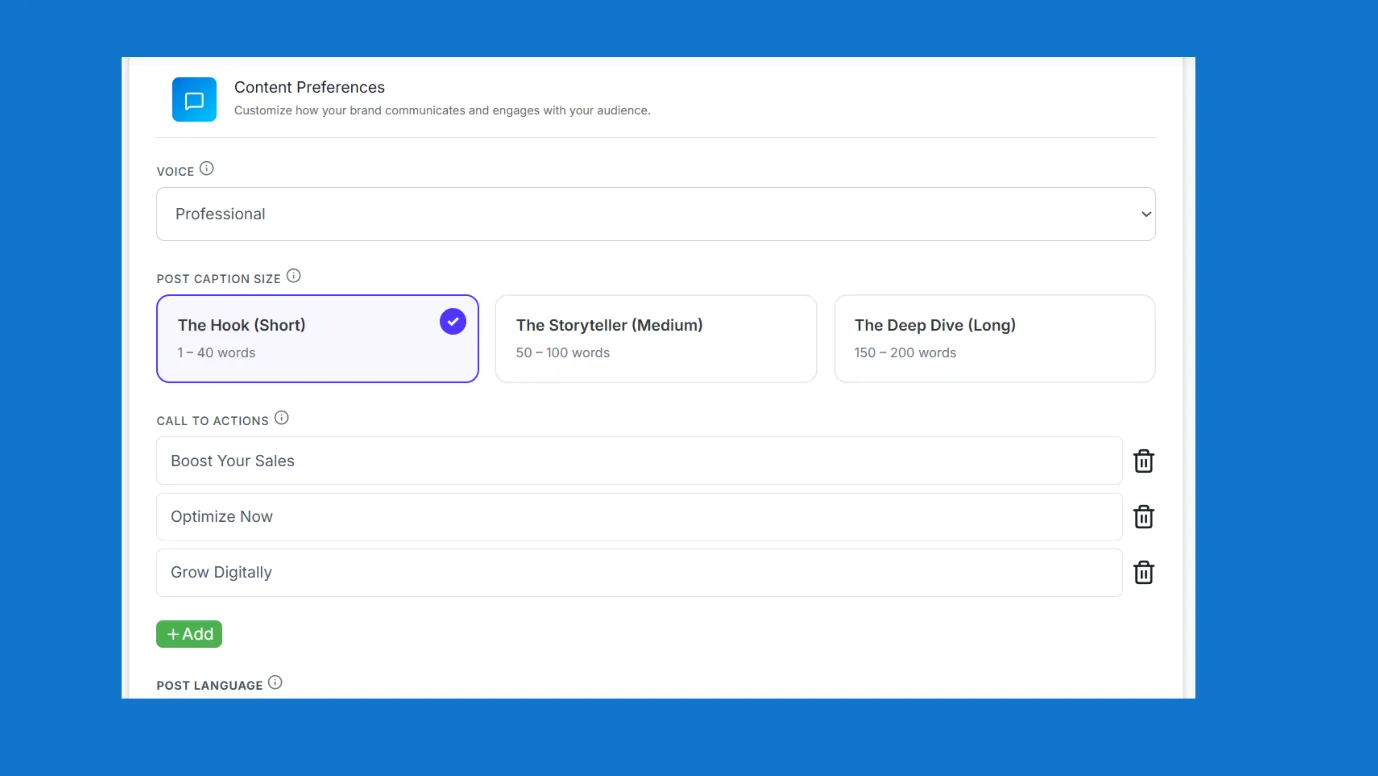
They put effort into creating a good caption.
When creators put effort into creating good hooks, then they have to write good captions so that the audience does not feel deceived.
You can easily write good captions using a free, viral AI LinkedIn caption generator.
Unlike other AI tools mentioned above, Indzu Caption Generator does not require sign-ups, login or anything.
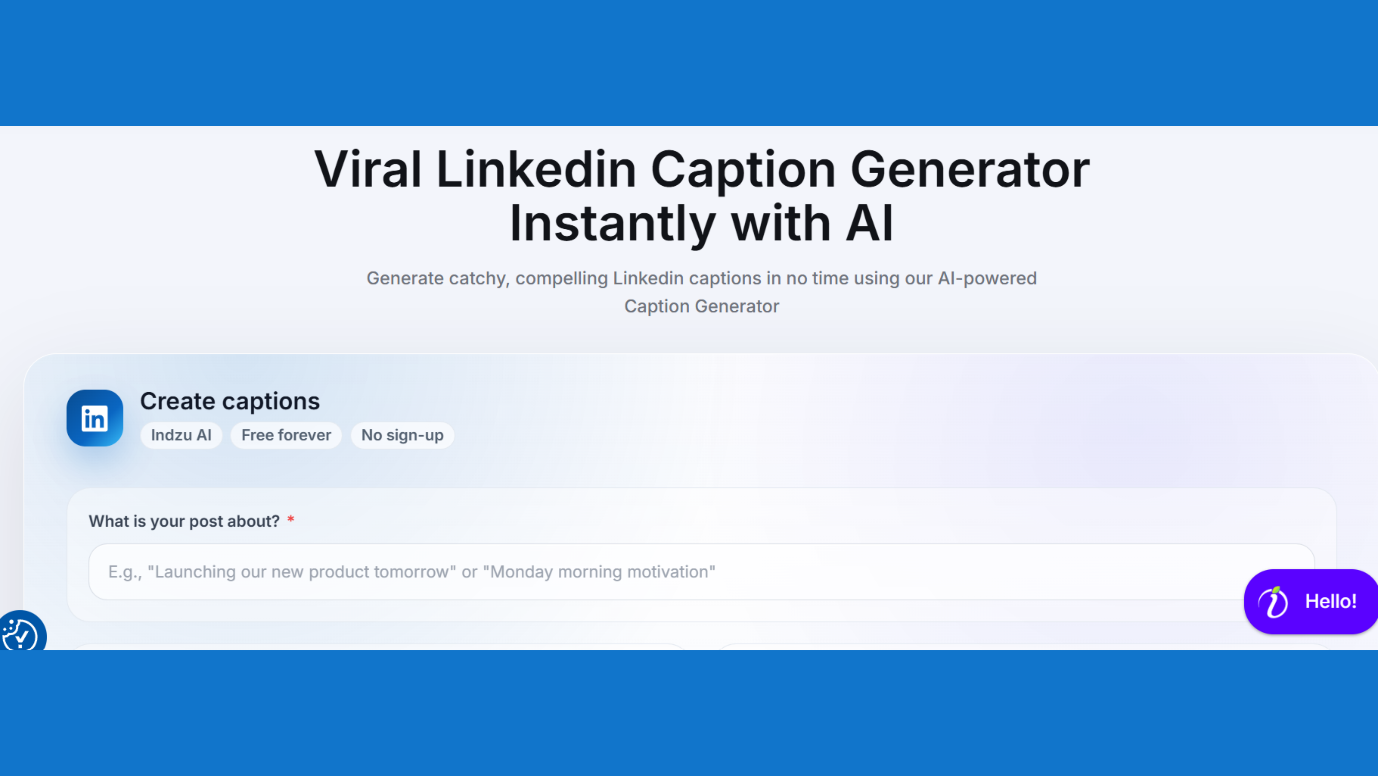
It gives you three options for captions. Caption generator will automatically include emojis and hashtags. So, you do not have to think of doing any extra work here.
You just have to describe your topic, choose the tone, caption type, and language.
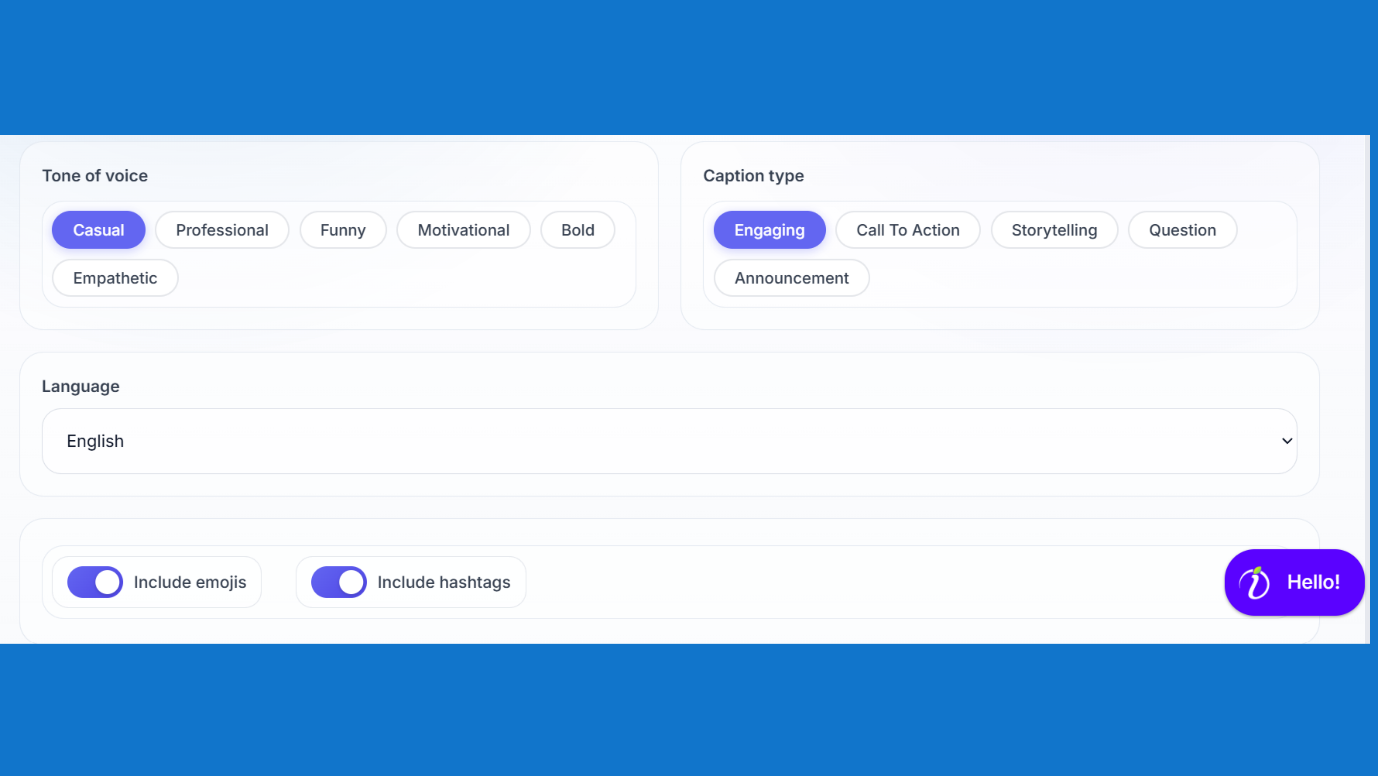
As Indzu is powered by ZU AI, generating social media content, and LinkedIn captions is easy.
They are consistent.
Whatever you want to achieve, may it be growth in social media or any other thing.
You will always be advised to put up and show, or in other words, be consistent.
But do you know this is the most difficult part of the LinkedIn growth journey?
Writing LinkedIn posts that convert might seem difficult, but most of the creators actually struggle with being consistent.
That is why we recommend that you try Indzu LinkedIn post/content generator.
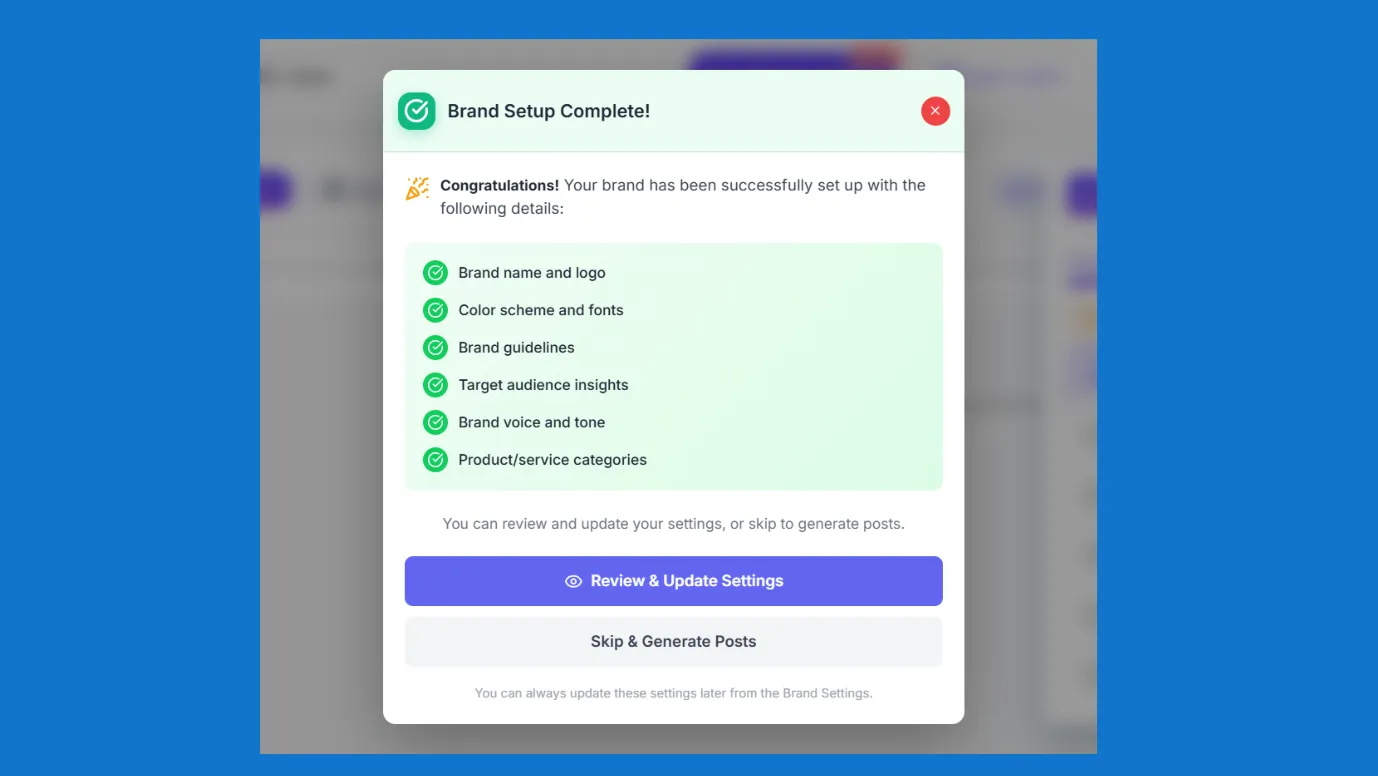
1. Indzu will analyze your website and note down all your important details like brand logo, brand tone, color, motto, your required CTA, and ZU AI will create content for you accordingly.
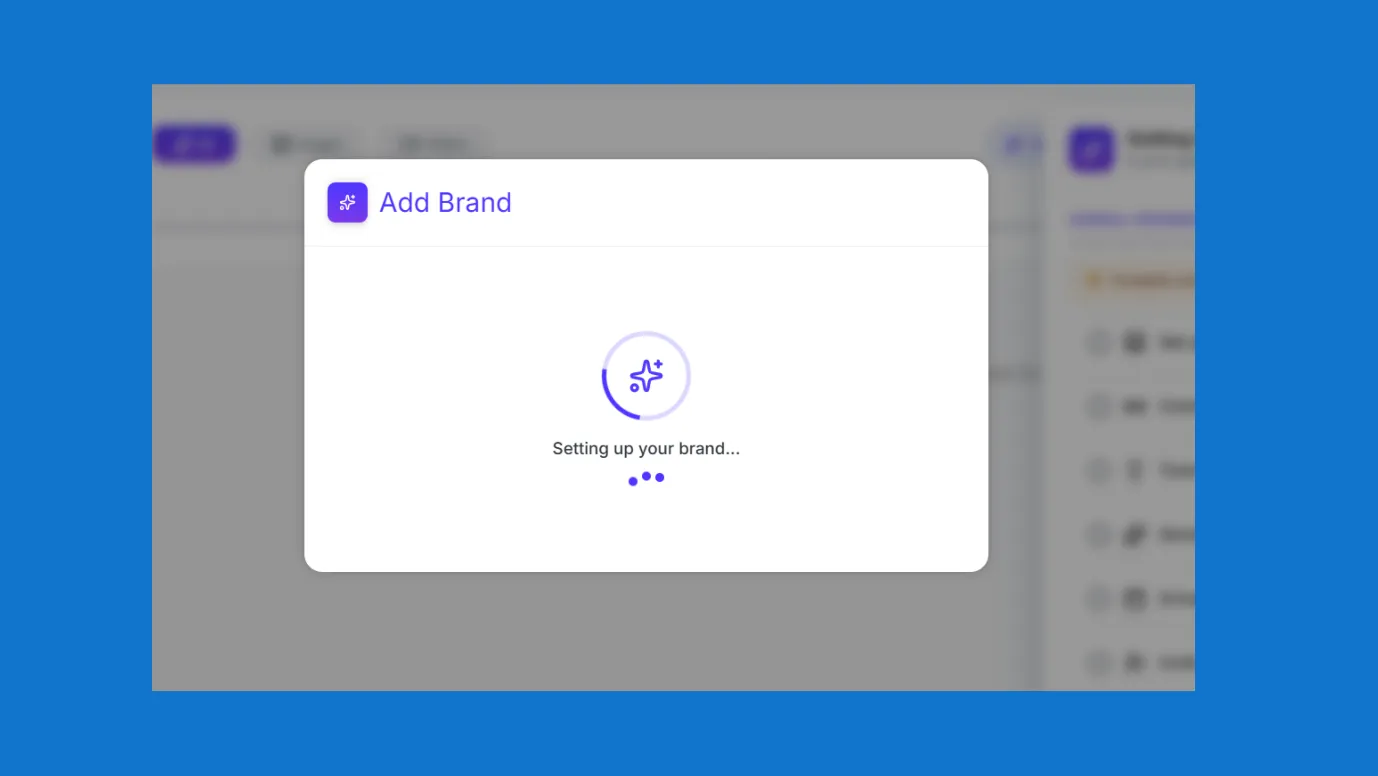
This process does not even take 1 minute. The analysis is complete within 30 secs and ZU AI is ready to create customized content in another 30 secs.
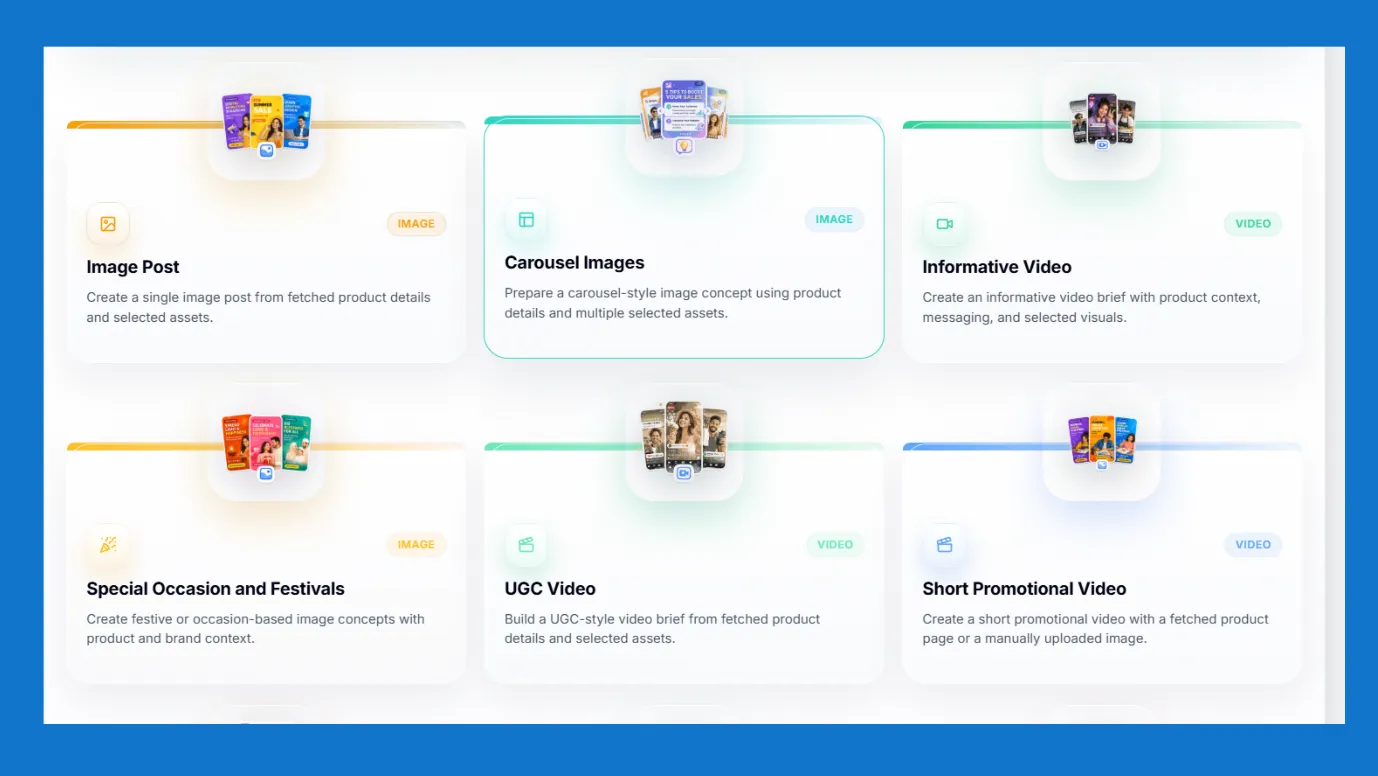
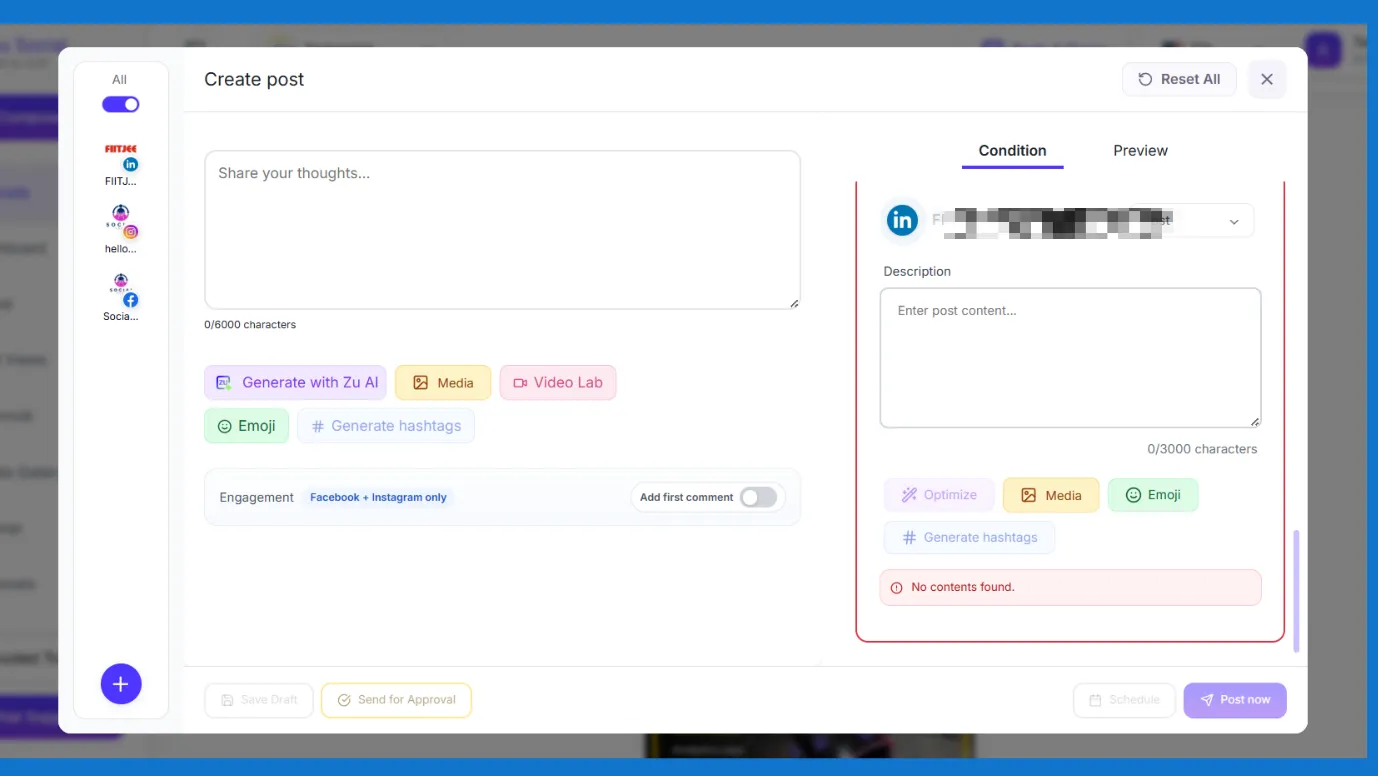
2. You can generate posts, carousels, polls, memes, reels, UGC, short-form videos, informative videos, product photoshoot images, etc. There are numerous content options available on Indzu AI LinkedIn post generator.
3. ZU AI will work in the background and create content for you, but you will be the horse rider; you will choose your topic, category, theme, voice, tone, language, caption style, etc.
4. There are tons of settings and options inside Indzu. You or your audience will never get bored. Indzu AI is not going to create any generic post for you. All the content would be customized and specific to your brand and tone.
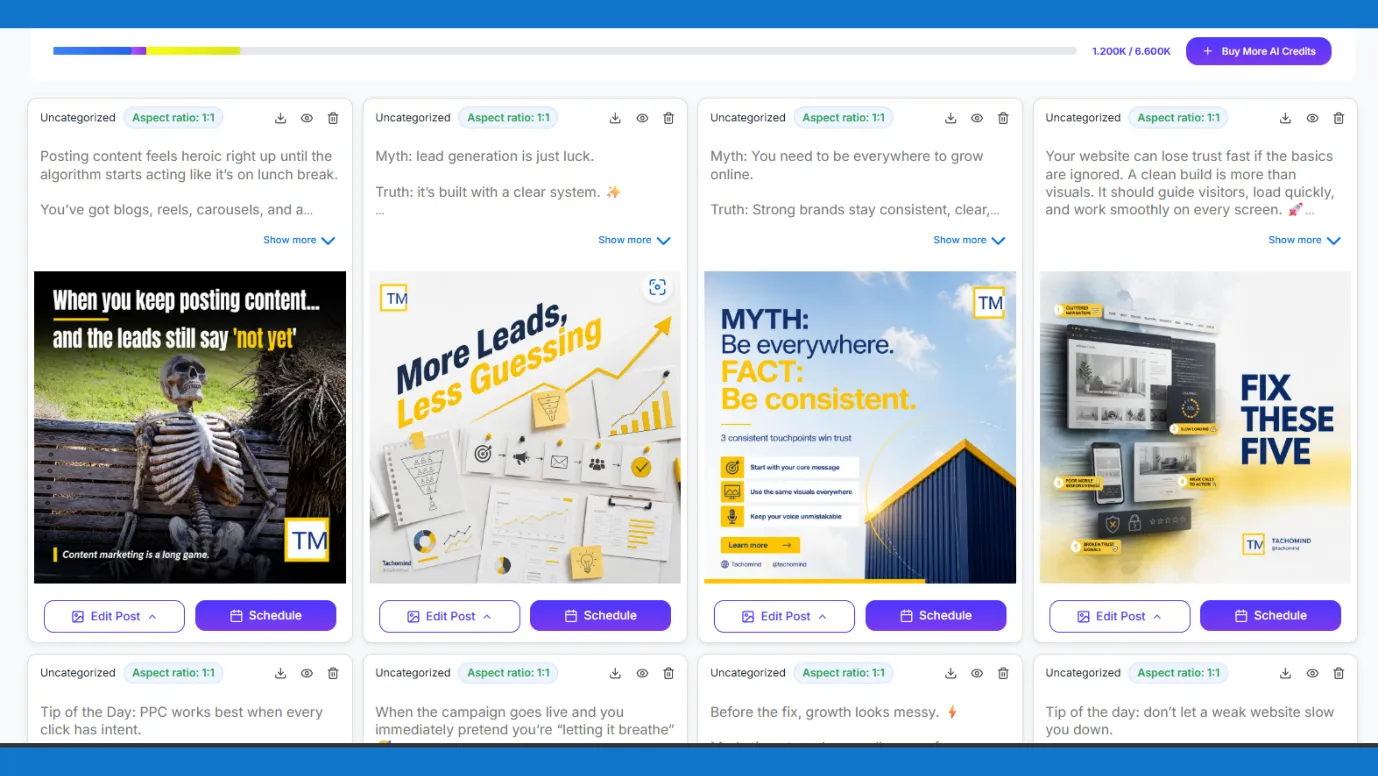
5. Even after the content is generated, you will get editing options and scheduling options (LinkedIn scheduling tools), including the best time to post on LinkedIn suggestions.
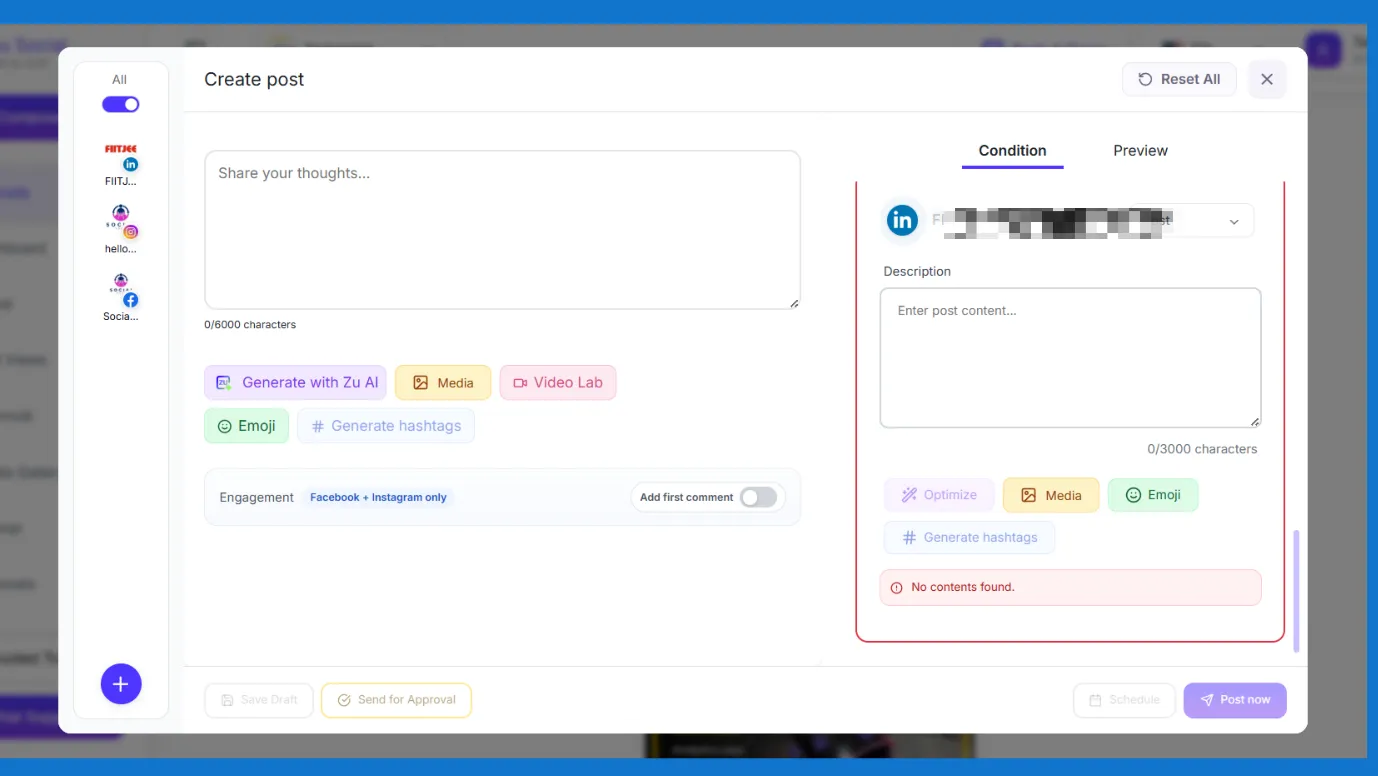
6. You can also see the analysis of your posts with Indzu.
They engage with others’ posts and comment on them.
Creators know that just generating posts will not help. Initially, you also have to invite others to see your posts on LinkedIn. one of the most effective ways to comment on others’ posts. You can comment thirty minutes before posting anything and thirty minutes after posting anything.
Make sure to comment on at least 5 or 6 posts a day.
When you comment on others’ posts, their followers will notice you, visit your LinkedIn profile or page, and view your content.
But that is easier said than done. It’s not feasible to think of interesting comments every day.
That is why we recommend using the Indzu LinkedIn Comment Generator; it is designed in a way to bring in replies.
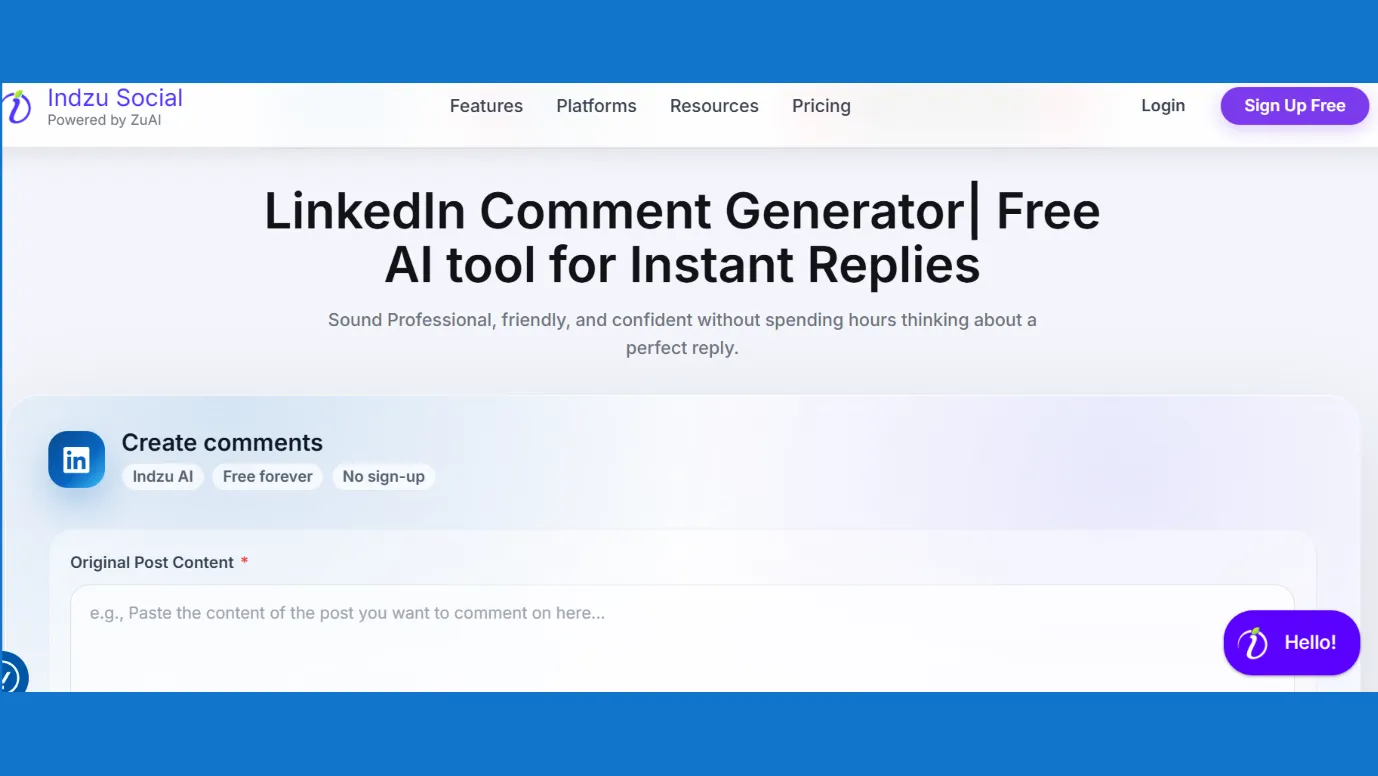
You have to put the original LinkedIn post, along with additional instructions, tone, language, and number of comments.
It will instantly generate a number of comments.
No need to hire an intern to write your comments, now you know a tool that requires no signups or login, just does it for free every time.
Now you have the formula for how to get good LinkedIn reach, engagements, and a good number of followers. Let us put the nail in the coffin.
Proof · Verified
2k+ grew faster with one tool.
What actually converts?
LinkedIn is home to millions of industries and B2B companies’ decision makers. So, LinkedIn is the real place where big deals can be cracked.
It can be said to be one of the biggest tools for conversion today. Let us discuss strategies that can help you with conversion.
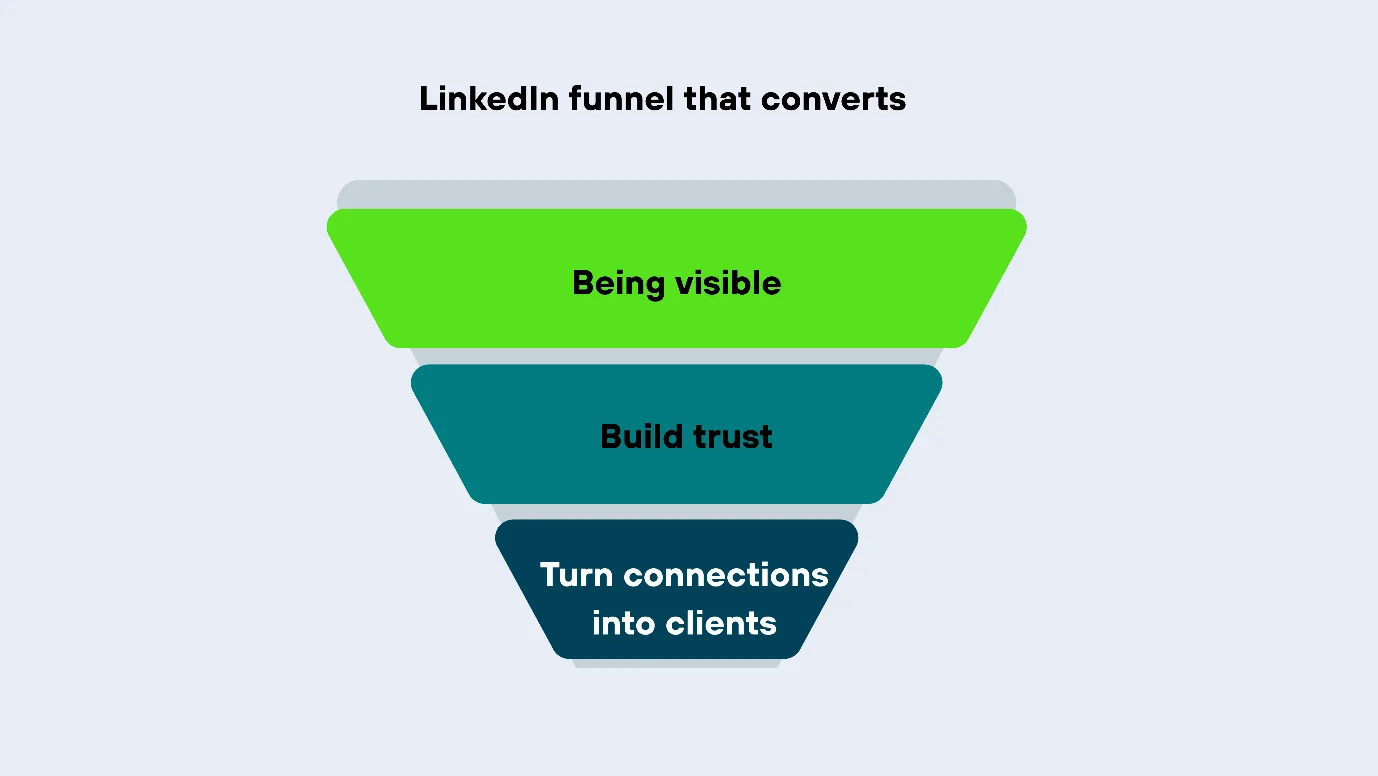
1. The first step of any important strategy is to be visible. Earlier, we discussed how to have a good LinkedIn page or profile and be consistent on LinkedIn. These steps will help you become visible and expand your network.
2. After being visible, next you have to build the trust of other people in you. That is how we start a basic funnel.
Being visible |
Build trust |
Turn connections into clients |
3. If you have to build trust, start making content which shows authority.
Here is a table showing content types that are able to build trust among the audience.
Data or result post | Share a real number from your business, plus what you learned from it |
Behind the scenes | Share the messy parts, the process, the fixes. Openly write how things get done |
Myth-buster post | Tell your experience, how something did not work or did work. Challenge a popular opinion. |
| How to do posts | Teach a framework, one specific thing your audience struggles with, broken into 3 to 5 clear steps. |
Take the help of Indzu AI LinkedIn post generator to write LinkedIn posts with AI, sharing your thoughts, adding media, using the video lab, and let ZU AI take care of your posts.
4. Finally, add soft CTAs to your content. At the end of your content, slowly start adding your website links, requests to DM you, a sign-up for your newsletter, etc.
Free · Instant · No signupSee what ZuAI generates from your website — right now.
Paste your URL. Watch ZuAI write a month of brand-on captions in seconds. Preview before you create an account.
Things to keep in mind while generating with AI.
1. While using Indzu AI, make sure to fill out all the details, like your thoughts, descriptions, tones, languages, etc.
2. For free tools, you can regenerate the output repeatedly. So, take full advantage and try with different descriptions and tones.
3. ZU AI can analyze all your website data within seconds but make sure to check the extracted data.
4. Remember you can edit your generated content or made content at Indzu. Always see the preview while scheduling or copying content.
The goal of using Indzu or any other AI tool is to lessen your efforts for LinkedIn growth, and not to totally erase it.
AI can reduce up to 80 percent of your workload, but we will always recommend that you give the inputs and take an overview of the content generated.
Speed · 10-minute setupOne coffee from URL to a full month of scheduled posts.
Drop your URL, brew your coffee, come back to 30 brand-on captions ready to publish.
Ready to write LinkedIn posts that convert?
We hope this blog helps you understand the LinkedIn funnel and how AI can greatly assist you.
The best part is that you can try Indzu social media manager for free.
When you run out of AI credits, you can buy some AI credits or upgrade your plan.
Indzu is a new-generation AI-based advanced tool that will solve social media management and content creation at once.
Blank tab. Six open browsers. No clue what to post.


 After · With Indzu
Paste one URL. Get 30 scheduled posts.
FAQs
1. How to track LinkedIn growth?
LinkedIn has an analytics section. When you click on your profile picture, then your page opens up. You can see the “Analytics” section.
Here you can see the number of impressions, profile or page views, number of engagements, etc. You can also track the number of followers.
If you are managing LinkedIn via Indzu, then you can see the “Insights” section, select LinkedIn, and see complete overview.
2. If I use AI, will my LinkedIn growth be faster?
Yes, a right AI tool can push your growth. For example, with Indzu you can create content for a whole month within 10 minutes.
You can then schedule it easily. While scheduling, Indzu also shows the best time slots.
So, this makes your work easier. You can build strategies, write your thoughts, and AI will shape them nicely.
3. Should I use free AI tools or take a paid plan?
You should first start with free tools, and when you get the optimum results, then go for paid plans.
Indzu has lot of free tools. You can try them. Most of them do not require any sign-ups or logins.
Also, the best part is that you can generate high-quality content for free with Indzu.