Your friend sent you a YouTube link, and you cannot open it. It could be urgent or important, but it just does not open. Even thinking about such a scenario can be irritating for many of us, as most people can easily open YouTube and watch content.
That is why we have brought this blog, YouTube websites unblocked: 7 smart tricks that no one talks about, for you. Now just stay along with us, and watch YouTube videos without seeing any warning or pop-up messages.
 Time killer · Pain
Spending 6 hours writing posts that get zero traction?
Paste your URL. ZuAI turns it into 30 brand-on captions in 10 minutes — no blank-page panic, no generic AI filler.
Which is the best way to get YouTube websites unblocked?
In this blog, we will explore YouTube websites that are unblocked, along with methods to access YouTube without restrictions
But you can get a glance at which methods are the best
| Ranking | Method | Working Level | Ease | Best Use |
| 1 | Hotspot | Best and easiest | Easy | Quick fix |
| 2 | VPN | Almost works every time (we recommend getting a paid VPN) | Medium | Long-term use |
| 3 | DNS | Can work sometimes | Easy | Basic blocks |
| 4 | Proxy | Can work but has safety issues | Easy | Temporary use |
| 5 | Extension | Can work sometimes | Easy | Light blocking |
| 6 | Frontend | Can work, but may have speed issues and content unavailability | Easy | Backup option |
Outcome · RecommendedGet 30 days of social content from your website — in 10 minutes.
Why does your YouTube video get blocked?
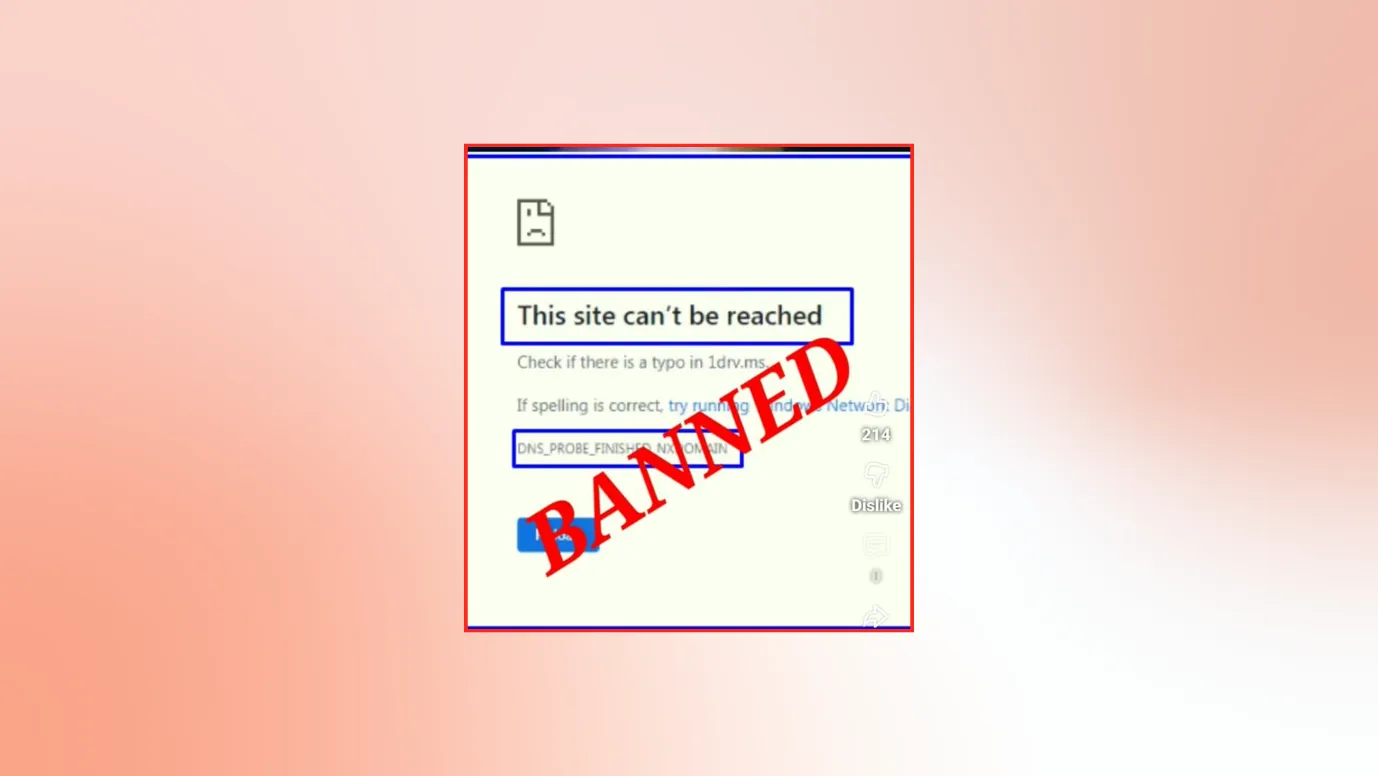
While opening YouTube and watching a video could be a basic task for many, for others, it might not be that easy.
Let us discover why YouTube / YouTube videos could be blocked.
You might be restricted by the place you live or the place you work
When you type a website on your address bar, like “ www.youtube.com”, you are commanding the servers to load data and give you.
But here someone might block the servers, like if your ISPs might not give you the data.
If your country has imposed restrictions, then ISPs will follow the regulations and not give your required data.
There are countries where YouTube is blocked (temporarily or permanently)
There, the ISPs won’t fetch the data.
Also, it could be possible that your area is imposing restrictions and not allowing you to reach the website.
There is a chance that your school, office, airport, or library might block your request when they reach the local WI-FI.
They do this
- To increase productivity
- To lessen the data usage
- To have a check on the people
- For safety reasons
Overall, we can say that restrictions happen
Who is controlling | Where it happens |
School/library/airport, etc. | Before ISP (local Wi-Fi level) |
Country/government | At the ISP level |
You might be restricted by your app, device, or any setting.
- If you are using your office or school laptop, then there are high chance that YouTube might not open on it.
- The devices provided by schools or offices allow only some apps or websites to be accessible to them.
- If your devices have parental controls “ON”, then you might not access many video sources.
- Also, your device might have any 3rdparty app like “ Aura”, which is not allowing YouTube to run properly.
- On your laptop or PCs, you might have an extension that is blocking YouTube from functioning properly.
- YouTube also follows age restrictions. You might have seen a warning like “ This video may be inappropriate for some users.”
- Also, some creators post their content for a mature audience only/ paid audience only.
Proof · Verified
2k+ grew faster with one tool.
7 Smart ways to unblock YouTube websites that are blocked.
In this blog, we will explore different YouTube websites that are unblocked and how you can access them easily.
We have tried to make things as easy as possible for you. So that you can watch videos like others, effortlessly.
1. Switch off WIFI, and turn on your mobile data
This step might be hurting, but this is also the easiest, if the local WIFI router is blocking your request, this can help you.
You will directly command your internet service provider rather than the local WIFI.
2. Install a VPN
This is one of the most popular methods. Many people don’t think twice—they install a VPN and use it to access YouTube websites that are unblocked..
But, before rushing to install a VPN, remember some points.
1. VPN (Virtual Private Network) can kind of trick your ISPs and hide your IP address.
2. VPN makes you appear to be sitting in some other country or location, so you can bypass the restrictions imposed and watch the YouTube videos.
3. Do not just install any VPN, install that is safe to use. If you install free VPNs, there can be a compromise on speed, limited options, or you may see ads, or there could be safety concerns. Here are some free and paid VPNs.
Free VPNs | Paid VPNs |
Express VPN |
4. While VPN is considered safe, your VPN provider and device cookies can still track you.
3. Change your DNS settings
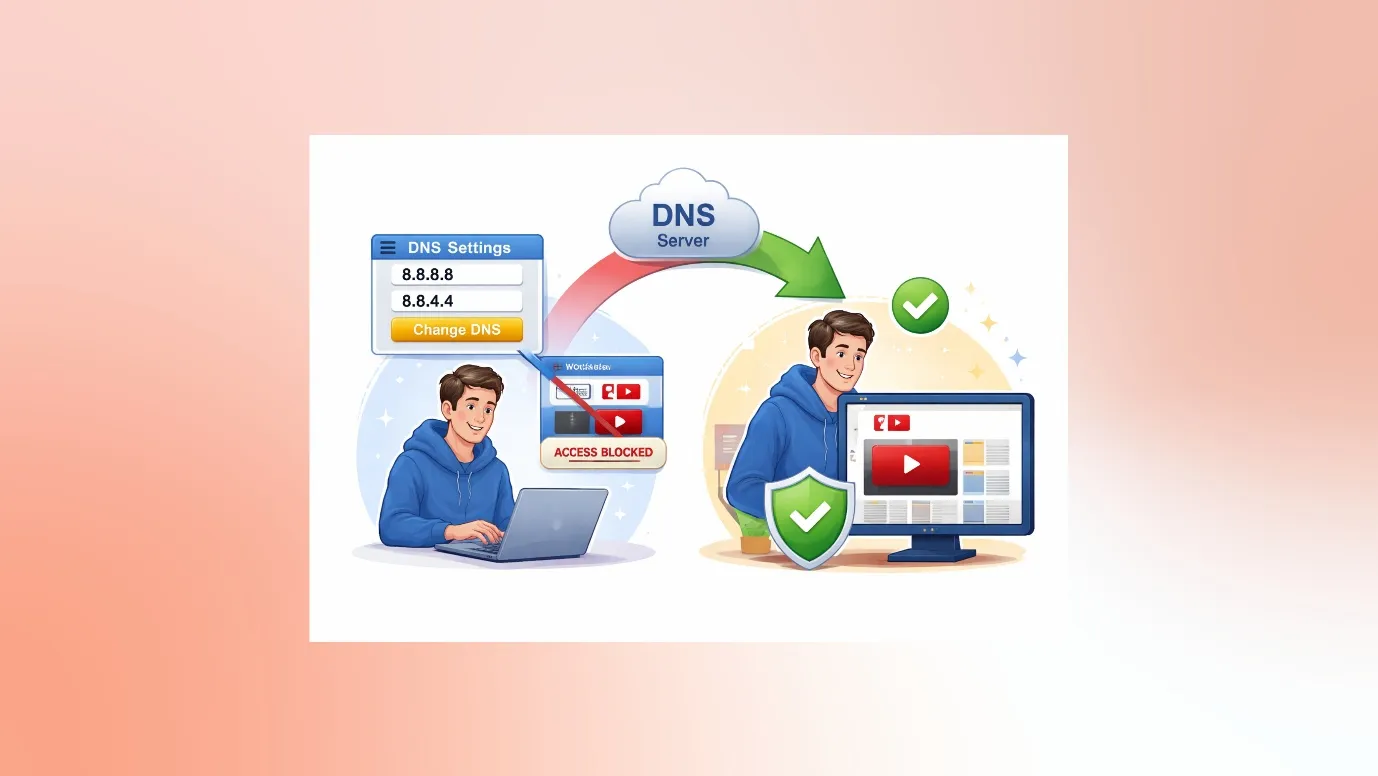
DNS are helpers; these helpers give the address of websites. Whenever we type an address, that address is decoded as a number by your device. And in some cases, DNS is intentionally configured to block or redirect certain websites (by giving wrong numbers)
That is why, in many cases, you can change your DNS settings and access YouTube websites that are unblocked.
How do I edit DNS settings on Windows?
Here we have explained step-wise how to change DNS settings in a PC.
- Go to your PC
- Open Settings
- Tap Wi-Fi
- Tap the i next to your connected Wi-Fi
- Scroll to Configure DNS
- Tap Manual
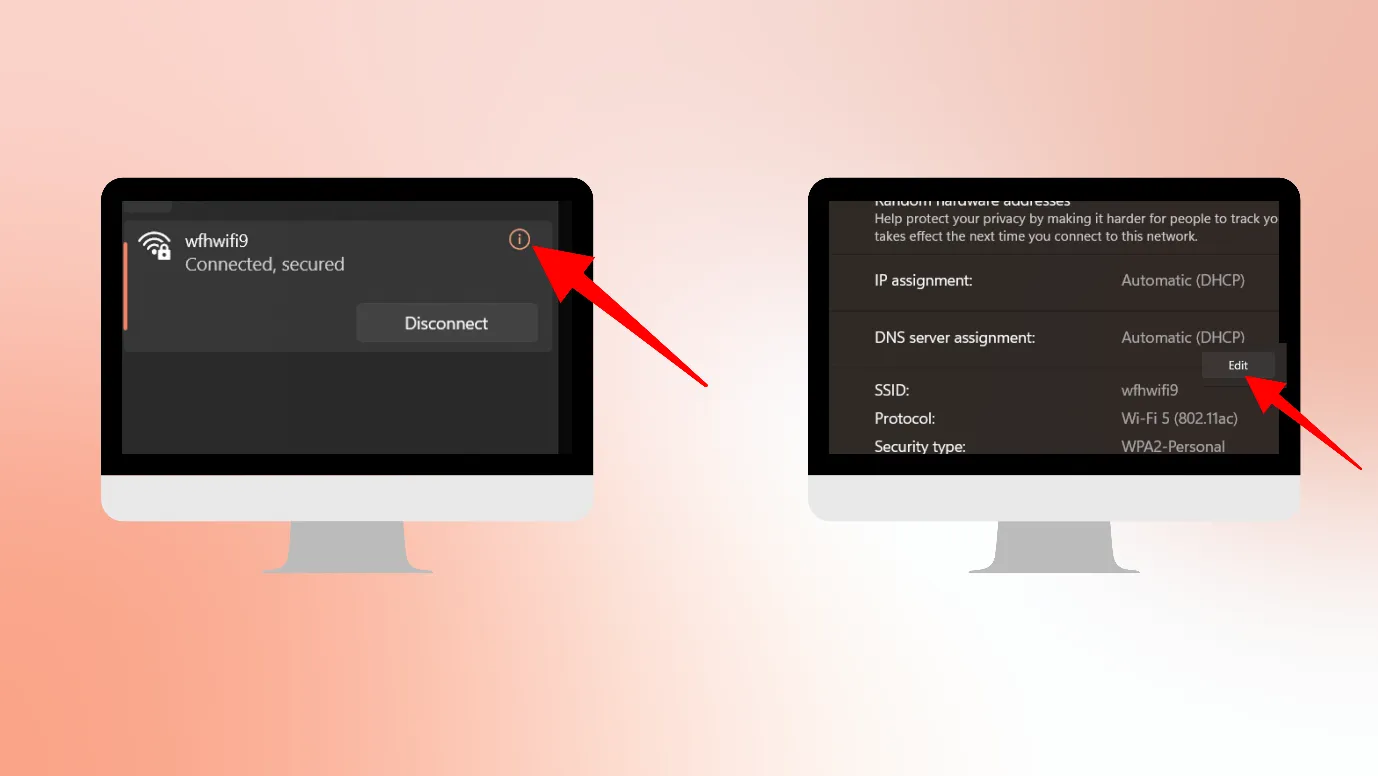
You can change your DNS here. ( For primary : 8.8.8.8 , For secondary : 8.8.4.4)
How to change DNS on mobile?
Here, we have explained how to change DNS on Android
- Open Settings
- Tap Network & Internet or Connections
- Tap Private DNS
- Choose Private DNS provider hostname (For Cloudflare: one.one.one.one, For Google: dns.google)
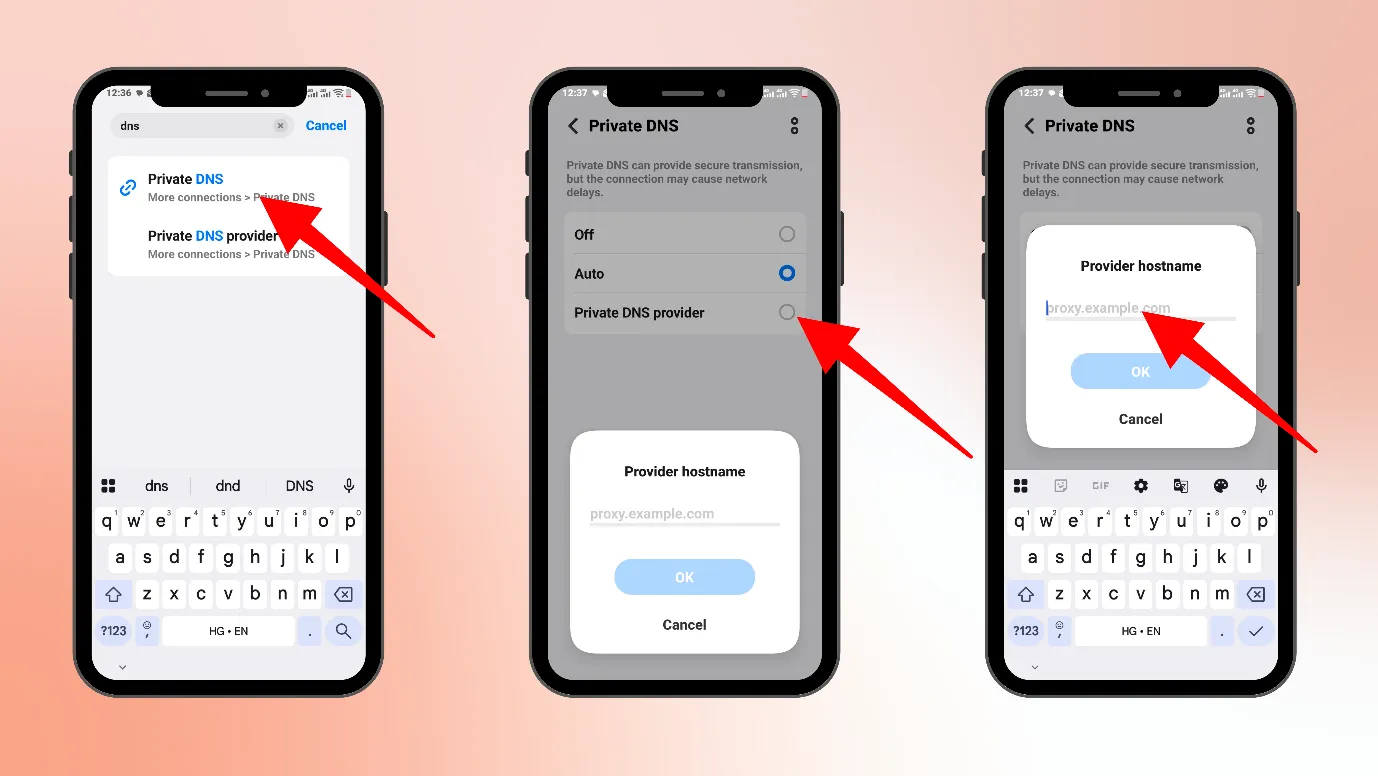
But these DNS-changing methods would only work if the restrictions are not that serious, i.e., they are just local-level, like those imposed by schools, cafes, local Wi-Fi, etc.
If the restrictions are stricter like those imposed by universities, larger corporates, Government’s etc, then it might not work.
4. Add some extensions to your browser.
Extensions are like a mini tool for your browser. So you can add mini tools to your browser, which can disguise your browser and take you to the real website.
They could change your internet route or change your visible location.
For example, you can add any VPN extension to your browser or a YouTube unblocker extension to your browser.
Remember, this only works for light restrictions and not the heavier ones.
5. Use a Proxy browser
When your browser cannot access YouTube, you can use a proxy browser to open YouTube websites that are unblocked.
A proxy browser is a browser that accesses websites through a proxy server instead of connecting directly.
Your ISP will not be able to see you, but it can see which address you are going. Since it cannot see you, it will not block you.
Here are two popular proxy browsers
You can use a proxy extension on your browser. You can also use a proxy browser on your phone.
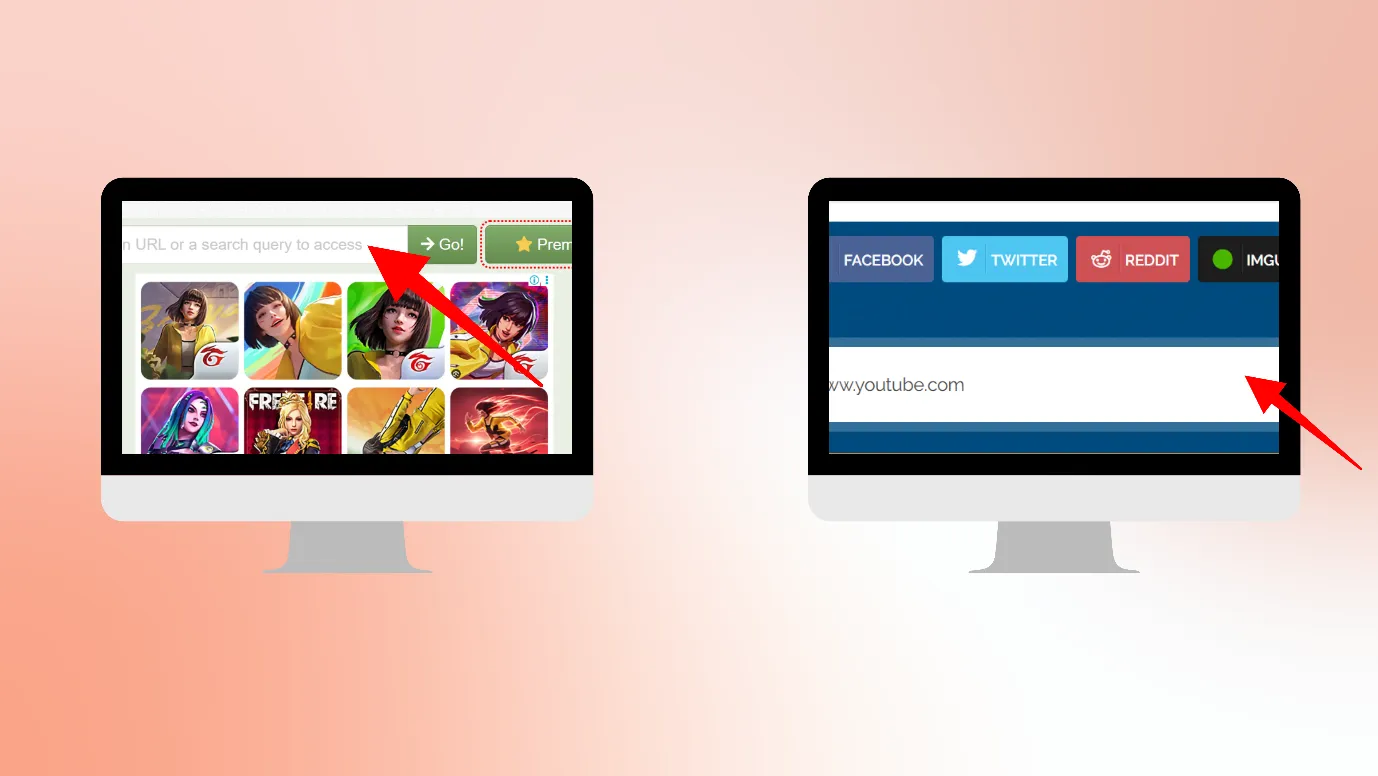
How to use a Proxy browser on your PC?
- Open your browser (Chrome / Edge / Firefox)
- Go to a proxy website (like CroxyProxy, ProxySite)
- You’ll see a search box
- Paste your YouTube link
- ProxyClick Go / Enter
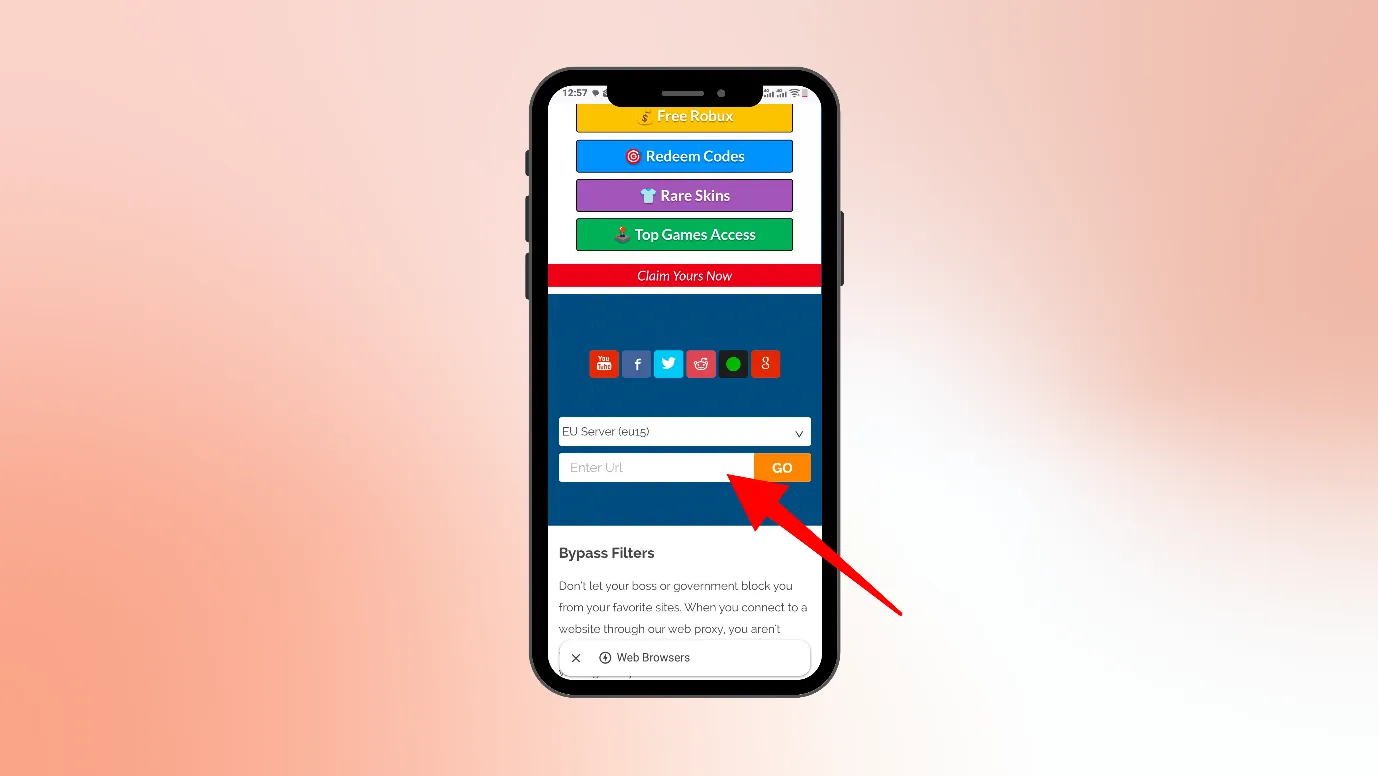
How to use a Proxy browser on Mobiles?
(Just use your normal browser (Chrome, Safari)
- Open a proxy website
- Paste the YouTube link
- Watch the video
But remember, using Proxy browser is not a safe idea. ISP might not recognize you, but the data is not safe.
That is why it is recommended that you should not log in from your primary Google account into a proxy browser.
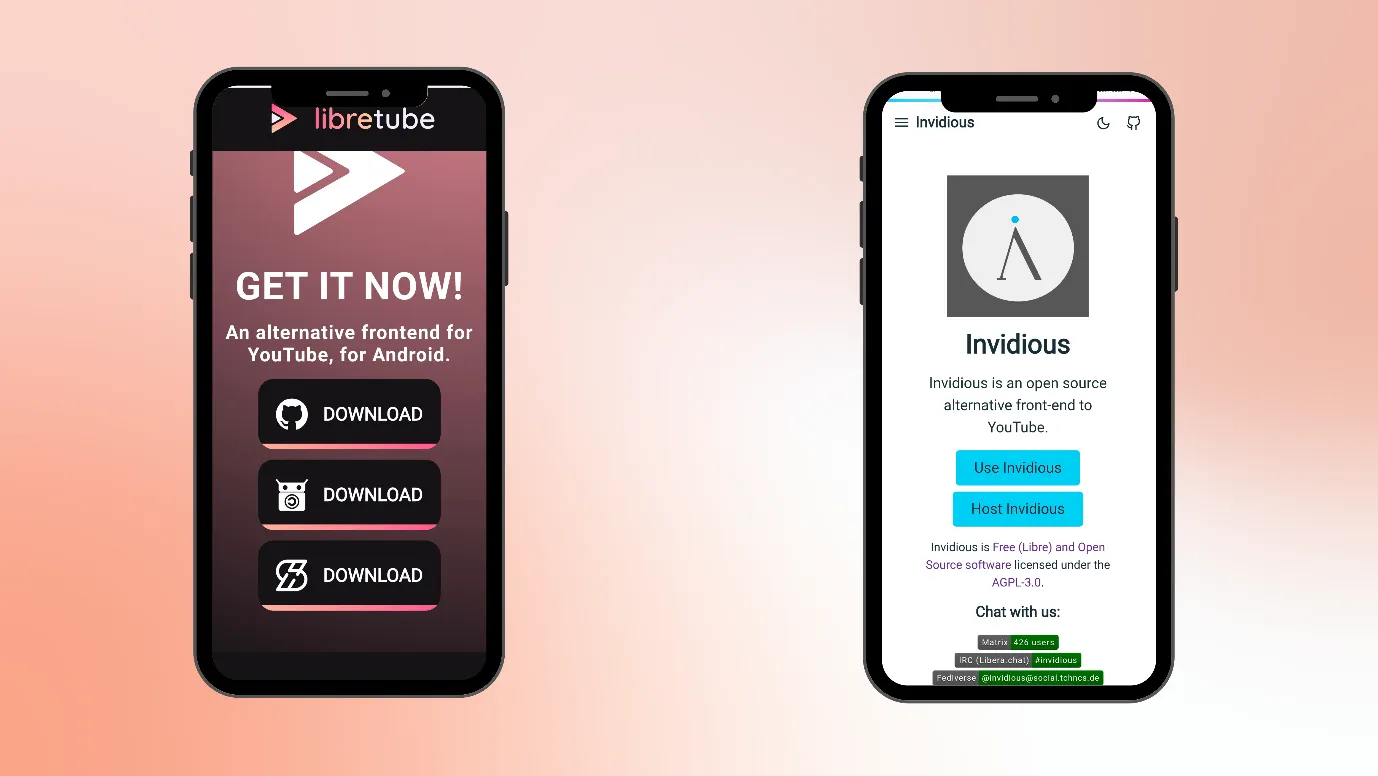
6. Use alternative front-end websites.
There are some websites that show YouTube content without using the official YouTube site.
These websites somehow fetch the data from YouTube and show it on their interface.
Here are some examples of frontend websites
These websites easily open in your phone and laptop browsers.
7. Use anti-detect browsers
When you use a browser, there is a high chance that your browser is collecting all the data about you.
It collects your
- Cookies
- IP address
- RAM & CPU details
- Fingerprints, etc.
Your browser creates your profile and keeps all the details about you.
But if you do not want anyone to capture your details, then you should use an anti-detect browser.
Because of this, an anti-detect browser can help you access YouTube websites that are unblocked.
Here are some anti-detect browsers.
- Dolphin anty(free)
- Pixel Scan
But these anti-detect browsers can’t be used on phones.
8. You can download YouTube videos in advance. (BONUS POINT)
If you cannot watch YouTube videos using your local Wi-Fi, then you can download them using your mobile data or any other hotspot.
Or you can also use an alternative frontend website and download YouTube videos in advance.
Free · Instant · No signupSee what ZuAI generates from your website — right now.
Paste your URL. Watch ZuAI write a month of brand-on captions in seconds. Preview before you create an account.
Things to remember when you are trying to watch a YouTube link using these methods
- When you are using any of the methods to unblock YouTube websites, you are violating a policy (maybe school, office, country, etc.)
- Safety comes first. When you are using a proxy browser/ frontend alternative, never log in from your primary account; instead, use a dummy account to log in
- Using mobile data can cost your pocket, as YouTube videos take a high amount of data to load
- Also remember, some methods work, some do not. Here is a table summarizing important points.
Situation | What to remember |
School / Office Wi-Fi | You may be breaking rules or policies. |
Country-level block | Hotspot won’t help, only VPN may work. |
Mobile data use | Videos consume a lot of data. |
Using proxy | Don’t log in or enter personal info. |
Using extensions | Only install trusted ones. |
Frontend sites | Don’t trust them with accounts. |
Using VPN | Check local laws and use them responsibly. A free VPN would show ads, could be slow, or take your data. Try to use a trusted VPN or take a paid plan. |
Speed · 10-minute setupOne coffee from URL to a full month of scheduled posts.
Drop your URL, brew your coffee, come back to 30 brand-on captions ready to publish.
Found your way to YouTube websites unblocked?
We hope you’ve found the best way to access and watch the YouTube link based on your situation.
Keep in mind that restrictions can change at any time, and some methods may stop working while others start working.
It’s always better to stay flexible and choose the method that fits your situation.
Most importantly, use these methods responsibly and keep your safety in mind.
Blank tab. Six open browsers. No clue what to post.


 After · With Indzu
Paste one URL. Get 30 scheduled posts.
FAQs
What Are Unblocked YouTube Sites and How Do They Work?
Unblocked YouTube sites are tools or methods (like alternative ways, browsers, or proxies) that bypass the restrictions imposed on opening YouTube or YouTube videos and letting you watch YouTube.
How do I unblock YouTube on a school Chromebook?
There are various ways to unblock YouTube on a school Chromebook.
- Try using a VPN
- Change the DNS setting
- Use a proxy browser
- Try using an alternative front-end website.
But we cannot say which method would be suitable for you, as it depends on what kind of restrictions are present in your school or Chromebook.
Why does YouTube get blocked?
Here is a table showing why YouTube gets blocked
Reason | Explanation |
Distraction control | To prevent wasting time on videos |
Bandwidth saving | To reduce heavy internet usage |
Content control | To block non-educational or inappropriate content |
Company policy | To keep employees focused on work |
Government rules | Due to laws or regional restrictions |
Network filtering | Using DNS/firewall to block access |
Why can’t I watch 18+ on YouTube?
If your institution or family has turned on Restricted mode on YouTube, then you cannot watch mature content on YouTube.
Which is the best way to get to YouTube websites that are unblocked?
Getting a paid VPN plan and using it could be the safest way to unblock YouTube.
Turning on mobile data and switching off WIFI could be the easiest way (but this might not work every time)