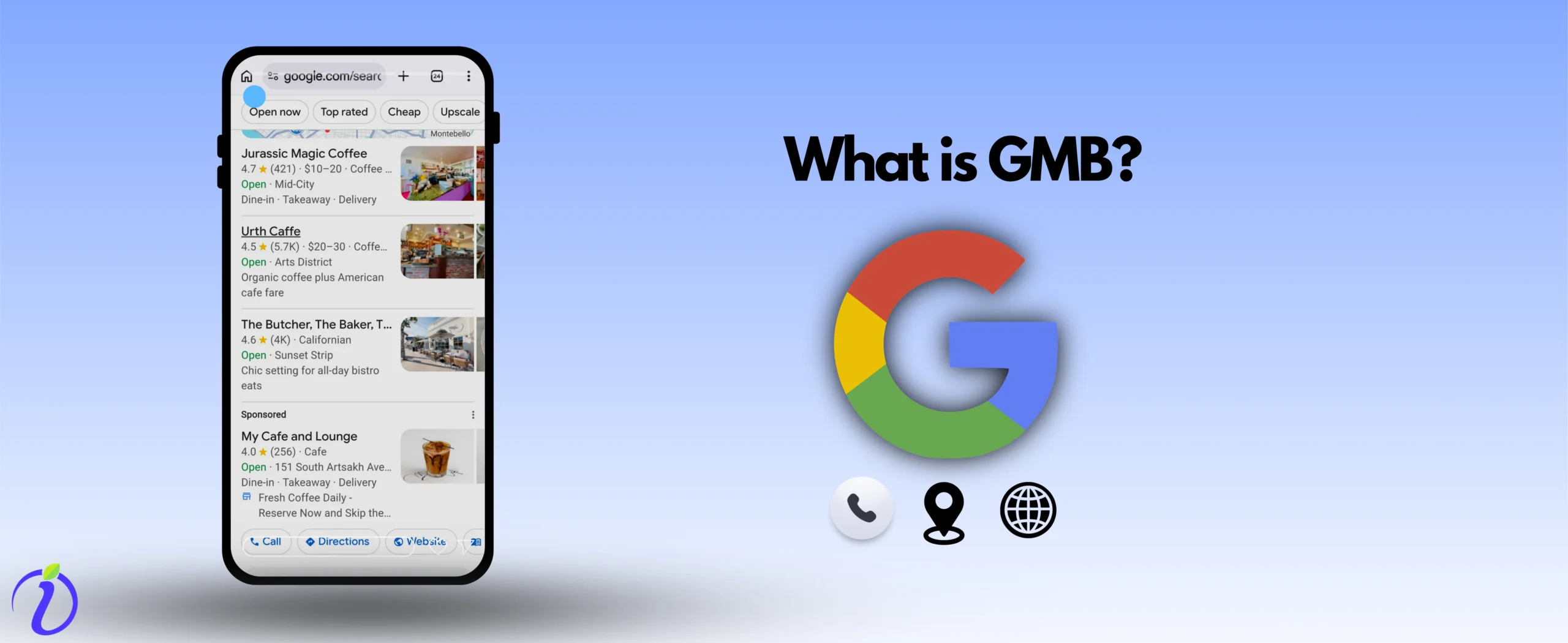
What is the first thing you do when you require a service or business? You Google it, right? And when there is a local intent like “ Café near me” or “Tailor near me”, the GMB/GBP results come first. But What is GMB? And why does every business want it?
Let us learn all about it briefly. And let us learn all the tips about it.
We all notice it knowingly or unknowingly. But seeing something on Google with 5-star ratings does leave a good impression on us. That’s why businesses try to rank on GMB this hard.
What is GMB?
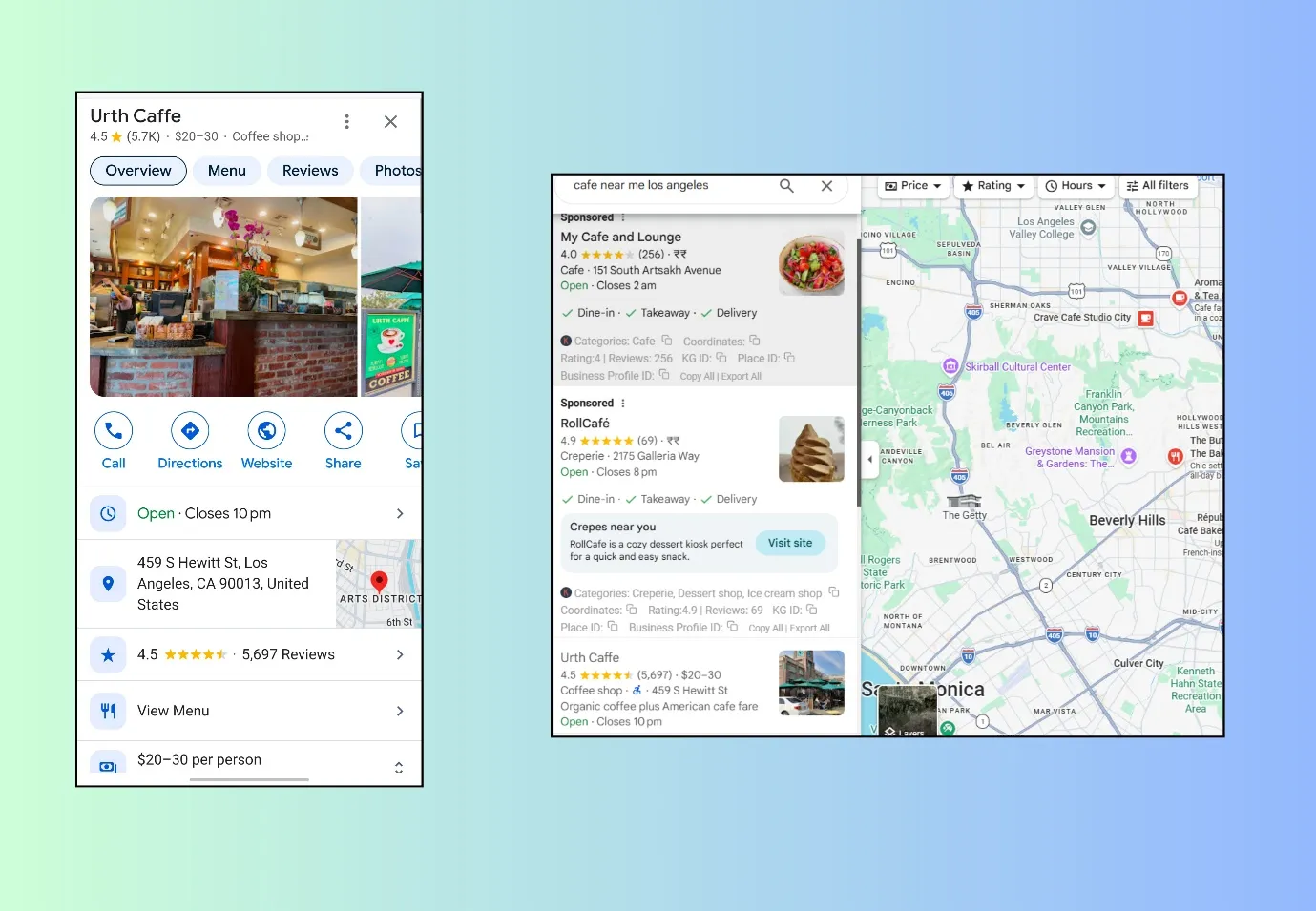
A website has all kinds of information about a business. But when you search for a business on Google, you can’t easily identify which one is located near you just by looking at websites.
That is where Google My Business (GMB)/ Google Business Profile (GBP) steps in. It shows nearby businesses along with details like:
- Business name, address, phone number
- Photos and videos
- Updates, offers, and posts
- Customer reviews
- Location/directions
- Ways to contact the business
GMB is a free tool offered by Google. It lets businesses list themselves so they can appear on Google Search and Maps. These listings show up to customers based on their location, making it easier to find nearby businesses.
NOTE- GMB is now officially called Google Business Profile (GBP), but many people still say “GMB”
What is GMB link?
GMB link is the URL (Link) that shows your business profile in Google.
Why does every business want a GMB listing and Ranking?
As we discussed, when we search for any nearby business, GMB results appear first.
- Looking at GMB listings is easy; contacting businesses and reading reviews all seem easy.
- The ratings and reviews are visible at first glance. Good ratings increase trust and credibility. So, a business gets a good first impression on the first go.
- GMB can bring in more leads than a traditional website. If 100 people look at your GMB listing, at least 5 of them will contact you.
People have a high intent of contacting or visiting a business when they are looking in GMB results
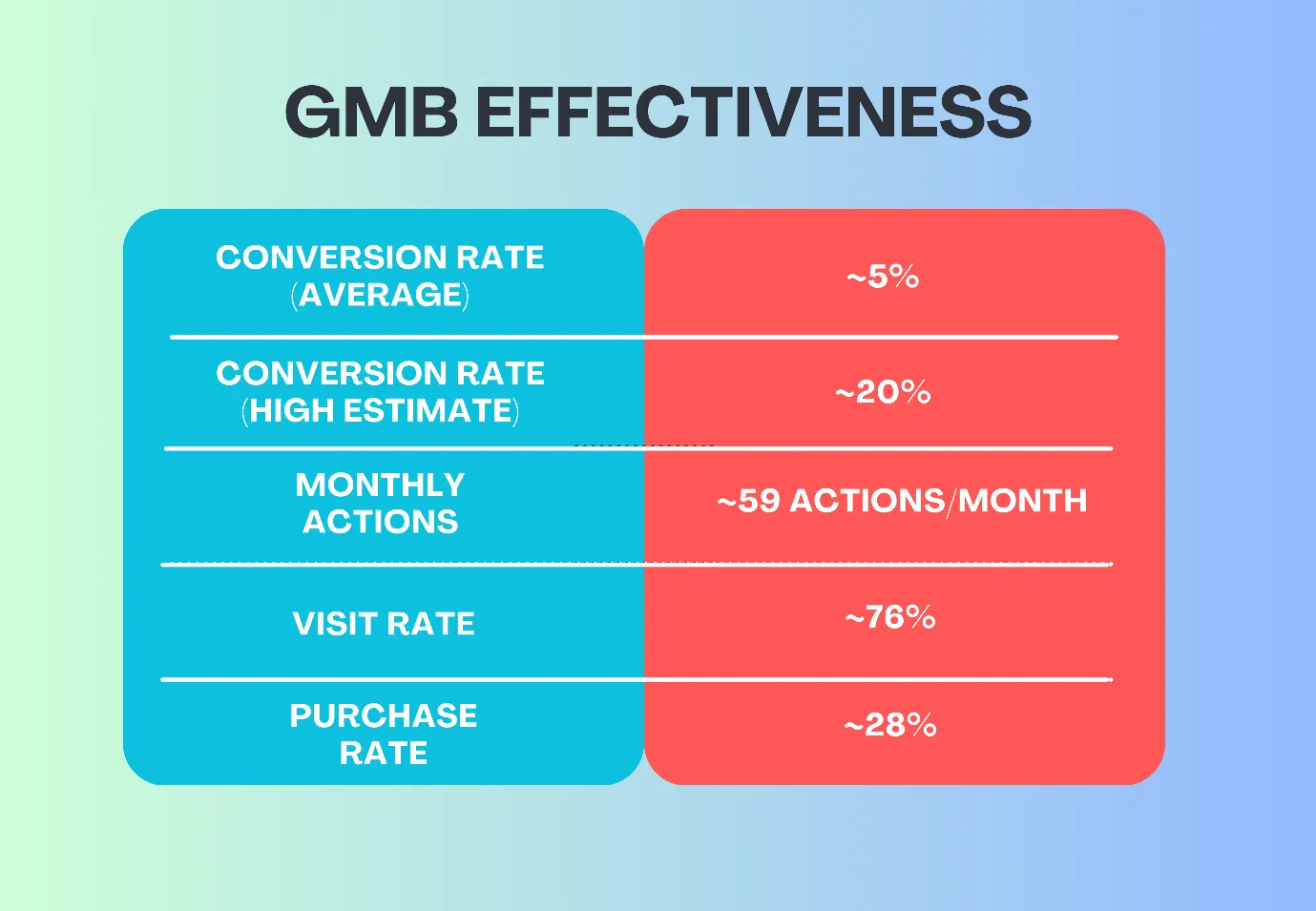
Here is a table showing how GMB is helping Businesses
GMB Effectiveness | Stats |
Conversion rate (high estimate) | ~20% |
Conversion rate (average) | ~5% |
Monthly actions | ~59 actions/month |
Visit rate | ~76% |
Purchase rate | ~28% |
NOTE- Even if a Business does not have a website, it can still have a GMB/ GPB listing. This makes it easier for many small businesses to be on Google even without a website.
 Time killer · Pain
Spending 6 hours writing posts that get zero traction?
Paste your URL. ZuAI turns it into 30 brand-on captions in 10 minutes — no blank-page panic, no generic AI filler.
How to start with GMB?
We will go step by step and see how we can set up a GMB/GPB profile.
First, check your name on Google Maps.
Before starting any process of GMB Listings, let us check whether any other business with your name and niche already exists or not.
Open an account on Google Business.
1. Go to com/business
2. Sign in using a mail ID, which is already connected to your Business. DO not use your personal mail ID
3. Next, you can type your business name. Make sure it is the same as given on your website, social media channels, etc. A different name might create confusion.
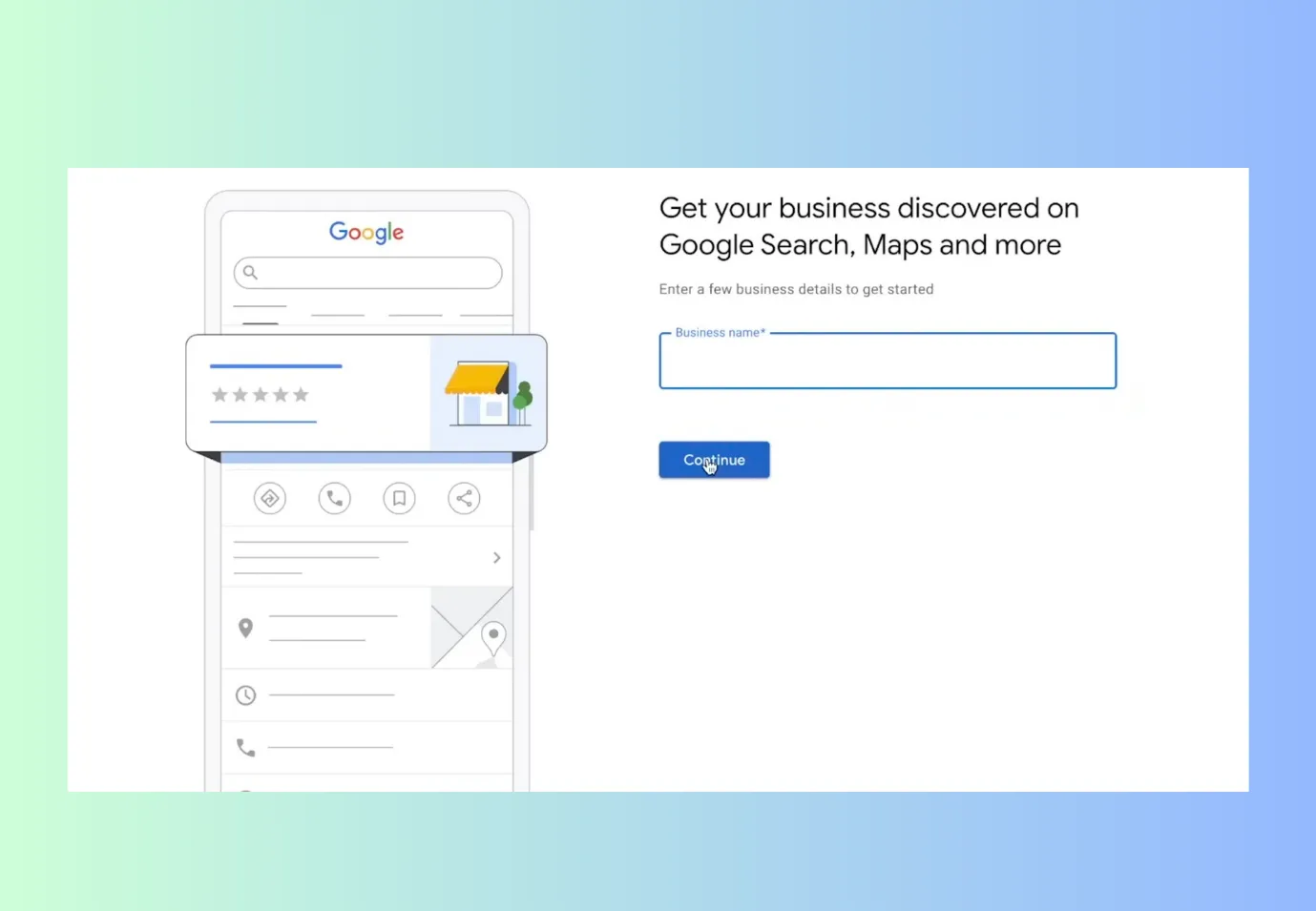
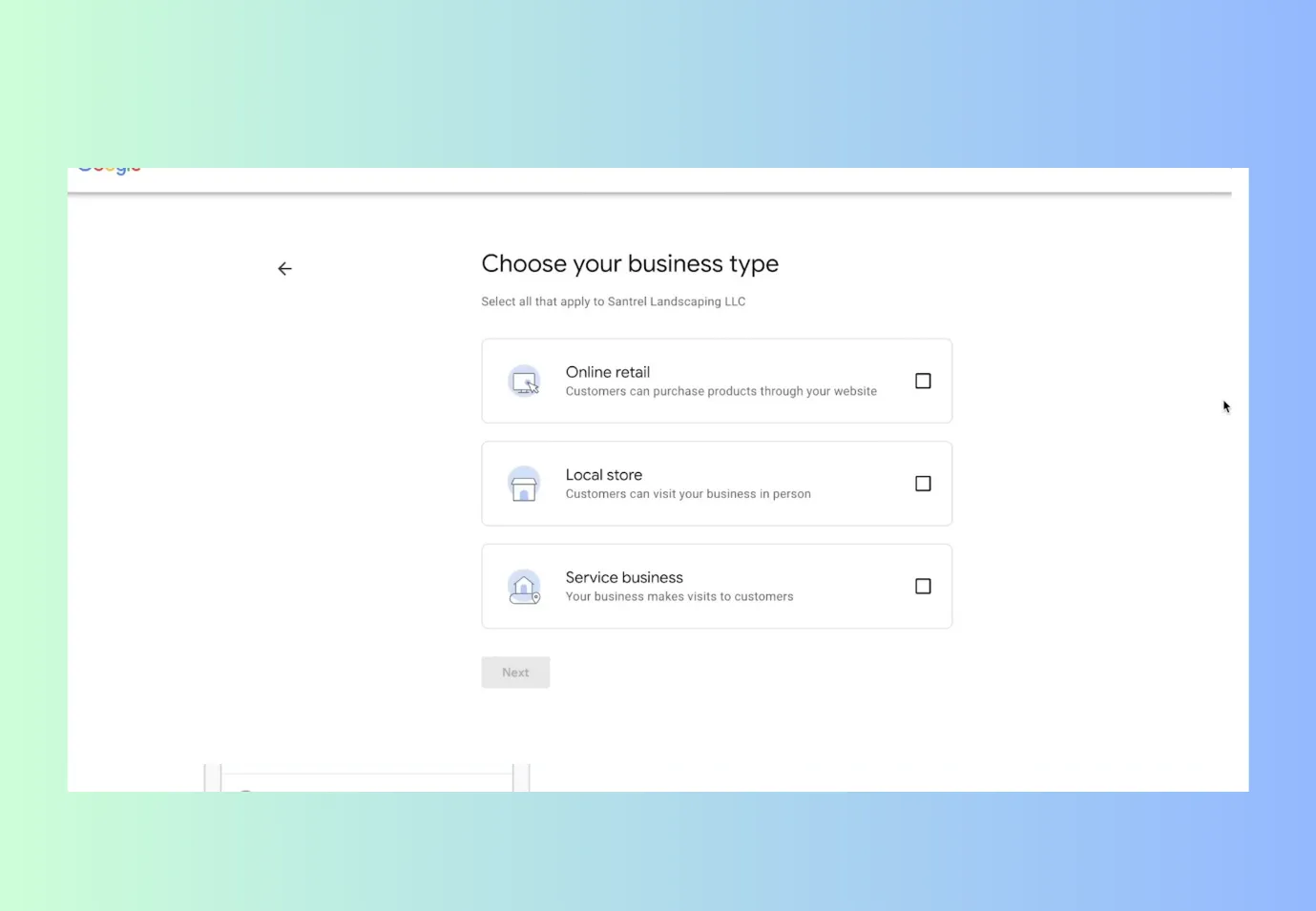
4. Choose your business type.
5. Next, enter a business category. While entering a business category, choose a keyword that is used by the maximum number of people.
6. Next, write down the locations where you serve people. Do not write the locations that are more than a 2-hour drive from your place.
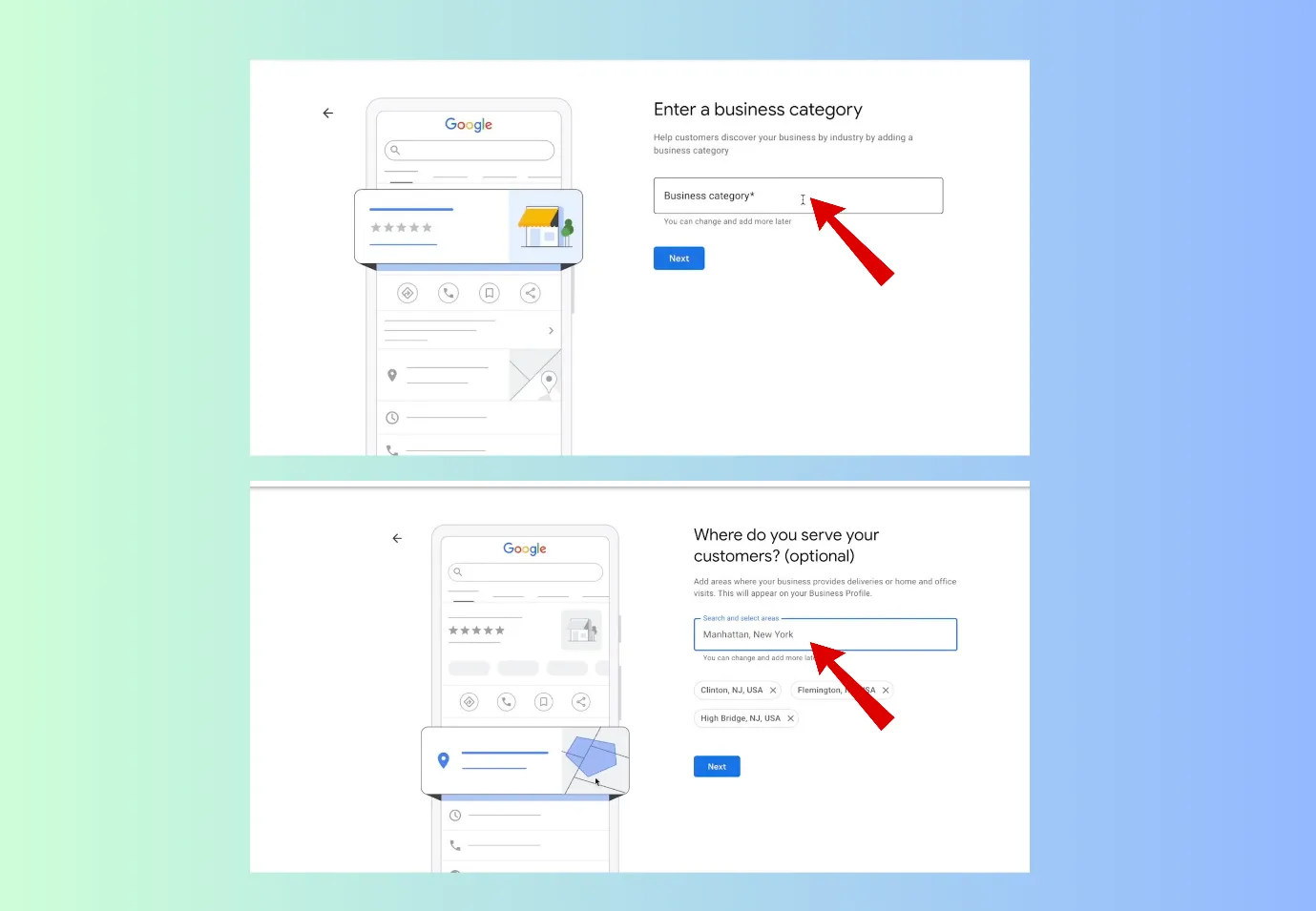
Google does not like to recommend far businesses in the near me business category.
7. Next, you can put your phone number. If you have a business, you can put in your website.
8. Now put your address where Google can send you documents.
Please note that you do not give a fake address, as Google will send you docs for verification.
It might take 3-15 days for verification.
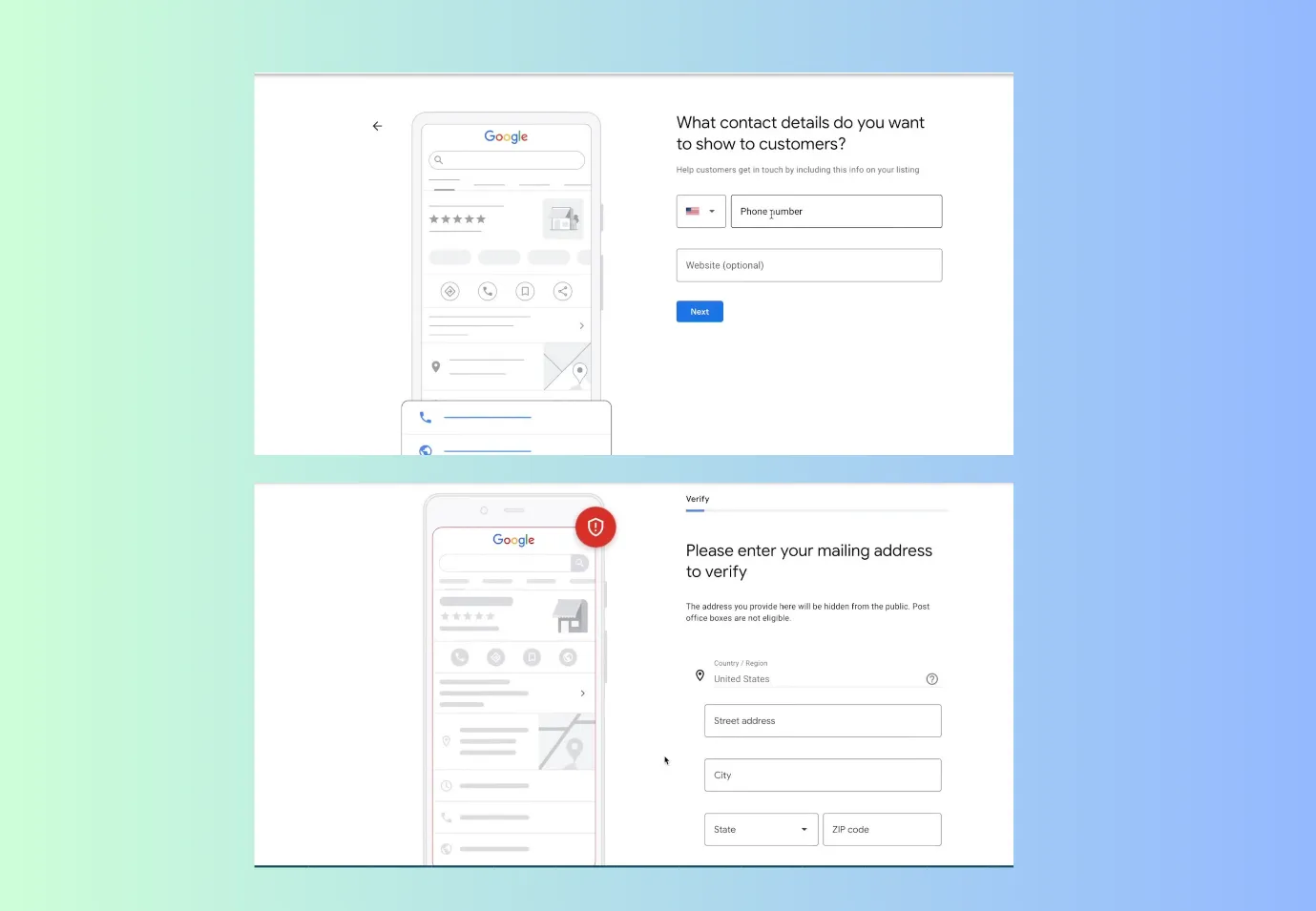 9. You can also select other modes of verification or choose to verify later.
10. Next, select the kind of business you offer. This is a very helpful step; people can be assured whether you can provide their required service or not.
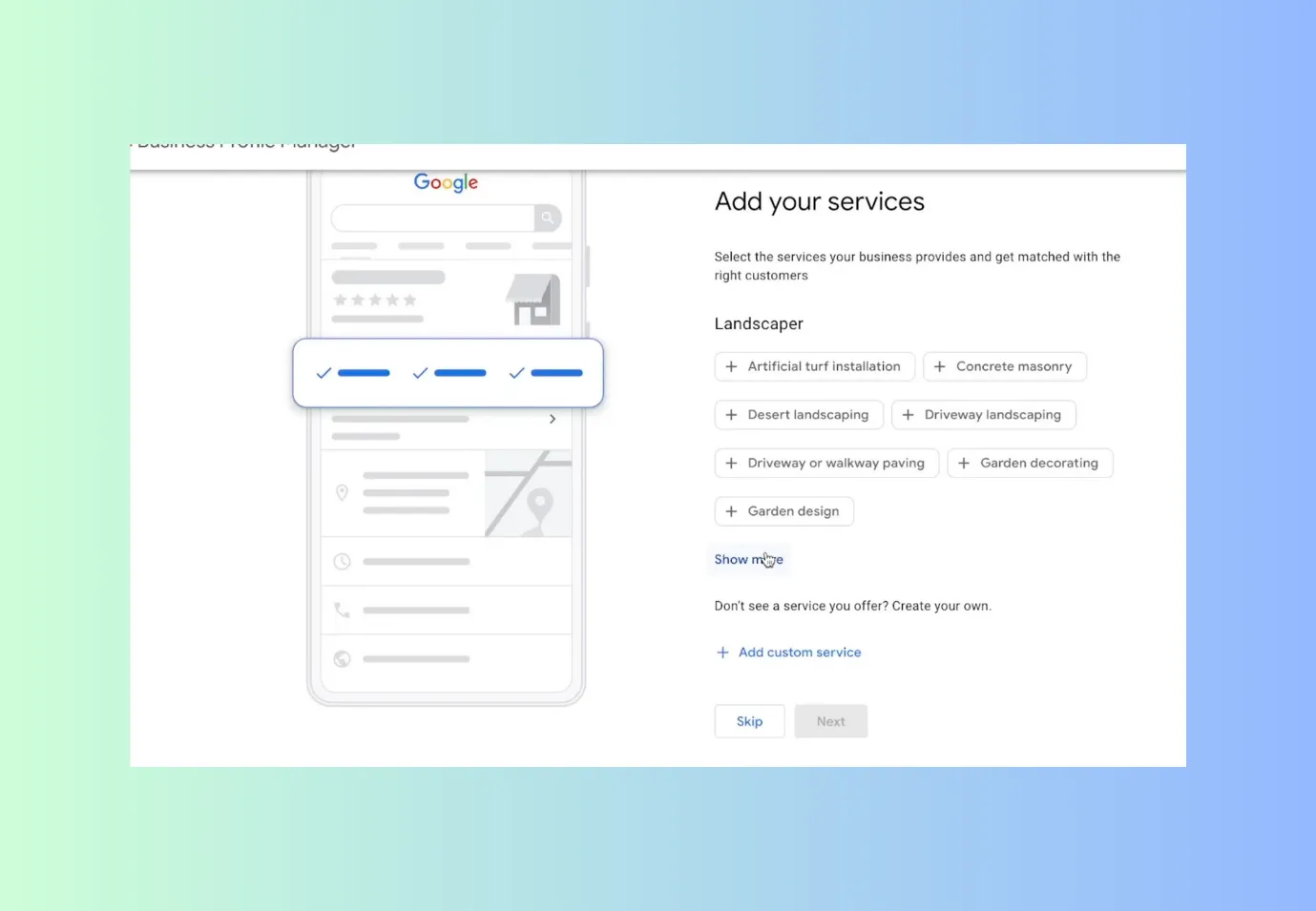
And this will also save you from getting unnecessary calls or visits.
You can also add custom services
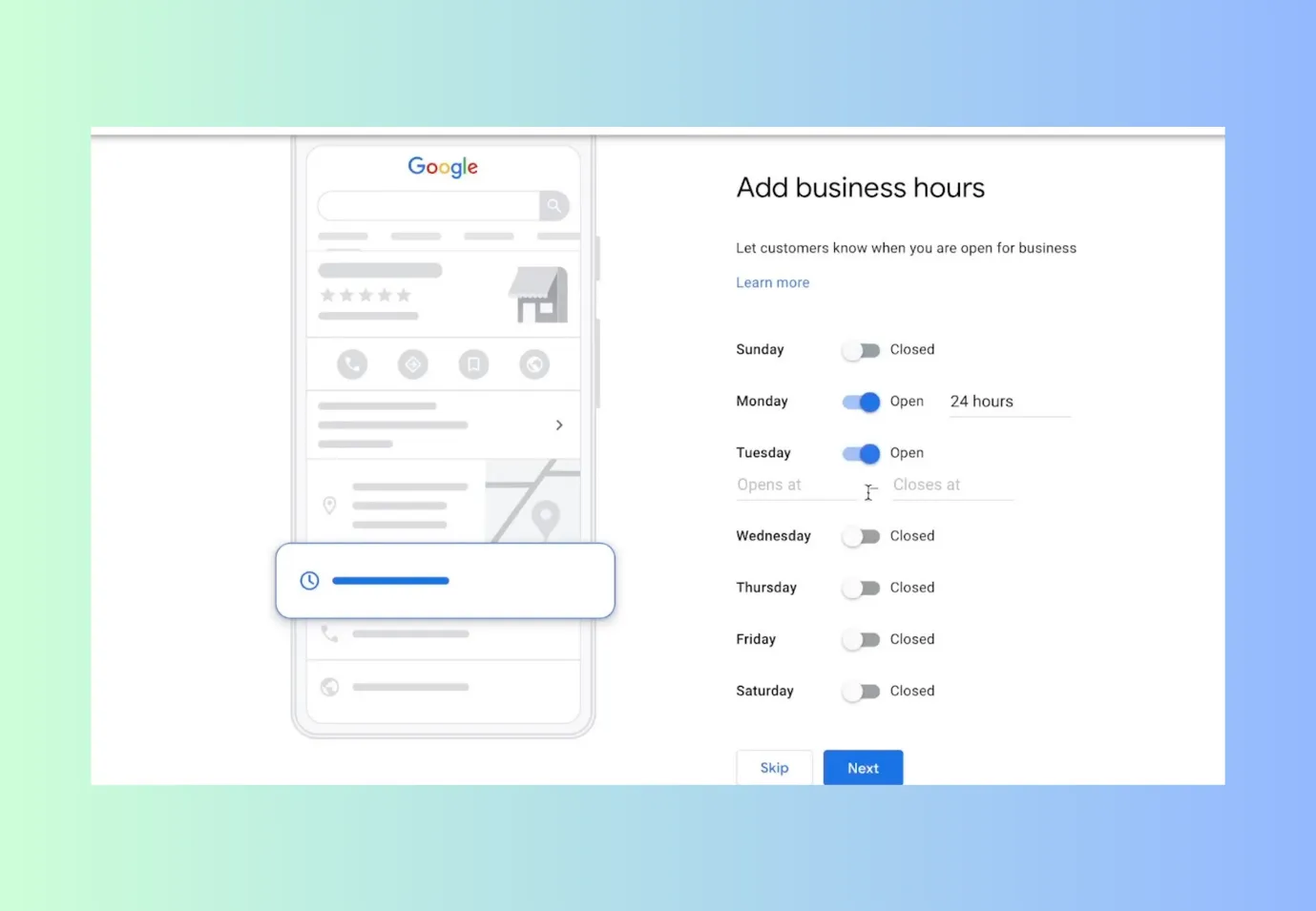
11. Clearly mention your opening hours.( If you do not want any calls during the night, then clearly mention open from 9 am to 5 pm)
You can always edit your opening and closing hours.
 12. Add business description; you have a limit of 750 characters. Do add your keywords
13. Next, add some photos of your work, business, or services.
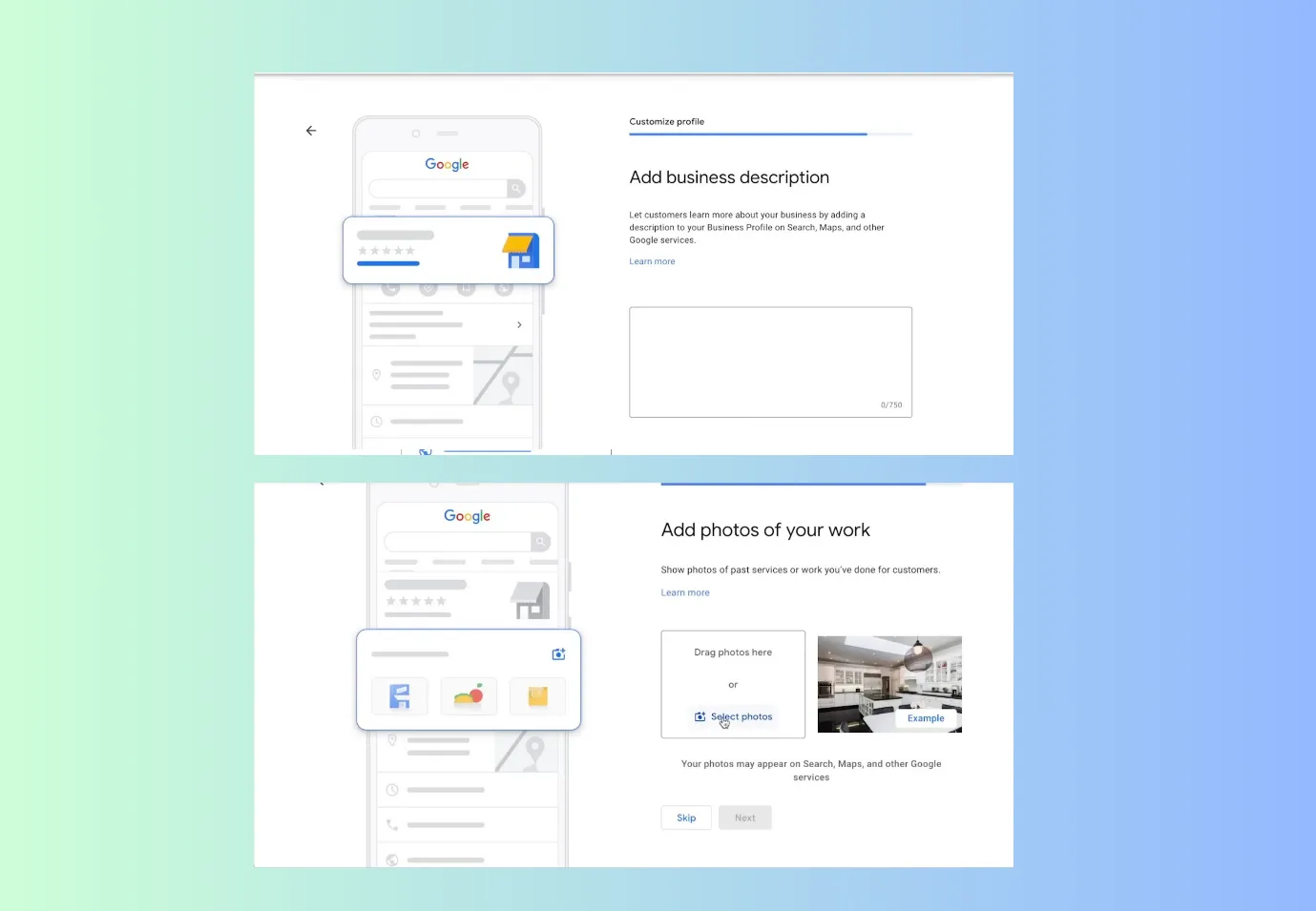 14. You can opt for running Google ads, but if you are a beginner, do not claim that free 500 $ offer.
Once you are verified, your GMB profile will start showing.
You can always make changes later. But remember that getting verified is an important step.
Outcome · RecommendedGet 30 days of social content from your website — in 10 minutes.
5 ways to enhance your GMB rankings.
Creating a GMB listing is just the first step. It also needs to rank on Google, or people may choose your competitors instead. Here are some tips to organically increase GMB ranking.
Complete or update all details in the GMB profile.
While other businesses keep on wondering what is GMB, we hope you have understood its importance and updated or filled all the correct details in your GMB profile.
The details like
- Correct Opening/closing hours
- Relevant contact details
- Proper address
- Services you are offering, etc.
If Google does not understand your complete details, it will not be able to rank you.
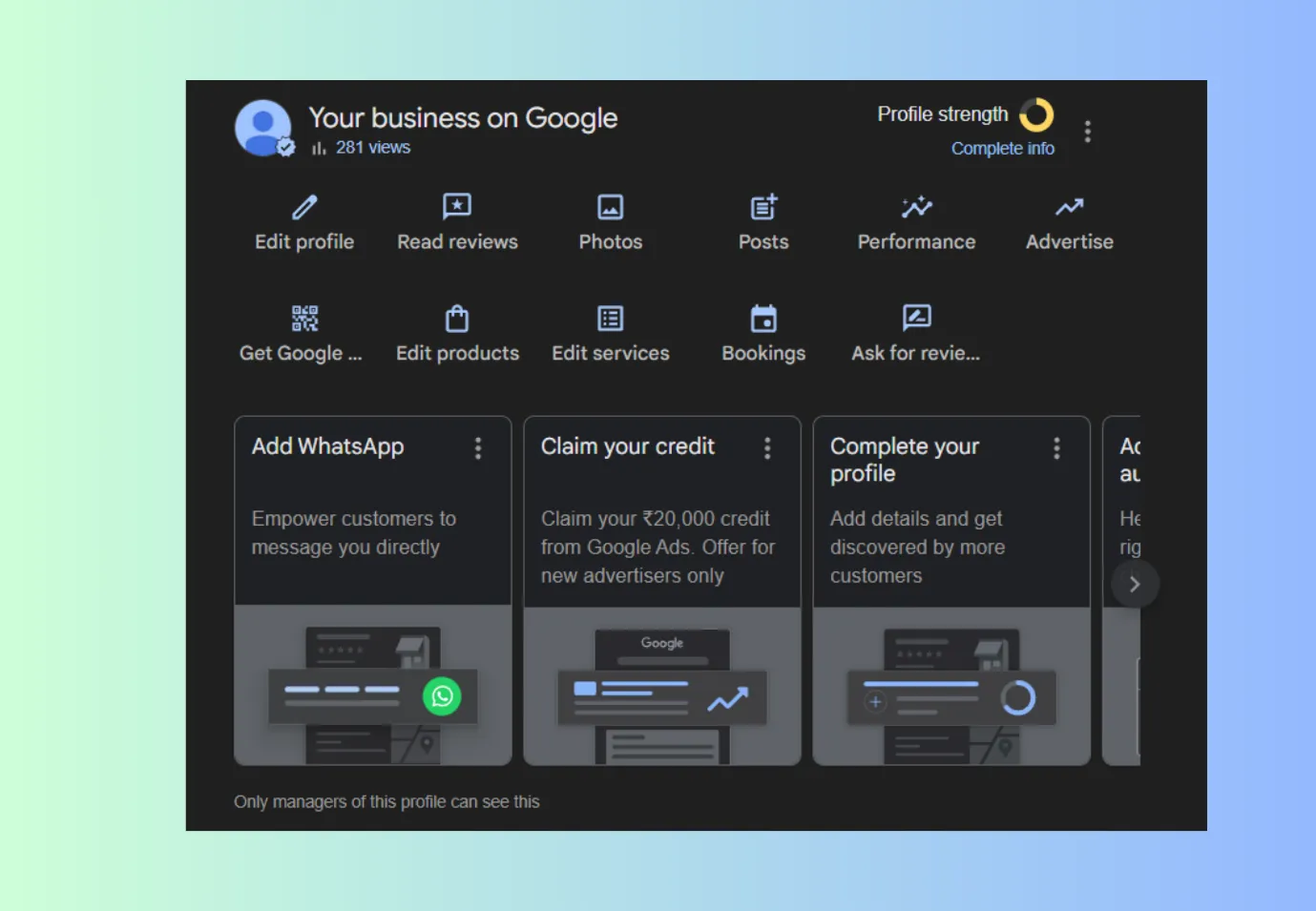
Add some updates to your GMB profile consistently
After you have created the GMB profile, you can log in and manage it.
- Every 15 days, you need to update the description
- Add some photos, any kind of offers, etc. Try to add some real photos, like customers enjoying your services, your final goods, staff working, etc.
NOTE- Do Not Add any downloaded/ Googled photos here. You may face copyright violations. Add ORIGINAL photos here.
- Delete any old photo, which is not relevant to your business now.
- Update the changes(if any), opening hours, closing hours, contact details, etc.
In short, keep maintaining your GMB profile.
Try bringing in ratings and reviews from your customers or audience.
Apart from rankings, people also observe the ratings. Both are vital. So, when any customers visit or take services from your business, ask them to rate your business on Google.
- It is a misconception that you need only 5-star ratings to rank. Nowadays, people can understand the difference between genuine ratings and reviews and fake ones. So, you can ask your customers for genuine reviews.
- Also, politely ask some of your customers to include the main keyword while they give a review. This gives a strong signal to Google that your business can be ranked on that particular keyword.
- Try to bring a rating or review once every 30 days.
NAP consistency matters
NAP means name, address, and phone number. NAP should be consistent across all platforms.
Otherwise, confusion is created, and confusion can deter your GMB rankings.
Add geotagging to your photos
There are a lot of online apps that can add locations to your photos. Then you can add those photos to your GMB.
This will increase credibility in Google. Better credibility = Better rankings.
Proof · Verified
2k+ grew faster with one tool.
Mistakes people make for ranking in GMB.

Adding a keyword to your Business name.
We have seen a lot of people doing this. If their company name is “Windsor”, they purposefully write “ Windsor, the best tailor of Los Angeles”, which gives the results faster.
But this is a spammy step. Once Google identifies this, it will not rank you at the top.
To avoid this, rather than inserting a keyword in your GMB name, insert the keyword in your landing page.
Bringing fake or paid reviews on Google.
Businesses think that if they only post good reviews, they will rank at the top. But that is not the case. Google has actually become smarter, and it can know what is fake and real.
So, try to add genuine and consistent reviews. This will push the rankings.
Making fake local listings
Many businesses do fake local listings in order to improve rankings. They do this to
- Appear in more “near me” searches
- Occupy more spots in the Local Pack
But once Google knows this, it will penalize your GMB listings. That is why you should avoid this mistake.
Not engaging with the audience.
You might have seen many GMB listings, which have many good and bad reviews and ratings, but they are unresponsive.
That gives the impression that the business does not care about its customers, and it is just there.
This is not a good sign for rankings.
A healthy, active, and engaging Google Business Profile improves your chances of ranking higher in local search results.
Free · Instant · No signupSee what ZuAI generates from your website — right now.
Paste your URL. Watch ZuAI write a month of brand-on captions in seconds. Preview before you create an account.
Got an idea about GMB?
We hope that via our blog, you got an idea about what is GMB or What is a GMB link. It is indeed an important marketing asset for any business.
For some local businesses, it can bring up to 80 % of the leads.
The best part is that starting a GMB listing and maintaining it is too easy. That is why no business should ignore GMB.
Speed · 10-minute setupOne coffee from URL to a full month of scheduled posts.
Drop your URL, brew your coffee, come back to 30 brand-on captions ready to publish.
FAQs
What does GMB stand for?
GMB means Google My Business. It is essentially a business listing on Google.
It is a free Google business listing that allows your business to appear in search results and on Google Maps.
It is an extremely efficient listing for small and local businesses.
Is a GMB listing free?
Yes, GMB listing is free, and even if you do not have a website, you can still do GMB.
The only vital part is verification. You need to verify your business, and then your GMB will start showing.
Is GMB a part of SEO?
Yes, GMB is an important part of SEO. It is called local SEO. It is slightly different from regular SEO, but it is integral for any business growth.
Regular SEO | Ranking website on Google |
Local SEO | Ranking GMB |
Both Regular and Local SEO are important for businesses.
Does GMB really work?
Yes, GMB/ GBP works; it starts working as soon as it gets verified. You are having this doubt because GBP performs slowly or gets lost in the competition.
You can start optimizing GMB and simultaneously try doing SEO for your website.
You will soon start seeing results.