Most people use Instagram on their mobile devices, but 10–15% access it from a desktop or laptop browser at least occasionally. But do you know that using Instagram from your laptop is actually a smart move? On the big screen, things are clear, relaxing for your eyes, and non addictive.
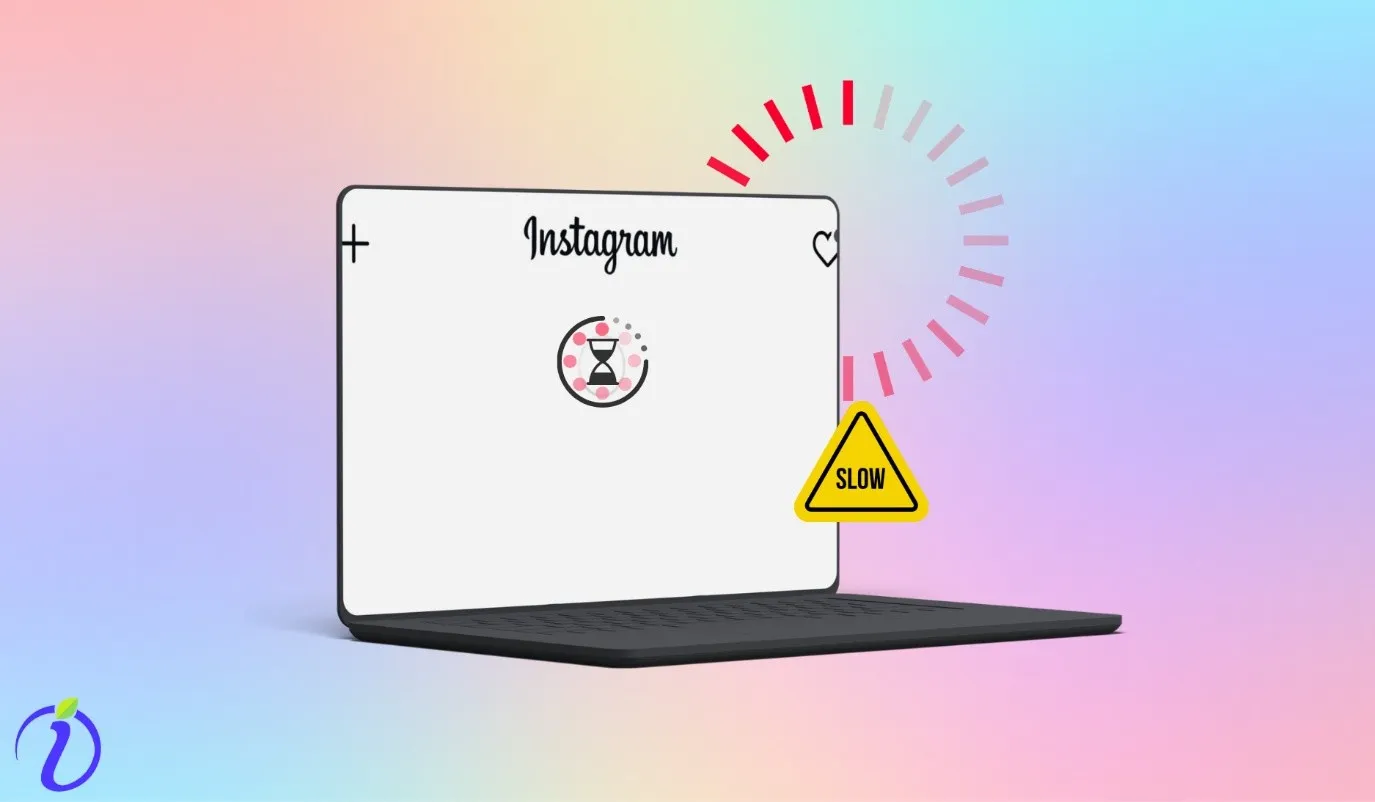
But most people are not able to use Instagram on their laptops, as it slows down on them, and it does not feel good to see an Instagram frozen feed on desktop.
But after going through our blog, you won’t face the, Why Instagram is slow in my laptop problem ever.
And you too can enjoy Instagram without getting addicted.
 Time killer · Pain
Spending 6 hours writing posts that get zero traction?
Paste your URL. ZuAI turns it into 30 brand-on captions in 10 minutes — no blank-page panic, no generic AI filler.
5 ways to fix the “Why Instagram is slow in my laptop” problem
Before going into any fixes, let us ensure that there is no problem with your data connection.
Check your internet connection speed
There are many websites that can check your internet connection speed. You can go to Google Fiber, TestMy.net, etc. Here you can check your connection’s speed.
After checking the speed, check one more factor.
Make sure that there is no issue with Instagram itself
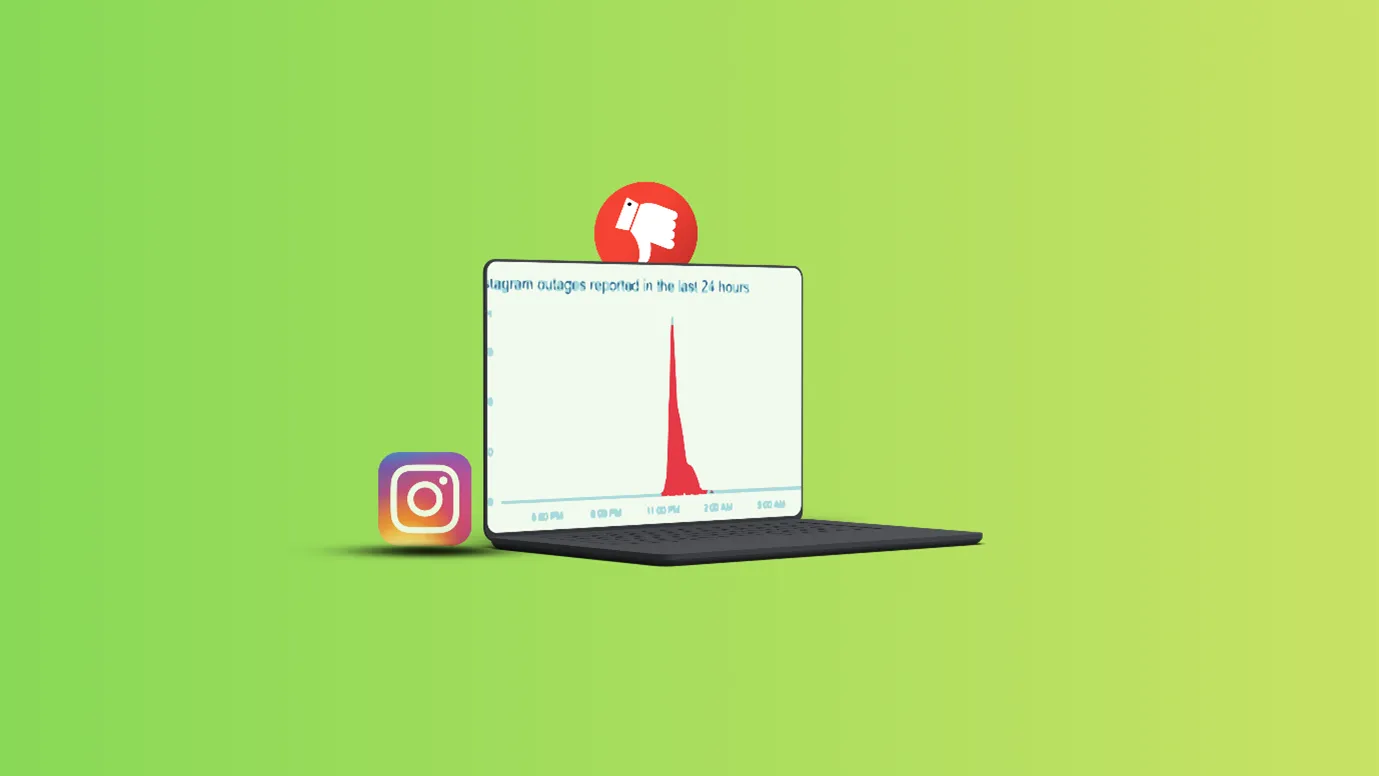
You can go to any browser and search if Instagram is down. Go to your browser and type “If Instagram is down.”
- Various sites like “downdetector” X, Reddit, etc. would pop up
- If there is any issue with Instagram, you will be able to see it.
After ensuring these factors, you can be sure that Instagram web lagging is not happening due to external factors.
And you can go ahead and fix other problems.
Adjust laptop visual settings

When Instagram is running on your Windows laptop, Windows adds animations and graphical effects to make the system look smooth and modern. These effects use RAM, CPU, and a lot of your battery.
This can impact your laptop-Instagram relationship, and reels load slowly on your laptop.
You can go to the window bar.
- Search “Advanced system settings.”
- Next, go ahead and click on “Advanced.”
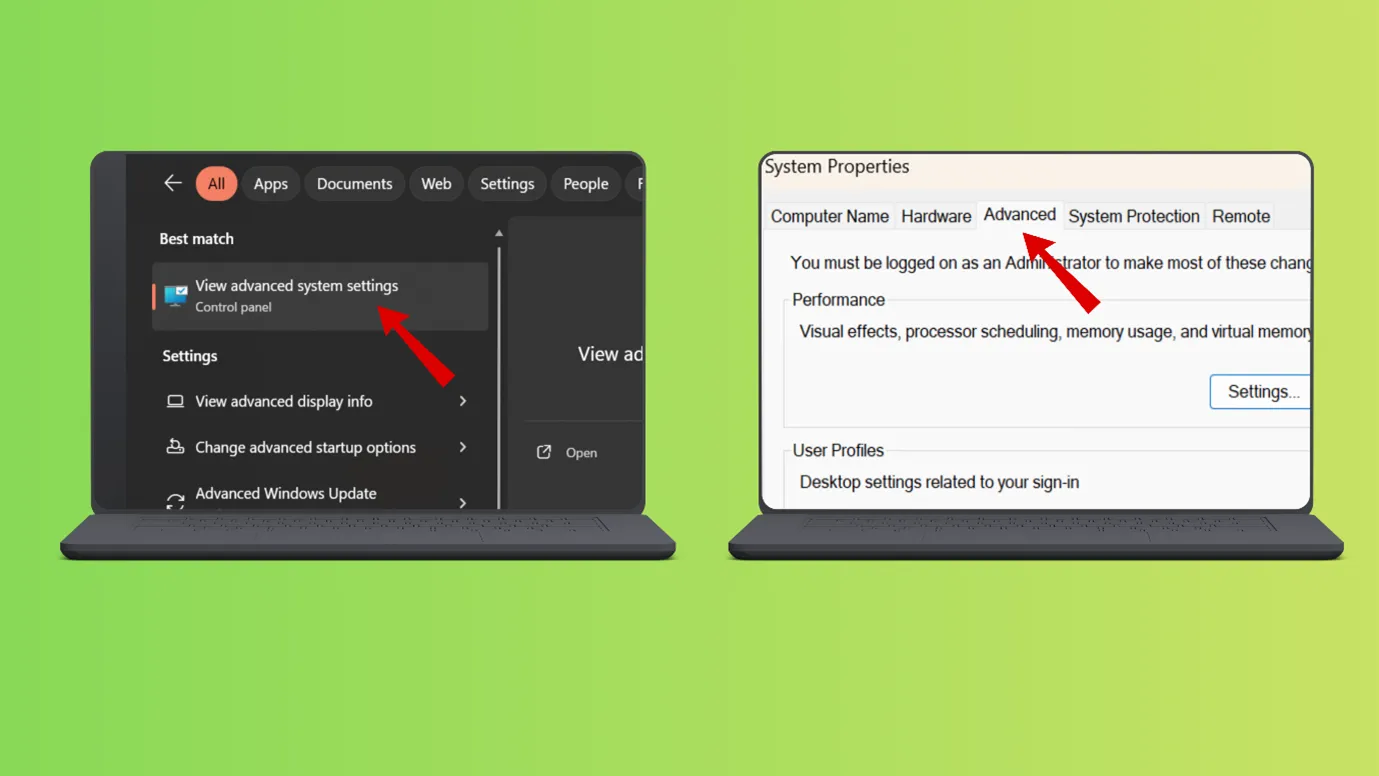
- Next, you can click on” settings” and “visual settings.”
- Next, make sure that you tick the “Animate control and element in Windows.”
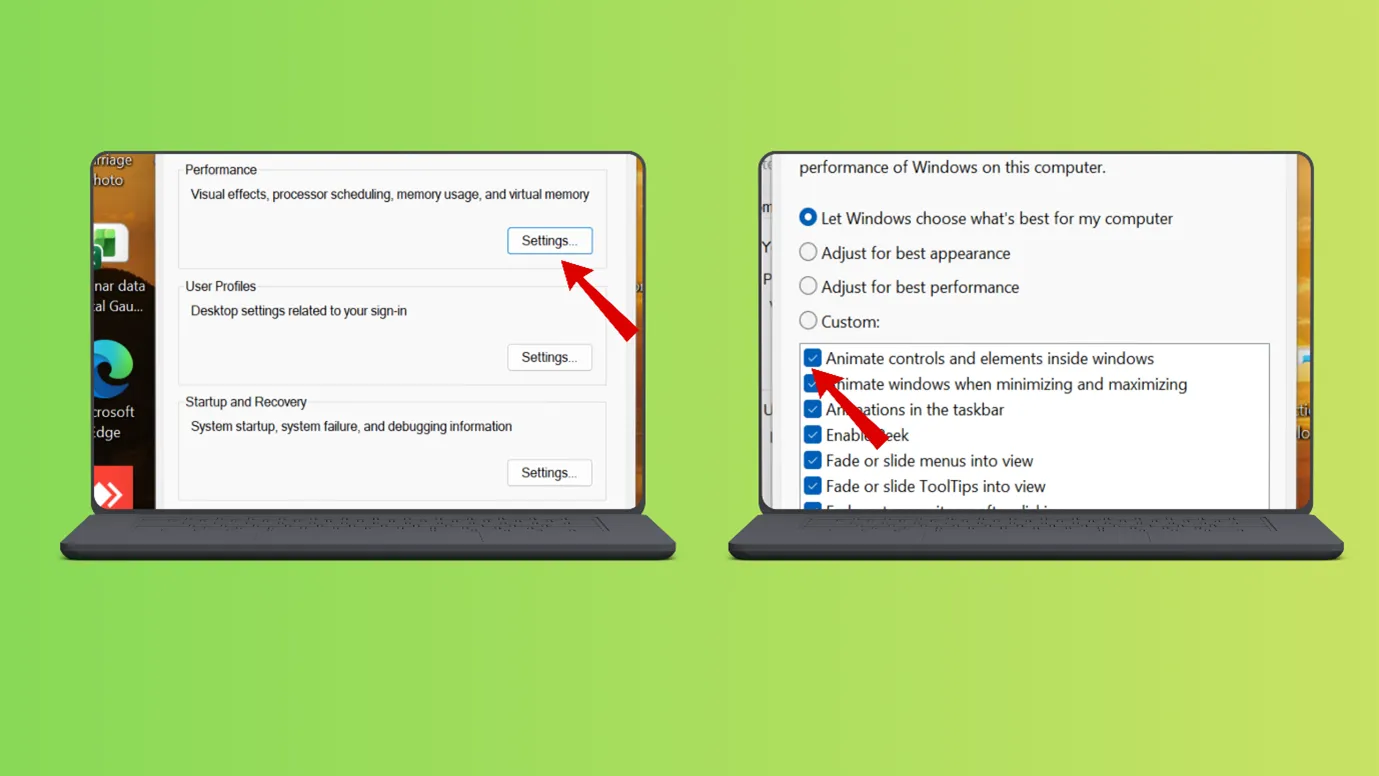
- Then click on “ok”.
Note-
- You can also reach the same settings by searching “Adjust the appearance and performance of windows” on the Windows bar.
- Always close your browser and make the settings change.
Update your browser

Always keep your browsers updated. Instagram Web is a modern, script-heavy platform, so it requires the most up-to-date browsers to load and unload it properly.
An outdated browser cannot load reels as fast as they require video optimization.
You can fix Instagram browser performance by following these steps.
- Go to your browser, open a tab
- Type update browser,
For example, if you are using “Chrome”, type update Chrome “, if you are using Microsoft Edge, type, update Edge “.
- Then click the official links and update your browser.
Clean the unnecessary extensions from your browser

When you have so many extensions in your browser, your laptop’s RAM can fill up. With less space, your RAM is unable to process everything properly.
Whenever you open your browser, extensions start running in the background. They can cause problems while loading Instagram.
You can
- On your browser, open a tab and click on 3 dots in the upper-right-hand side corner.
- A small window would pop up, scroll down, and tap on extensions
- c. Next, click on manage extensions
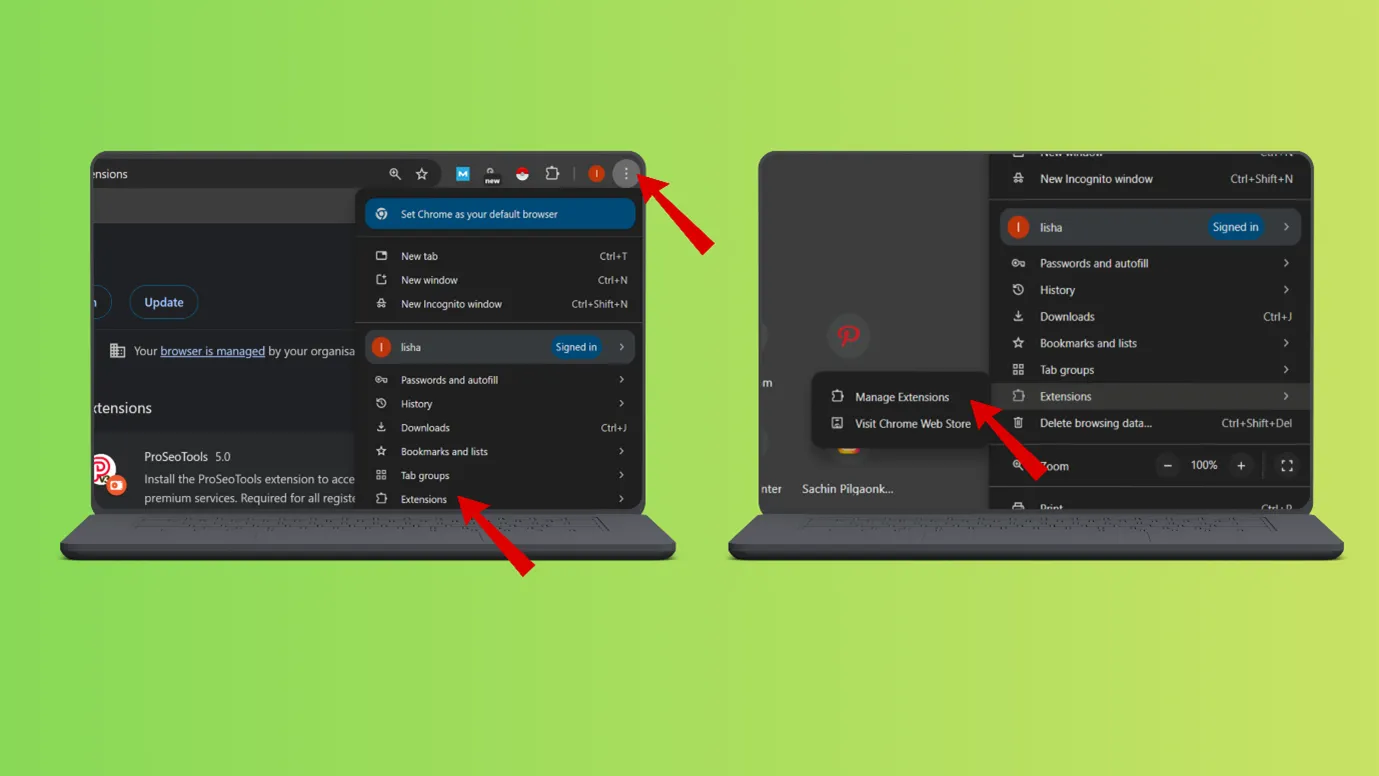
- There, you can see all your installed extensions
- You can remove them if they are unnecessary or update them.
Note: First run Instagram in incognito mode, and see if it loads properly. If it runs fine in incognito mode, then you can be sure that extensions are the real problem.
Delete the temporary files from your laptop
This is similar to Clear browser cache Instagram. This step will not only fix your laptop – Instagram relationship, but also speed up your laptop as a whole.
Whenever you do any action on your laptop, like writing in a notepad, installing or updating software, browsing, etc., some temporary files are created.
They are similar to the cache on your mobile devices.
And they can pile up, take space, get corrupted, and lead to your laptop ruining its relationship with everything.
This could be the reason you keep on wondering, “Why is Instagram slow in my laptop
So you should delete them
You can
- Go to your run command by clicking on the Windows button along with the R button (Win+R). This will open the run command.
If you are using any other operating system, go to the command prompt/finder, etc., and clear cache /temporary files
- For Windows, type %temp% and run
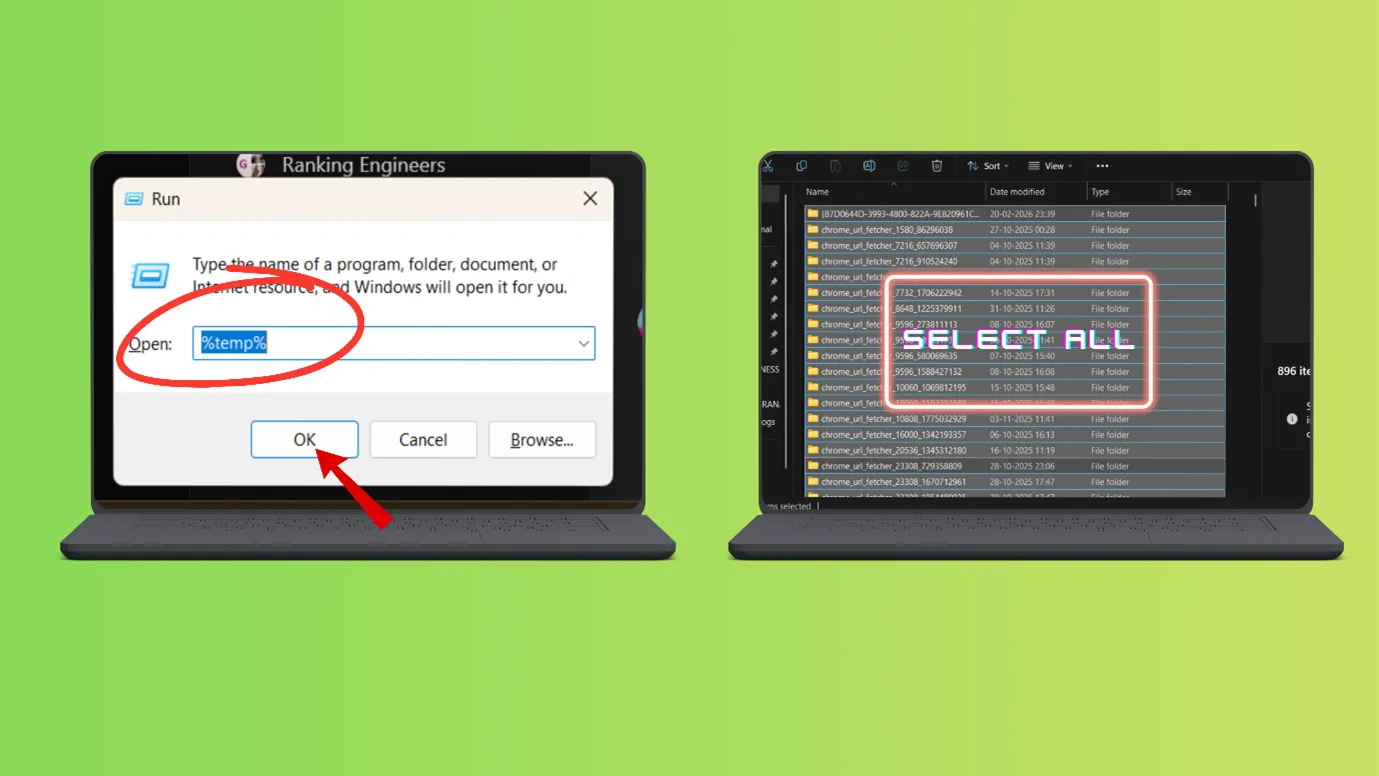
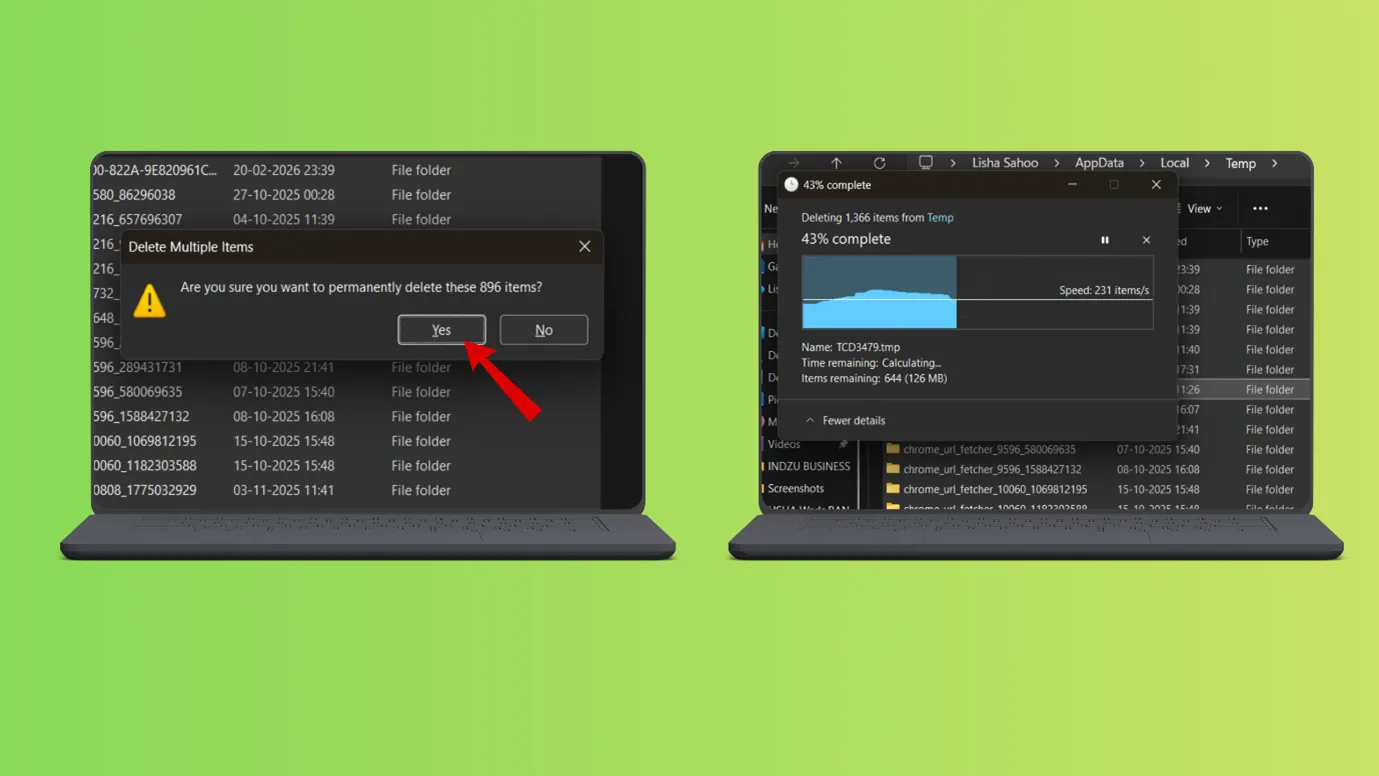
- Select all the temporary files and delete them
Remove the unnecessary permissions for the Instagram app
Some permissions, like speech microphone, etc., are not required for Instagram to run, until and unless you are a content creator. Then what is the point of letting them run in the background and drain RAM’s space, battery, and CPU’s energy?
It will only slow down your laptop’s speed while loading Instagram.
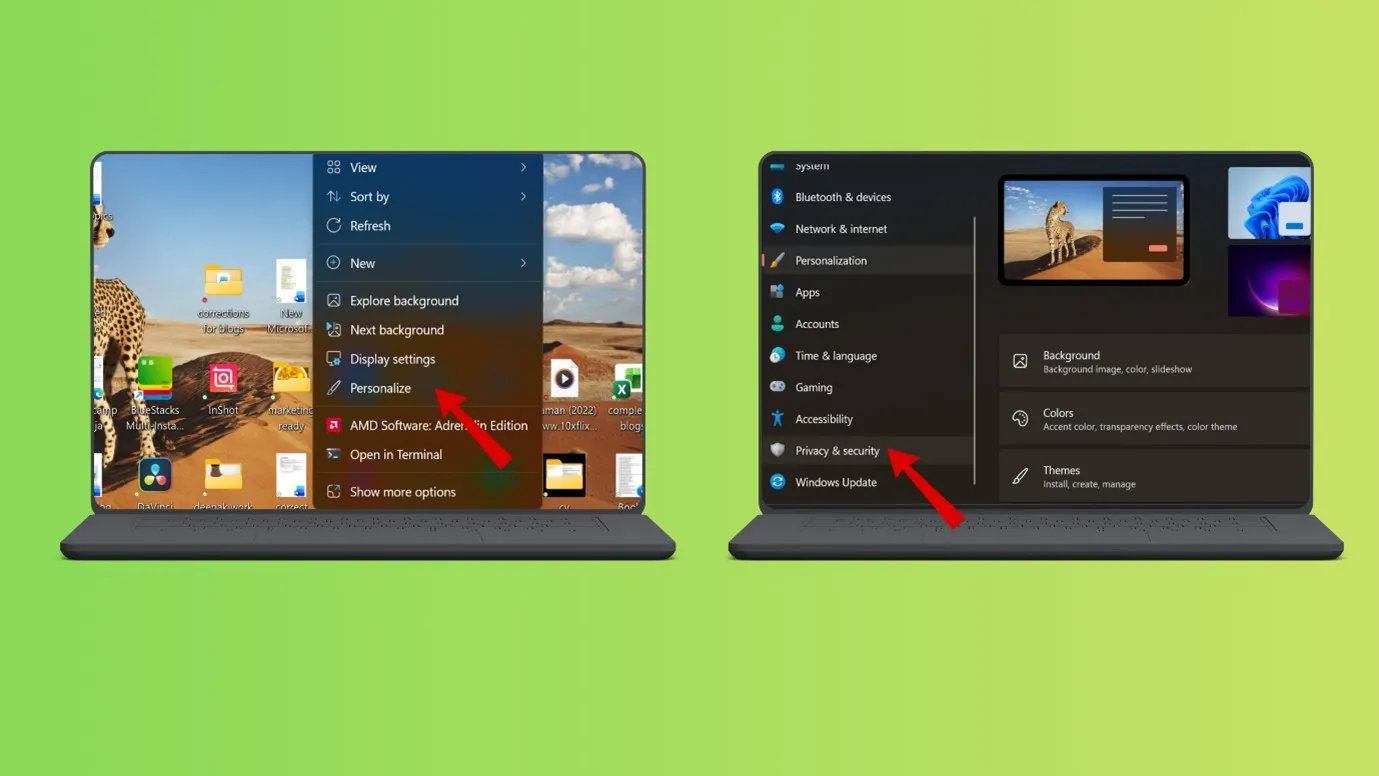
You can remove these permissions
- On your home screen, make a right click
- Go to “Personalization”
- c. Next, go to “Privacy and security.”
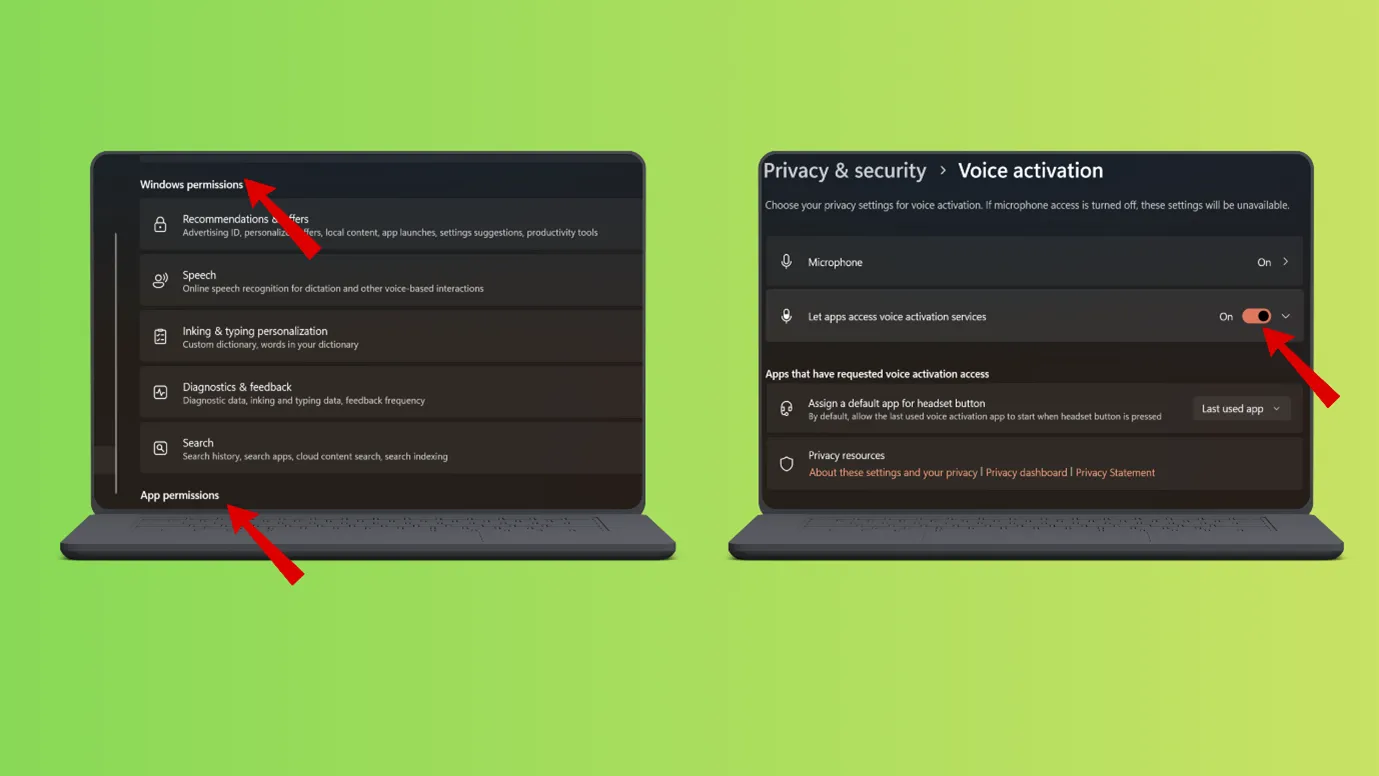
- Scroll down and reach “App permission.”
Disable the permissions that are not required.
Outcome · RecommendedGet 30 days of social content from your website — in 10 minutes.
Fixed your Instagram-Laptop relationship?
It is 2026, and you do not have to use your Instagram only from your phone. Slowing down of laptops, desktops, etc., should not hinder you from using Instagram, as you have Indzu blogs for your reference.
So, worrying about why Instagram is slow on my laptop should not be a problem for using Instagram on a desktop.
Also, on the big screen, everything appears better managed and does not tire the eyes.
For managing everything at once on your big screen, you can try Indzu Social. Not only can you create content, but you can also schedule it on every social media platform.
Proof · Verified
2k+ grew faster with one tool.
FAQs
Why is my Instagram lagging?
Instagram can lag due to many reasons,
- There could be a problem with your internet speed.
- Instagram outrage could be the reason.
- Temporary memory could be corrupted or broken, which could result in Instagram lagging.
- Outdated browsers, outdated OS, or outdated settings could be a reason for Instagram lagging.
But you need not panic in any way, just refer to blogs; we have listed all kinds of problems and solutions.
Why is Instagram so slow on PC?
Instagram is not meant to be slow on PC. But if you are facing any problem on the PC, then you can a} Try updating your PC browser
- Change the visual settings to give the optimum speed.
- Remove the extensions, which are corrupted or unnecessary.
- Remove permissions that are not necessary for Instagram but take time to load.
- Delete temporary files; they take up space and energy of the CPU.
Is the Instagram web version slow?
No, the Instagram web version is not slow, but there are some limitations on the web version of Instagram.
If you feel that Instagram is slow, then you can do the above-mentioned settings on a PC to make it faster.
Limitations
- You may get limited features for editing.
- You cannot create reels the way you create in your mobile apps. (You can use indzu tool for creating reels).