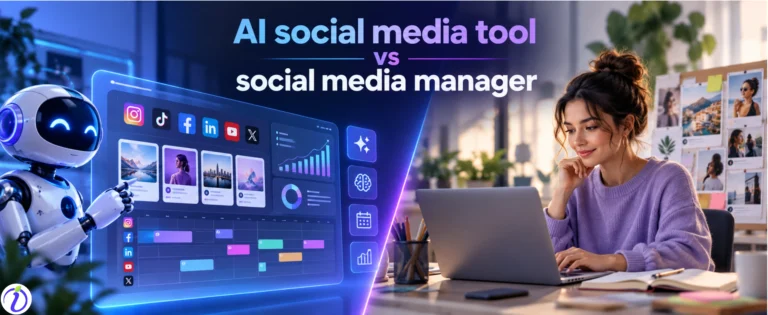
Today there are so many businesses (small, medium, and large) trying to draw attention on AI social media tool. No doubt, there is a huge competition. And the pressure rises for owners and managers to create more content, manage multiple platforms, and stay consistent.
For this reason, setting up AI social media management becomes a dire need of 2026.
Let us learn how to onboard your brand to an AI social tool in under 5 minutes.
Onboarding a brand into an AI social tool involves training the AI about the brand and linking all necessary resources for effective social media management.
We will also explore some free and interesting AI social media tools that can simplify content creation and management.
Even if you are a beginner, you will get to know the popular AI tools, why people use them, and how to have complete social media management with AI.
 Time killer · Pain
Spending 6 hours writing posts that get zero traction?
Paste your URL. ZuAI turns it into 30 brand-on captions in 10 minutes — no blank-page panic, no generic AI filler.
Why using AI tools for social media management, a necessity?
On social media, what you show and how you show matter. You may not like Domino’s pizza, but you cannot ignore them as they are active online and show up consistently.
Currently, there are more than 15 social media platforms, and each has its own user base.
Is it possible for anyone to be present on all of them or at least some of them and not just survive, but thrive there?
The importance of social media is reflected in numbers as well.
About 54% of B2B marketers generate leads from social media.
Around 66% of marketers have generated leads via social media.
So, social media cannot be ignored. But is it possible to be everywhere and create content and manage everything?
That is why taking the help of AI is a necessity in 2026.
Here are some points explaining why using AI social tools has become important.
- On social media, consistency matters more than brilliance. If you are consistent, then you are considered active and performing.
- AI tools give you speed. If you think of making 2 posts each day and posting them regularly, with the help of AI tools, you can make 5 posts each day.
- It costs less than humans creating and managing all elements and steps of social media. There will be humans + AI doing it. So, businesses can save some bucks there.
What are some cool AI tools available?
Let us explore some cool and popular AI tools which are broadly used for managing social media.
No. | Social Media Element | AI Tool | Main Use |
1 | Caption writing | ChatGPT | Creates captions, hooks, CTAs, post ideas, scripts, and content variations |
2 | Social media design | Canva | Designs social posts, carousels, Stories, thumbnails, and ads |
3 | Short-form video editing | CapCut | Edits Reels, TikToks, and Shorts with captions, templates, and effects |
4 | Video repurposing | OpusClip | Converts long videos, podcasts, and webinars into short social clips |
5 | Hashtag research | RiteTag | Finds relevant hashtags and helps organize hashtag collections |
6 | Social listening and sentiment analysis | Brand24 | Tracks brand mentions, competitor conversations, and audience sentiment |
7 | For making profile pictures | Google Gemini | It can make professional-looking headshot images. Enhance any image given to it. |
Let us also see some advanced and emerging free tools of 2026.
No. | Social Media Element | AI Tool |
1 | Captions | |
2 | Hashtags | |
3 | Writing Bio | |
4 | Creating stylish fonts | Indzu text formatter |
5 | Counting the number of characters | |
6 | Comment Generator | |
7 | Social media page name generator | |
8 | Post generator- creating images, reels, videos, carousels, static posts etc | (Most Popular) |
These tools are backed by ZU AI; they give a minimum of 3 options for any prompt; they are free and do not require any sign-ups.
Outcome · RecommendedGet 30 days of social content from your website — in 10 minutes.
Is complete social media management using a single tool possible? Let us learn to onboard your brand to an AI social tool.
Why is Walmart this popular? Because people get everything under one roof and at an affordable price.
Similarly, managing all social media in one dashboard at a reasonable price can be a smart choice.
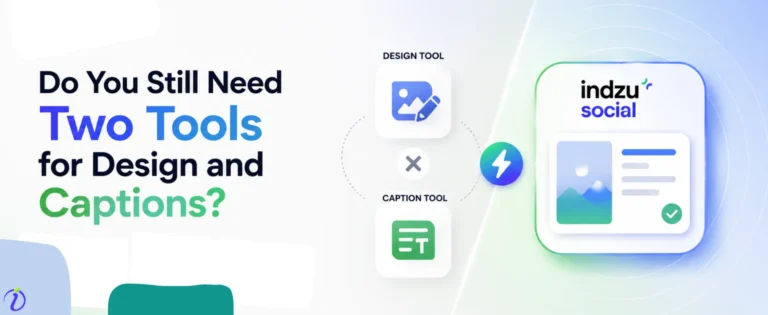
Rather than using 5 different AI tools for managing one single social media channel, can one use one single AI management system for managing 5 social media channels?
With Indzu, it is possible.
You can manage every aspect of your social media channels with Indzu.
It can
- Create your brand kit.
- Create content in various formats. (meme, carousel, image posts, reels, short form video, Image for ads, etc.)
- Post it or schedule it across all your social media channels.
- See the analytics.
- Manage all the DMs, comments, or engagements.
Indzu is the complete social media management solution.
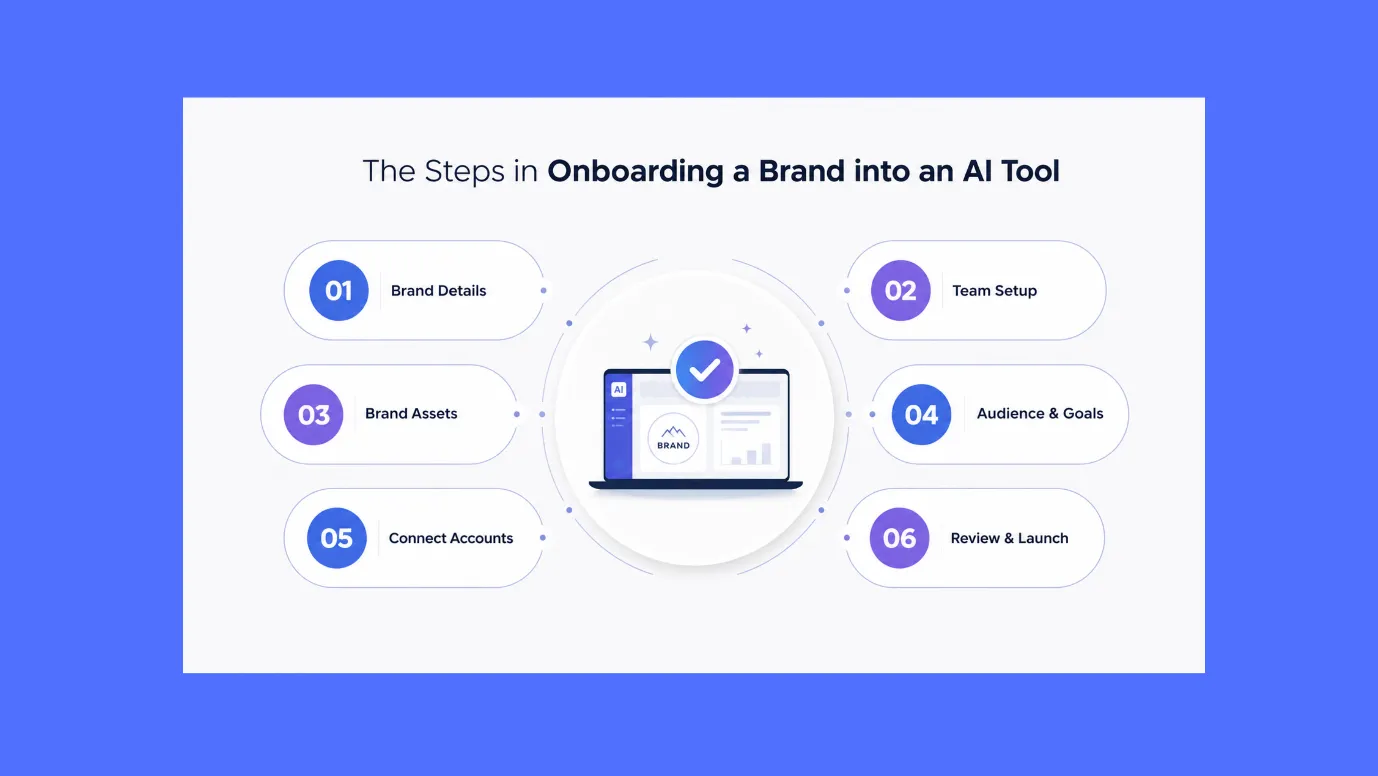
Let us learn to onboard your brand in Indzu.
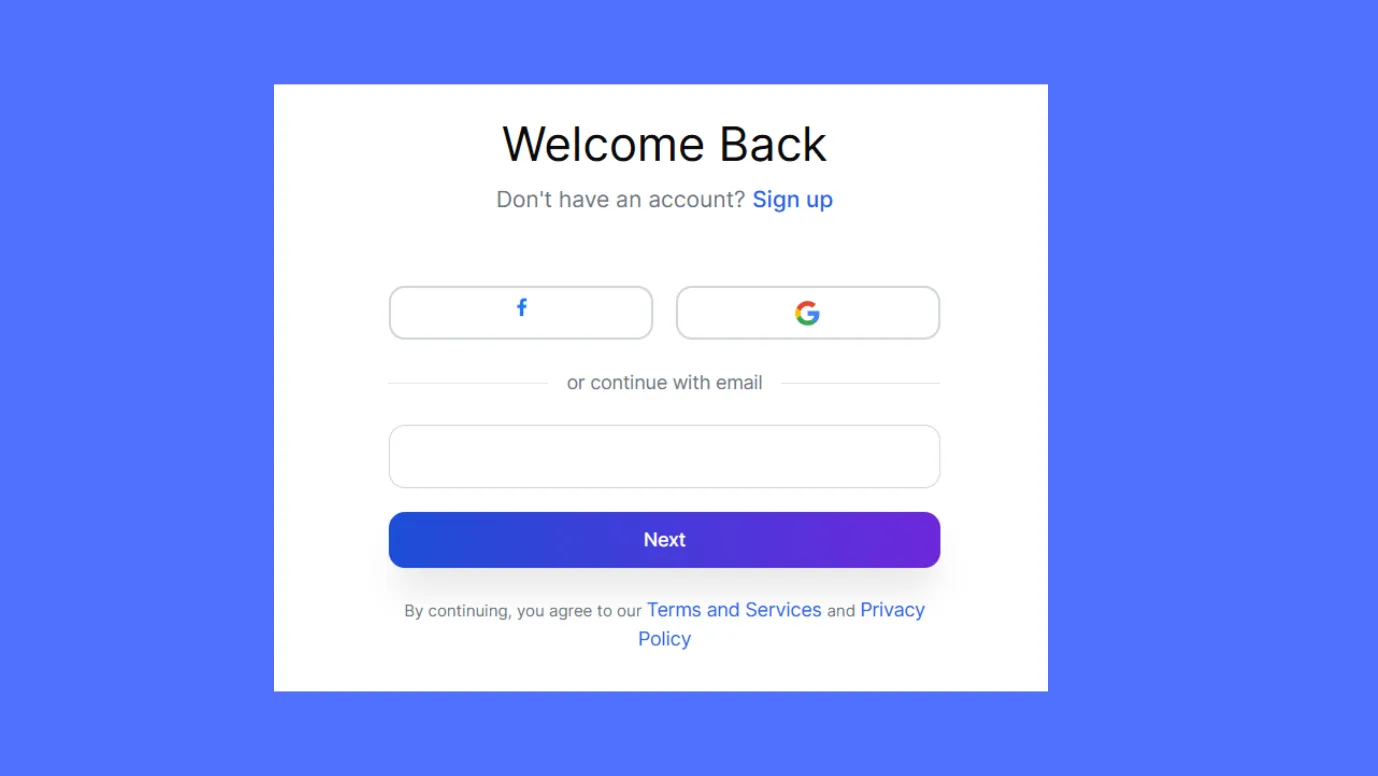
Step 1: Go to indzu.social.com. Sign up using your email ID. You may be prompted to verify your email ID.
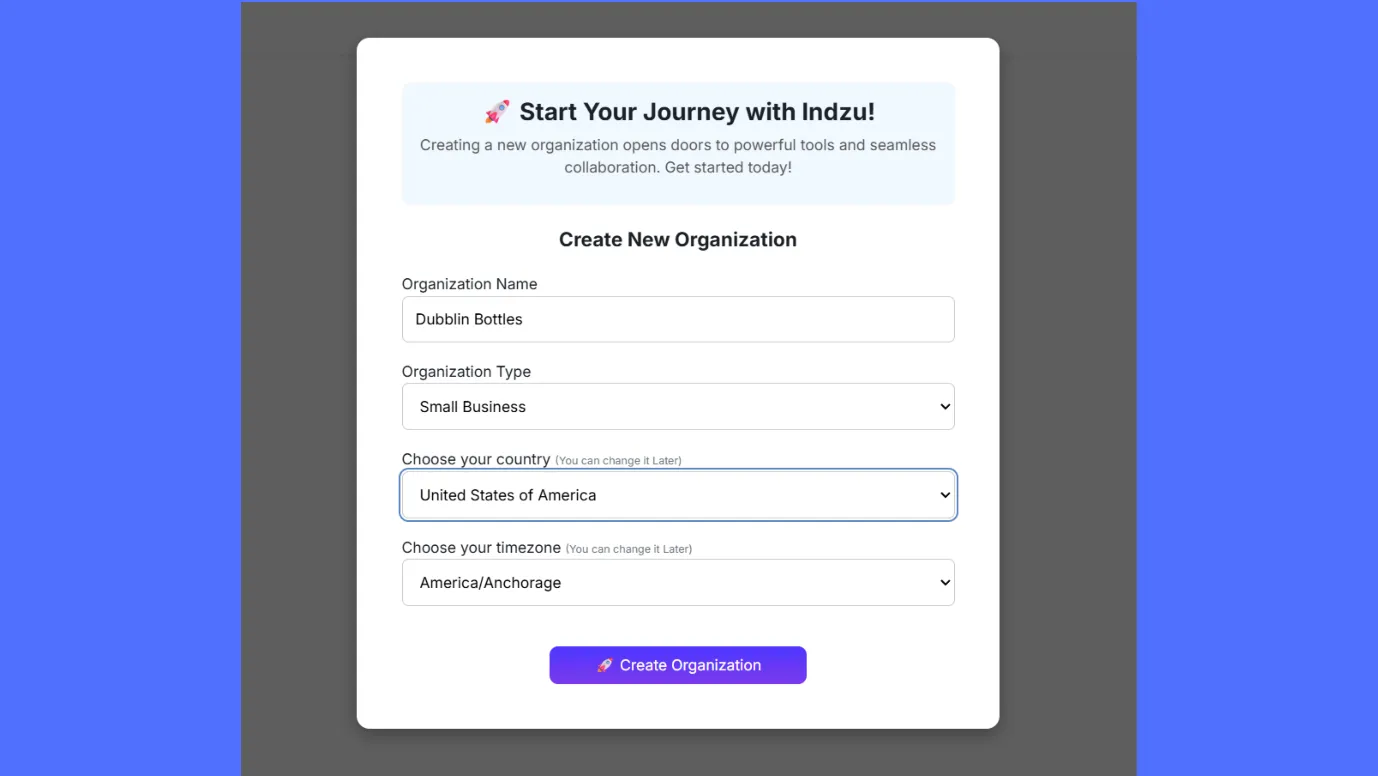
Step 2: You can enter your organization/ business/ profile name and address.
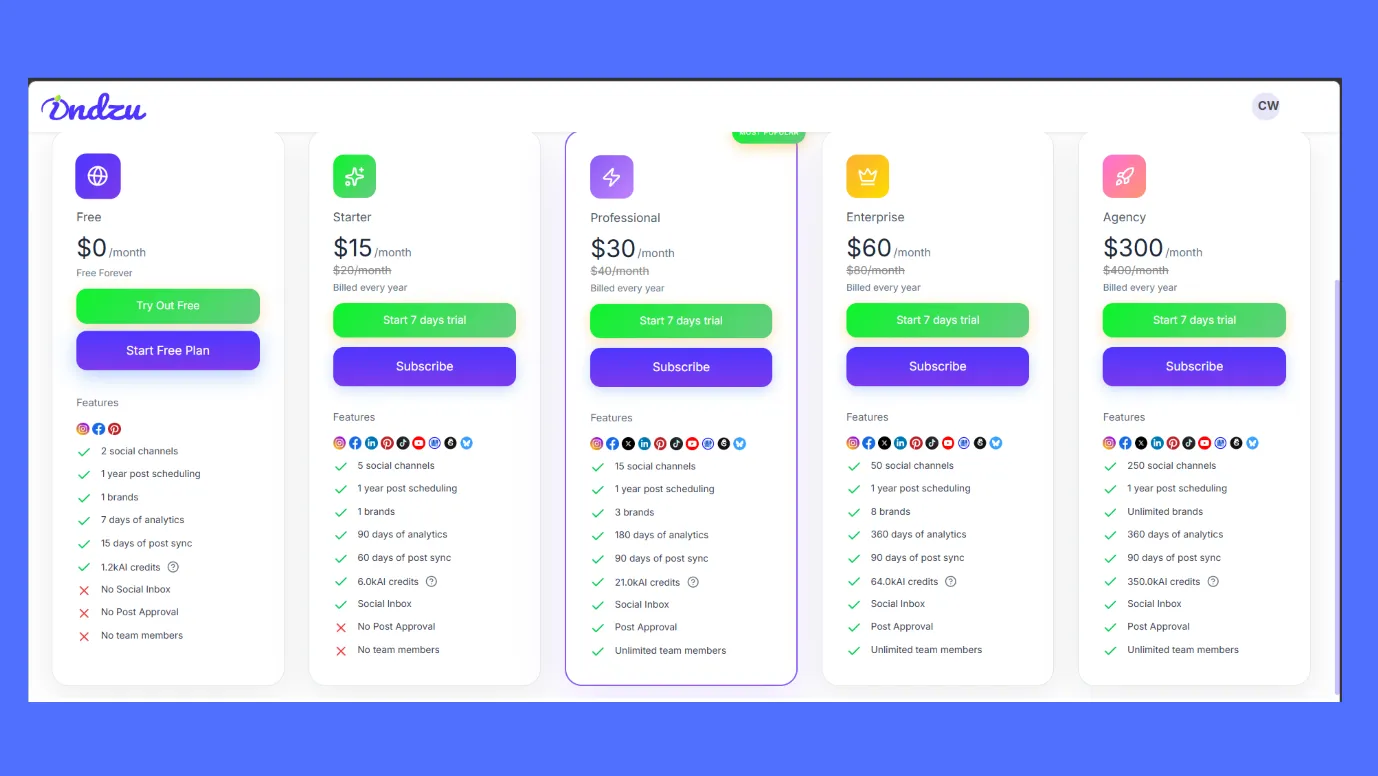
Step 3: You can then get started by choosing any plan. Or you can start with a free plan.
Step 4: Next, you have to enter your website, or you can enter details manually. Indzu will make a brand kit for you.
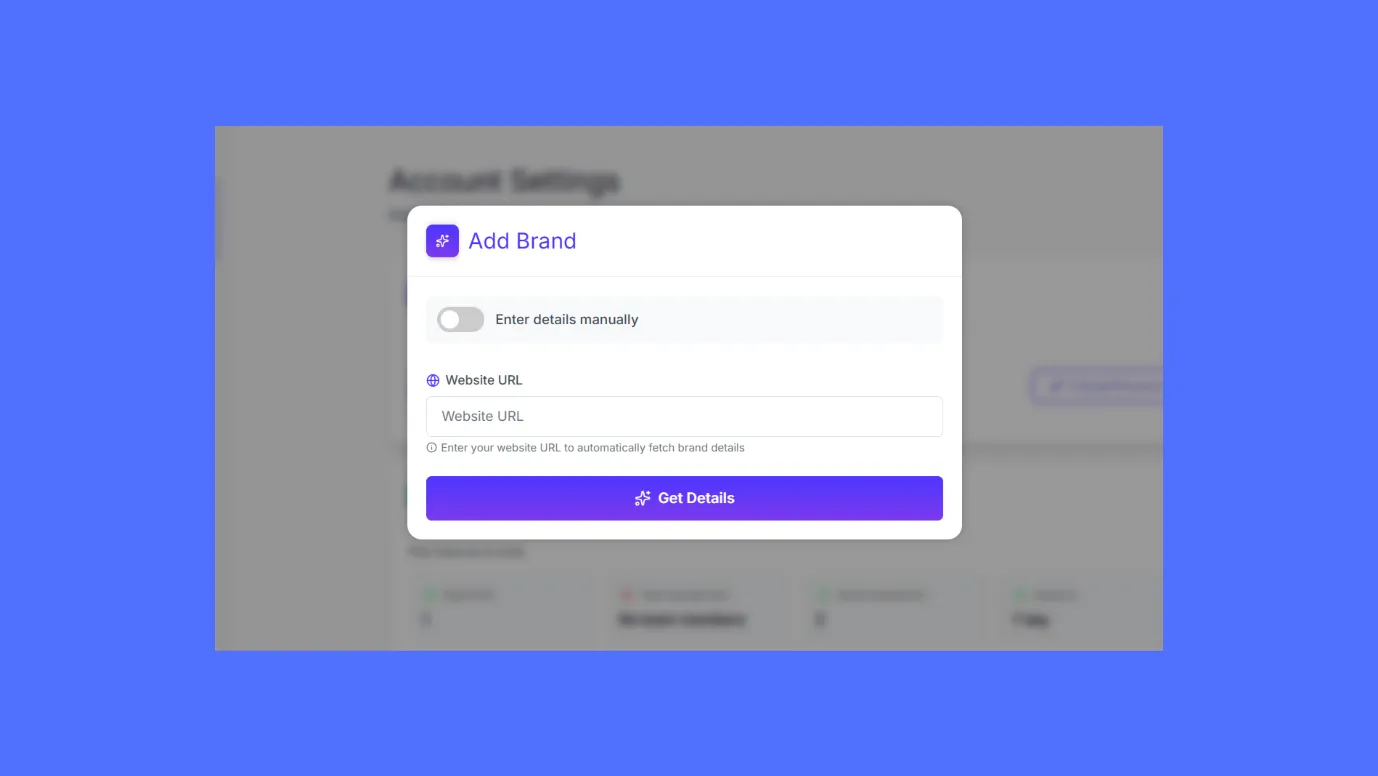
The brand kit would include all your brand assets like brand name, logo, color scheme, fonts, brand guidelines, target audience, voice, tone, CTA, etc.
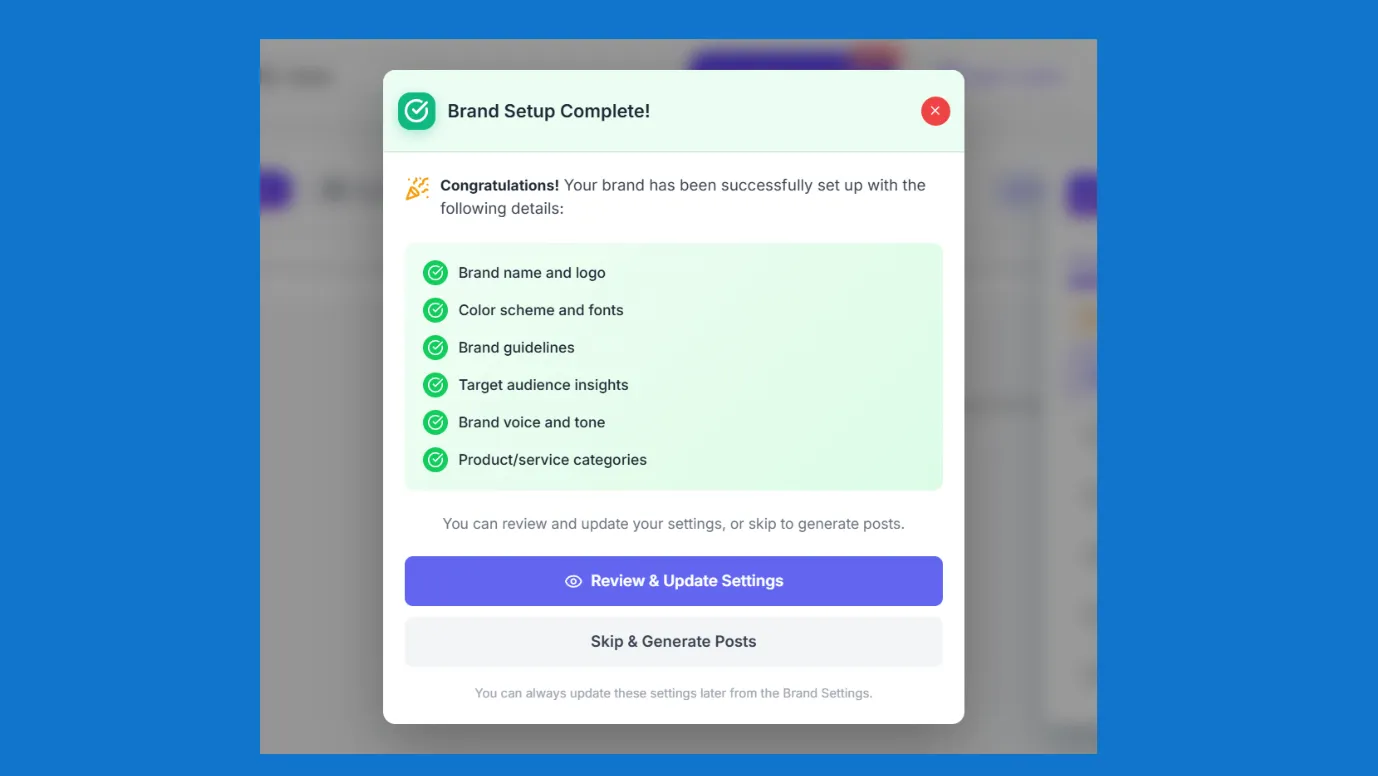
Step 5: When Indzu has created your brand kit, It might prompt you to attach your social media channels for full social media automation.
- In the Dashboard, you can go to “Channels”
- Click on “Connect Channels”
And your channels would be connected.
You can connect more than 9 social media channels, including your GMB listing, with Indzu.
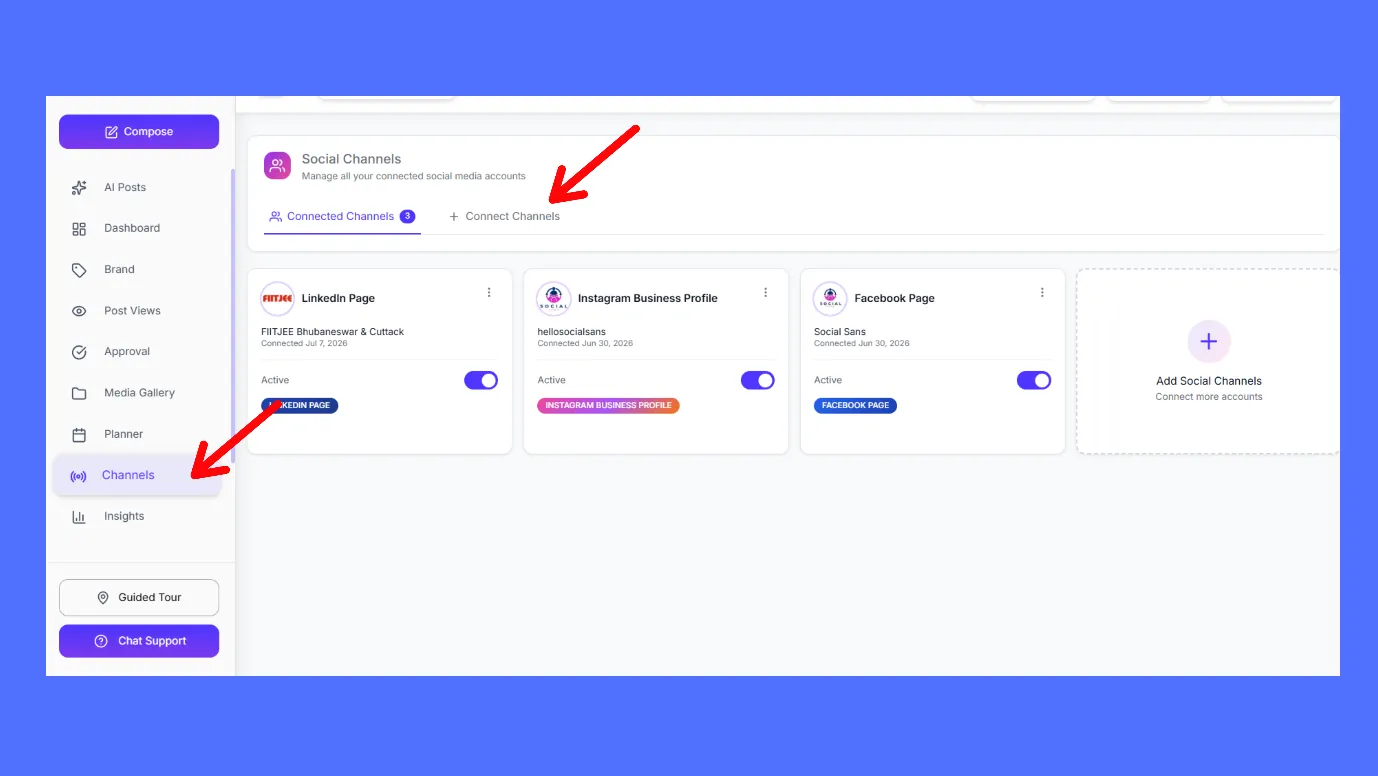
Step 6: For the final step of AI social media tool onboarding, you can invite your teammates to join Indzu Social (If you have a team).
- In the Dashboard, you can go to “Teams”
- As a super admin, you can add your teammates to the team.
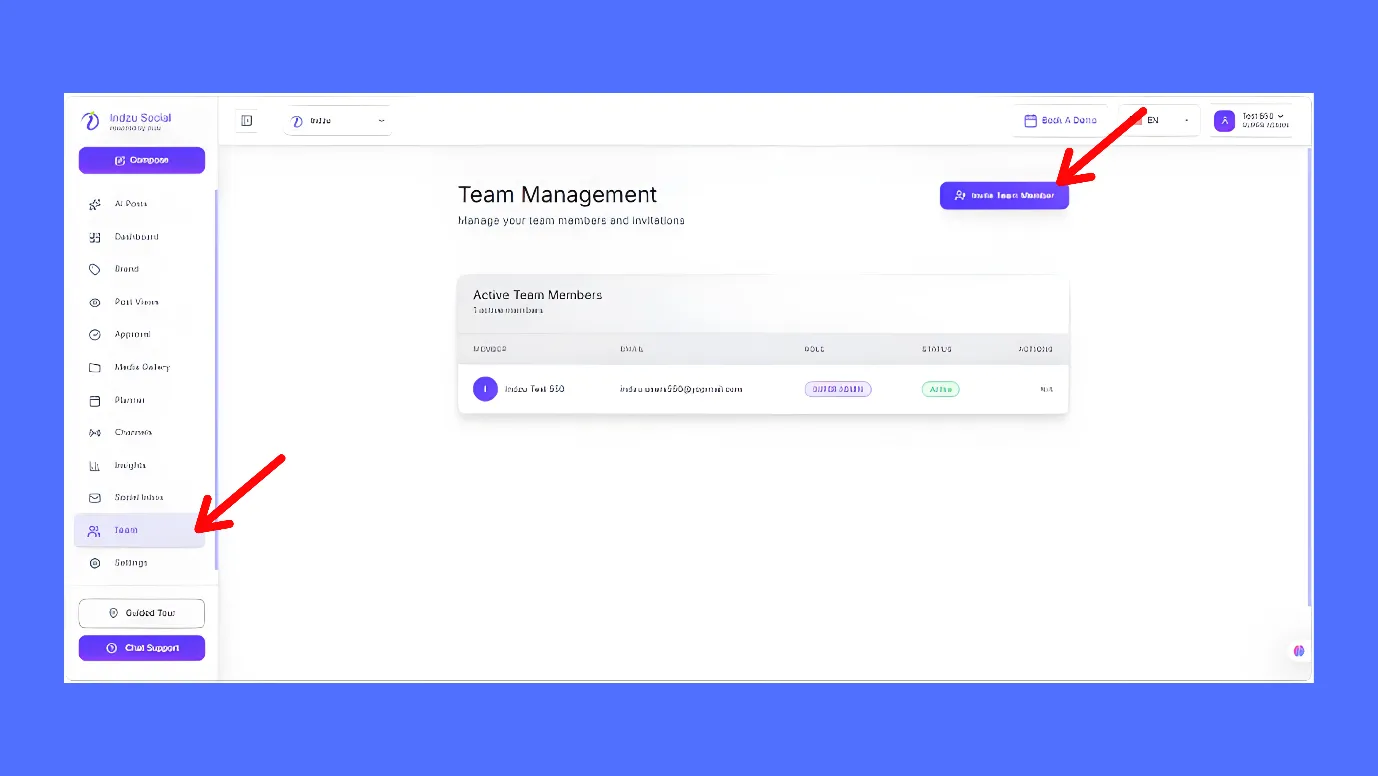
Now, you are onboarded to Indzu. You will have a separate dashboard. You can start making content by clicking on AI Posts and “Quick Generate”
How to make specialized content with Indzu?
If you want to make a post related to any topic or category, then you can manually feed that in “Brand Section”.
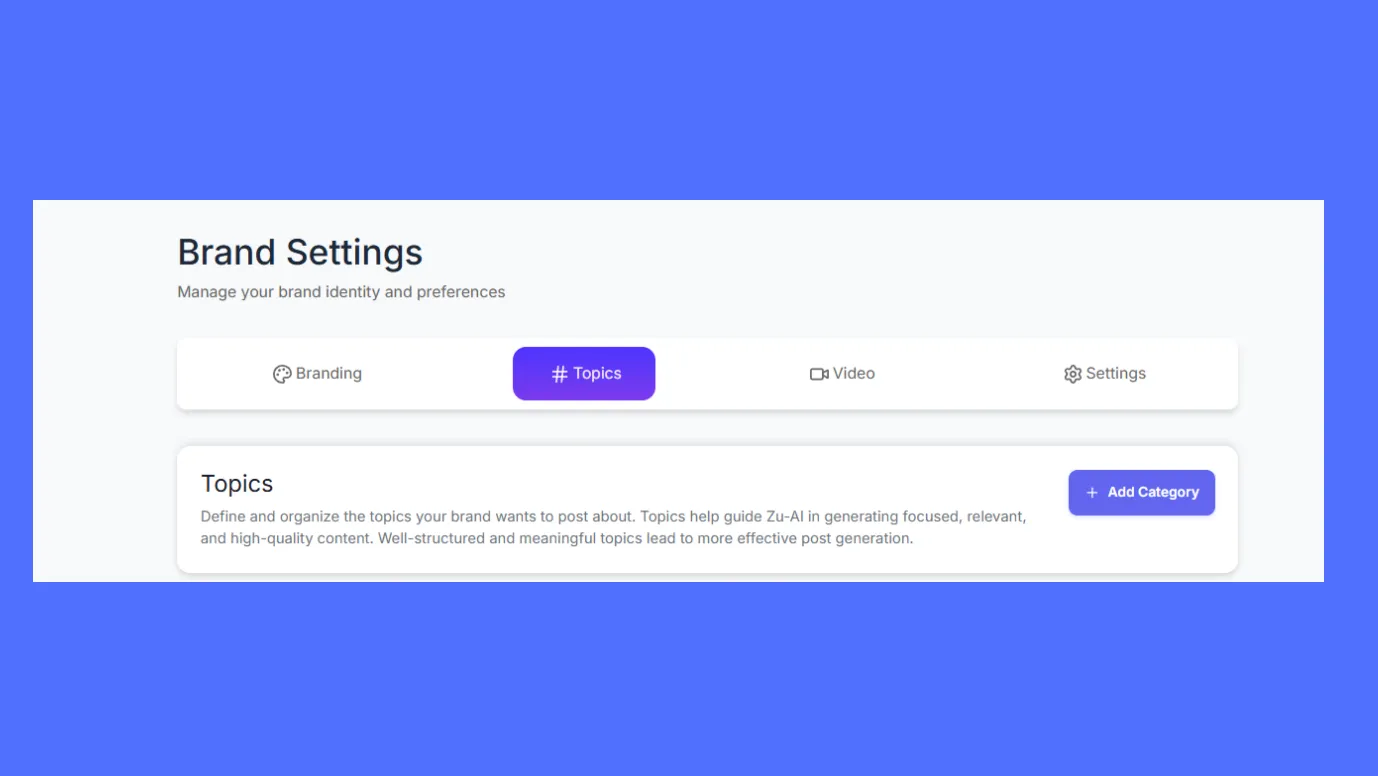
You have to manually put your topic and category. Then ZU AI will create posts strictly based on your topic and category.
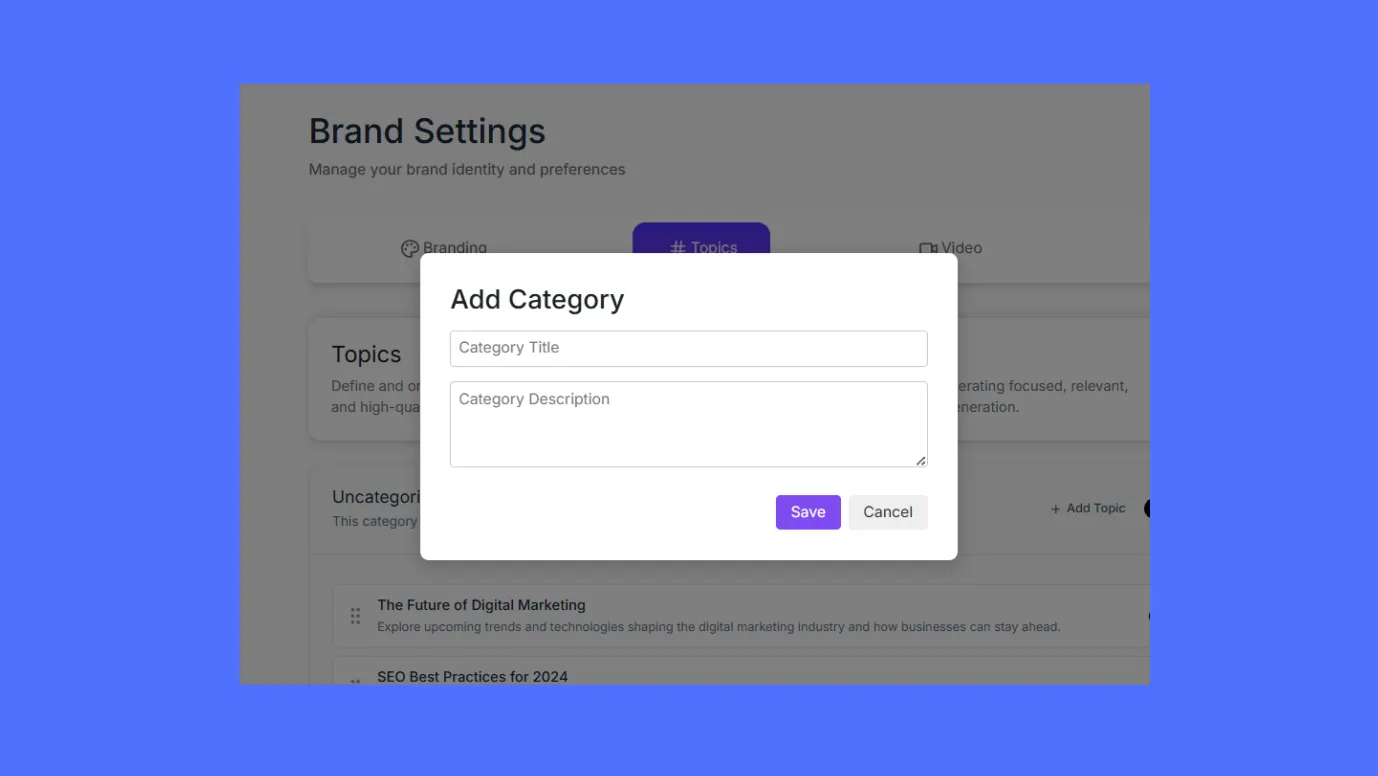
Did you know that you can create content in more than nine formats with Indzu Social?
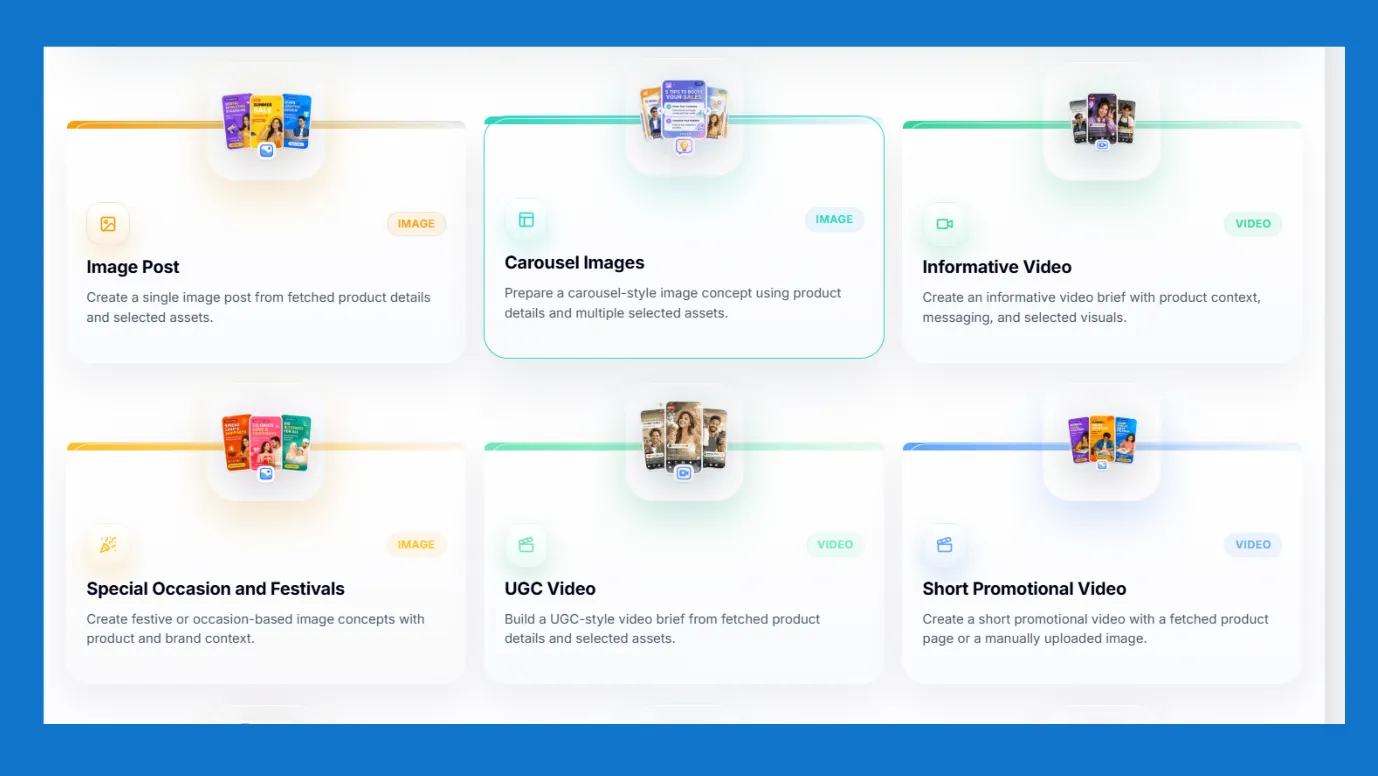
And do not forget to post or schedule your content with Indzu. Indzu is the best social media scheduling tool. It suggests the best posting time based on the deep insights.
Proof · Verified
2k+ grew faster with one tool.
Things to keep in mind while AI social media tool onboarding.
- Whenever you are onboarding your brand, make sure that all the information, brand kits, content creation directions, prompts are correct.
Remember to cross check all the details. You can always edit the settings.
- A slight colour change in the created content may result in a wrong perception by the audience.
So, if your AI tool has content creation options like Indzu, then make sure to get a preview before posting or scheduling the content.
- If you are managing multiple clients via one AI social media management tool, then make sure you have respective social media accounts of each clients.
- Always define the content preferences, you can change the content preferences from time to time, but make sure to define a content preference before producing content.
- Check whether team members have received invitation for joining the management tool or not.
- Always use the analytics section to regularly monitor the performance of content and keep on measuring the effectiveness of the tool.
Free · Instant · No signupSee what ZuAI generates from your website — right now.
Paste your URL. Watch ZuAI write a month of brand-on captions in seconds. Preview before you create an account.
Is your onboarding complete?
As onboarding your brand on Indzu is so simple, we are sure your AI social media tool onboarding will be complete by the time you finish reading this guide.
If you still not ready, you can take a free trial with Indzu, and check your AI social tool onboarding experience and setting up AI social media management easiness.
And if you still feel lazy, then you can simply try our Indzu Post generator tool.
Speed · 10-minute setupOne coffee from URL to a full month of scheduled posts.
Drop your URL, brew your coffee, come back to 30 brand-on captions ready to publish.
FAQ
Q1. Should I manage my social media with AI? Is it safe?
Ans. In today’s era, you cannot do everything on your own, for speed and consistency, you will need AI tools.
You can use AI tools for generating content, captions, and hashtags, but do not blindly rely on them. Always check the preview before posting.
Also some tools like Indzu Social are completely safe, Indzu does not store your data.
Q2. What does onboarding a brand on AI social tool mean?
Ans. Onboarding means making a person, team, brand, tool, or system familiar with the required processes, systems, and expectations so that work can begin and function smoothly.
Onboarding a brand on AI social tool means making the AI tool familiar with the brand.
So, that AI tool can function in accordance to the brand.
Q3. Why should I use Indzu for social media automation?
There are a lot of reasons to love Indzu.
- You do not have to use multiple tools to manage social media channels; Indzu is a complete set of creation and management tools
- Indzu lets you create content in multiple formats.
- Indzu strong analytics section tracks the performance of your content and suggests you the best times to post.
- It is the most advanced and economical AI social media management tool in the market.