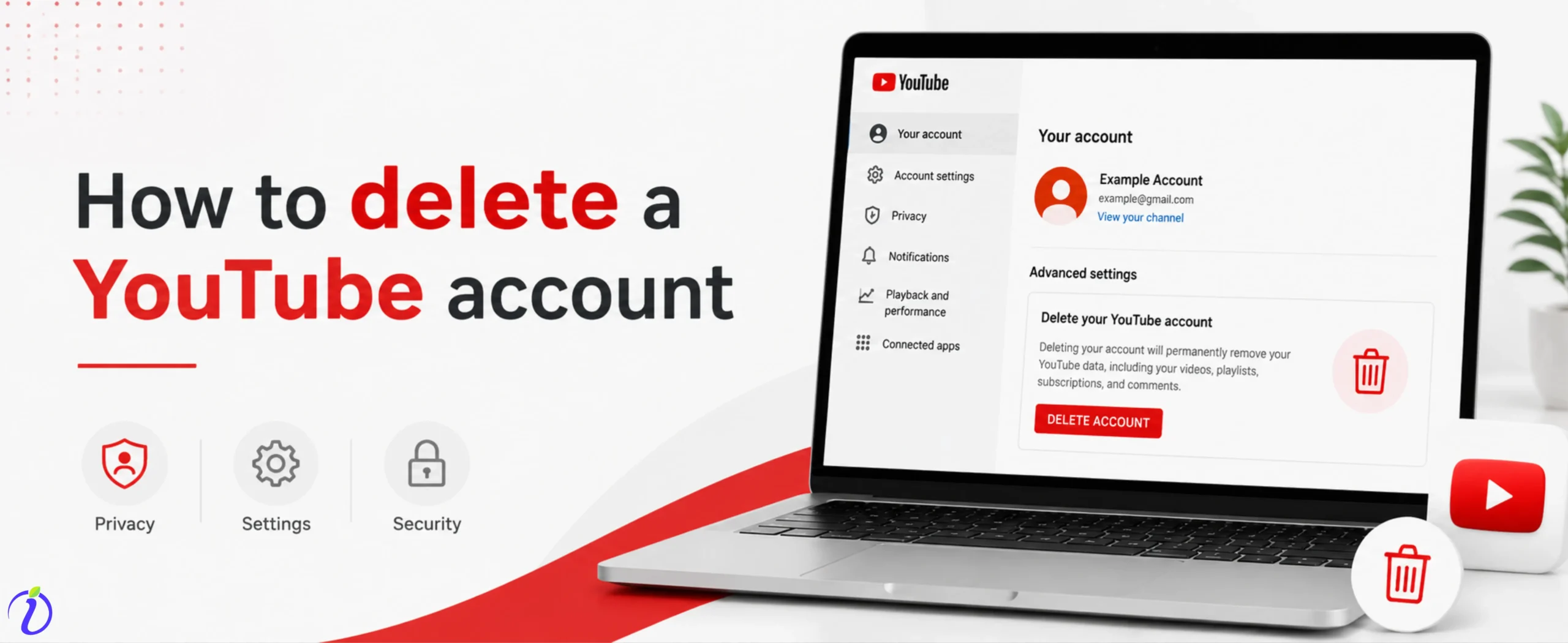
Want to take a break and wonder how to delete a YouTube account? We got you.
YouTube is a powerful platform to connect with a wider audience by making videos on useful and important topics. But sometimes you need a space to protect your privacy, so you want to delete your YouTube account.
Before deleting your YouTube account, you need to understand that it is a permanent process; you cannot recover your account once you delete it.
Let’s get into the blog to know how to delete a YouTube account and things you should consider before deleting a YouTube account.
 Time killer · Pain
Spending 6 hours writing posts that get zero traction?
Paste your URL. ZuAI turns it into 30 brand-on captions in 10 minutes — no blank-page panic, no generic AI filler.
What Does Deleting a YouTube Account Mean?
Deleting a YouTube account permanently removes your channel, videos, community, playlists, engagement, and subscribed channels.
Let’s go through the process for deleting your YouTube channel.
Outcome · RecommendedGet 30 days of social content from your website — in 10 minutes.
How to delete a YouTube account?
Follow the step-by-step process to delete your YouTube account permanently
Step 1: Go to the YouTube website
Step 2: Sign in to the YouTube account you want to delete. If you have multiple accounts.
Step 3: Click “settings”
Step 4: Click “View or change your account settings”.
Step 5: Select “Data and Privacy”.
Step 6: Scroll down to “Data from apps and services” Under “Download and delete your data”, Delete “Google Service”.
Step 7: Click “Delete a Google service”.
Step 8: Enter your google password.
Step 9: Click the “Trash icon”, locate the You Tube service.
Step 10: Click on arrow “I want to permanently delete my content”.
Step 11: Enter you Email address to confirm your deletion.
Step 10: Click “Delete”.
Proof · Verified
2k+ grew faster with one tool.
Things to Consider Before Deleting Your YouTube Account
Before deleting your YouTube account, consider a few things.
- The first most important thing to consider if you are an influencer, brand or business is that you need to back up all your videos or content related to your YouTube. Because once you delete it, it cannot be restored.
- Impact on Your Brand
Once you delete your YouTube account, you will not only lose your videos but also the engagement and relationships that you have built with your audience. If you delete your YouTube account, then any likes to your channel that you have shared on your website or Instagram will no longer work, which will lead to broken links or a poor user experience.
- The third thing you need to know is that once you have deleted your YouTube account, it will not be recovered.
Free · Instant · No signupSee what ZuAI generates from your website — right now.
Paste your URL. Watch ZuAI write a month of brand-on captions in seconds. Preview before you create an account.
What happens after you delete your YouTube account?
Once you have deleted your account, these are the major changes that you can see.
Channel
After deleting your YouTube account, all channels you subscribed to will be permanently deleted. If you want to watch the video of your favorite creator, you need to open a new account.
Content
If you are a brand, influencer, or business planning to delete the channel, you need to know that all your post content will be permanently deleted. Not only the videos, but also the engagement (Likes, Comments, Shares) for the videos will be deleted.
The playlist you created for your audience will be permanently deleted.
Username
Once you delete the channel, the username you used will be available to other YouTube users. And once it is taken by anyone else, you cannot use the username again.
Google Account
Always remember that a Google account and a YouTube account are different. So, once you delete your YouTube account, only videos related to your YouTube account will be deleted. It will not affect your Google account or any other accounts linked to it.
Speed · 10-minute setupOne coffee from URL to a full month of scheduled posts.
Drop your URL, brew your coffee, come back to 30 brand-on captions ready to publish.
Common Mistakes to Avoid while deleting a You Tube Account
Before deleting your account, you need to avoid common mistakes. Or else one wrong move and it would cost you big time.
These points are important for any brand, influencers, or even an individual.
Not Backing Up Date
Do not forget to download the video before deleting the account, because once you delete your account, all your videos that you have posted and even the liked, watched and saved videos will be deleted.
So, it’s important to back up all the videos for future use. You can use tools provided by Google, such as Google Takeout, to safely export your data. It may take a few minutes to back up the content that can save you from major regret later.
Deleting the wrong account
If you have multiple accounts, check which account you are deleting before deleting the YouTube account. If you mistakenly delete an account which is related to your business or brand, then you will face a lot of problems.
Before deleting a YouTube account, double-check your account. Look at the profile, channel name, and email address.
Confusing Google Account Deletion
Do not confuse a Google account with a YouTube account, as they are different. When you delete your YouTube account, only your YouTube data is removed, but if you delete your Google account, you will lose all access to your Google Drive, photos and many more.
Most of the time, a Google account is linked to your work, bank account and important personal accounts. So it’s important to know that a Google account and a YouTube account are two different types.
Ignoring Alternatives
Deleting a YouTube account permanently. So, before rushing into a decision, you need to know exactly why you want to delete your YouTube account.
Once you find the reason, look for any other alternative to the problem. Having alternative options gives you more flexibility and allows you to keep your content and audience intact without completely deleting your YouTube account.
For example:
If you don’t like some of your videos or want to change your niche, you can simply delete the videos that are not related to your topic. Or you can make the videos in private.
If you want to change your YouTube algorithm, then search for the type of content you want to see and watch continuously related to those topics. After a few hours, your algorithm will show this video.
Blank tab. Six open browsers. No clue what to post.


 After · With Indzu
Paste one URL. Get 30 scheduled posts.
Why do people delete their YouTube accounts?
There are certain reasons why people prefer to delete their YouTube accounts.
Privacy concerns
Sometimes people delete their YouTube accounts to protect their privacy. YouTube stores the user’s personal data, such as watch history, search activity, and the types of content the user watches.
Reduce screen time
If a person spends a lot of time on YouTube, to reduce their screen time,/she may delete their YouTube account.
Negative comments
Suppose a person receives many negative comments on their channel. Then they may delete the YouTube channel.
New channel
If you want to open a new channel, you can also delete your previous YouTube account.
Hacked account
If someone has hacked your account, then consider deleting your YouTube account.
Time killer · Pain
Spending 6 hours writing posts that get zero traction?
Paste your URL. ZuAI turns it into 30 brand-on captions in 10 minutes — no blank-page panic, no generic AI filler.
Conclusion
YouTube is a powerful platform for accessing a wide range of information on various topics. But if you want to delete a YouTube account for some reason, go through the steps.
But before deleting a YouTube account, you need to back up your data and consider the things mentioned in the blog. Go through the changes that happen after you delete a YouTube account. And avoid common mistakes that can get you in trouble.
Explore Indzu. social to post content without any worries, so you do not have to delete your YouTube account.
Outcome · RecommendedGet 30 days of social content from your website — in 10 minutes.
FAQS
Q1. How to delete a YouTube account on TV?
Ans: To remove a YouTube account from TV.
Step 1: Open the YouTube app.
Step 2: Navigate to the left-hand menu.
Step 3: Select your profile icon or account name.
Step 4: Choose “Remove account”.
Q2. Will my comments disappear after deleting the YouTube account?
Ans: Yes, all activities like views, likes, and comments will disappear after deleting your YouTube account.
Q3. Is disability on YouTube the same as deleting it?
Ans 3: No, disability and deleting YouTube are not the same. Disability is temporary; deleting the account permanently deletes it from YouTube.
Q4. What happens to my YouTube subscription after deleting your account?
Ans 4: Deleting your YouTube account permanently will remove all your subscriptions. Then, when you open a new account, you have to resubscribe to the channels.
Q5. Can someone still find my deleted YouTube channel?
Ans 5: No, once your channel is deleted, it becomes in accessible.