
Deleted your YouTube videos ?? Wondering how to find deleted YouTube videos. We got you.
We know sometimes it’s very frustrating, especially if you have deleted an important video. Otherwise, sometimes videos on YouTube get deleted for different reasons, such as copyright issues, policy violations, or even by the creator themselves.
Once deleted, your video will be deleted from the YouTube platform. But the good news is that it doesn’t get completely deleted from the World Wide Web. There will still be some traces left. With the right method, you can get back to your video.
Let’s get into the blog to know how to find deleted YouTube videos.
 Time killer · Pain
Spending 6 hours writing posts that get zero traction?
Paste your URL. ZuAI turns it into 30 brand-on captions in 10 minutes — no blank-page panic, no generic AI filler.
What happens when a YouTube video is deleted?
The YouTube video has been permanently removed from the platform.
Different reasons for deleting a YouTube video
- Deleted by Creator – The owner of the video chose to remove it.
- Removed by YouTube – YouTube sometimes remove a video if the video breaks any rule, like copyright or community guidelines.
Normally, once you delete a YouTube video, it is permanently deleted from the platform. But there are some steps to find deleted YouTube videos.
Outcome · RecommendedGet 30 days of social content from your website — in 10 minutes.
How to Find Deleted YouTube Videos: A Step-by-Step Guide
There are several methods you can use to find deleted YouTube videos.
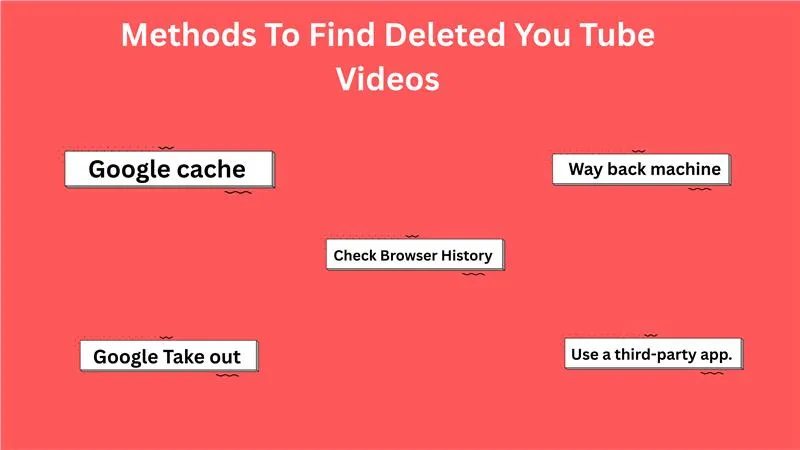
Google cache.
Google sometimes save a copy of the web pages. This is called a Google cache. The Google cache also includes YouTube video pages.
Steps to access cached pages
Step 1: Go to Google
Step 2: Paste the deleted video URL in the search bar
Step 3: Click the three dots next to the result.
Step 4:Select cached. (If available).
Or
Step 1: Click the three dots.
Step 2: Click “History “.
Way back machine
The Wayback Machine is a free, digital archive of the World Wide Web. It was launched by the Internet Archive in 1996. It serves as an archive of past websites.
It will be useful for researching historical content or restoring deleted information.
Steps to follow
Step 1: First, you need the exact link of the deleted URL. If you do not have the link, check your browser history, old emails, or the playlist of liked videos.
Step 2: Go to the Way Back Machine website.
Step 3: Paste the URL into the search bar.
Step 4: Try opening the page snapshot.
It would work the best
When the video was popular.
When the page was saved before deletion.
Check browser history
Step 1: Open your browser history.
Step 2: Search for YouTube or keywords related to this video.
Even if the video is deleted, the title might still appear; you can copy that title and search for it again.
Use a third-party app.
If the way back machine does not work. Then you can visit other archive sites, such as Archived.Today or Time travel, which may have saved copies of web pages and videos.
Google Take out
Step 1: Log in to your Google account and go to Google Takeout.
Step 2: Filter your data.
By default, Google will select all the files. Select the data that you need.
Step 3: Select YouTube
Make sure you download “videos” and not just history.
Step 4: Click “ next steps”. Choose the export method.
Step 5: Download and Extract.
Proof · Verified
2k+ grew faster with one tool.
Conclusion
Do not worry if you have deleted any important videos. With the right methods, you can get back to your video. When you delete a YouTube video, the video gets deleted from the platform. But some trace of it is still on the WWW.
Go through the steps to find a deleted YouTube video.
Free · Instant · No signupSee what ZuAI generates from your website — right now.
Paste your URL. Watch ZuAI write a month of brand-on captions in seconds. Preview before you create an account.
Faqs
Q1. Are deleted videos gone forever?
Ans 1: Mostly yes, unless you have backed up elsewhere.
Q2. Can YouTube restore deleted videos?
Ans 2: No, YouTube does not restore the deleted videos.
Q3. Is it legal to download YouTube videos?
Ans 3: Yes, you can download the YouTube video, but it depends on the video author’s permission.
Q4. Why does YouTube say “This video is unavailable”?
Ans 4: This message appears when a video is deleted, made private, restricted in your region, or removed due to policy violations.
Q5. What should I do if an important video gets deleted?
Ans 5: If you mistakenly deleted an important video, immediately check the local device storage and cloud backup.