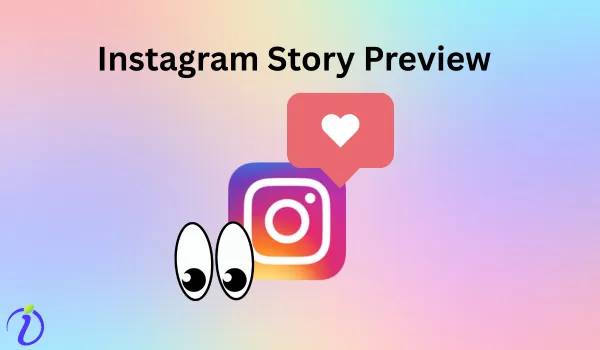
The colorful ring around a user’s Instagram profile is the Instagram story preview. These rings are not just decorative; they signal that someone (maybe your followers, a follower, or a public account) has updated a new story.
It helps you decide which story you want to view and which you do not. The Instagram story preview has a new meaning. Explore the blog to know more about Instagram story preview and how to see Instagram story preview.
 Time killer · Pain
Spending 6 hours writing posts that get zero traction?
Paste your URL. ZuAI turns it into 30 brand-on captions in 10 minutes — no blank-page panic, no generic AI filler.
What is an Instagram story preview?
An Instagram story preview is a small visual snapshot users can see before tapping your story. The first frame, or cover image, in the Instagram app represents your story and gives the audience a quick idea of what it’s about.
Or
An Instagram story preview lets you see your story before posting. You can create stories that attract more taps, boost engagement, and encourage your audience to interact with your story.
Outcome · RecommendedGet 30 days of social content from your website — in 10 minutes.
Where do story previews appear in the Instagram app?
Your Instagram story appears at the top of your home page, and even your followers’ stories appear in the same home page at the top (story tray).
Proof · Verified
2k+ grew faster with one tool.
How to preview an Instagram story before posting?
Before posting, the Instagram story preview lets you edit if you have made any mistakes or want to change your design.
You can preview your story after creating it, before adding it to your Instagram story section. Explore Indzu Social, to preview each of your Instagram stories before posting.
Free · Instant · No signupSee what ZuAI generates from your website — right now.
Paste your URL. Watch ZuAI write a month of brand-on captions in seconds. Preview before you create an account.
How to preview an Instagram story after posting?
After creating your story, it’s essential to preview it to see how your audience perceives it. You can check the font, color, or the overall story.
Step 1: After you have uploaded the story,
Step 2: On the home page, the Instagram story will appear as a coloured ring around your profile page.
Step 3: Click the colour ring to view your story.
Speed · 10-minute setupOne coffee from URL to a full month of scheduled posts.
Drop your URL, brew your coffee, come back to 30 brand-on captions ready to publish.
How to preview someone else’s Instagram story?
To preview someone else’s Instagram story, search their name at the top of your home page, where all other stories are displayed.
Step 1: Tap their profile picture shown on your home page.
Step 2: Then tap the right side of the story to move forward and view the other stories.
Or
Tap the left side of the story to watch the previous story again.
Blank tab. Six open browsers. No clue what to post.


 After · With Indzu
Paste one URL. Get 30 scheduled posts.
A few tips to preview Instagram stories without letting the user know
Sometimes you want to preview an Instagram story without letting the user know. There are a few tips you can apply to be invisible.
Tip 1: Take a sneak peek at the current story
You can have a look at the following story and get a brief idea of what it’s about.
Step 1: Click on the next story while the first story frame is still playing.
Step 2: Slide back to the previous story.
In this way, you will be able to get a sneak peek at the story without your username appearing in the user’s story viewer list.
Tip 2: Airplane mode trick
In the next tip, you can apply the simple airplane mode trick, or you can turn off your Internet.
Step 1: Log in to your account so the new stories are downloaded.
Step 2: Then, activate the airplane mode or turn off the Internet connection.
Step 3: Then get back to your account and tap the story you want to view.
Once you have viewed, you can close the Instagram app, then activate your Internet.
You can view the pictures and the video if you download them before you turn off the Internet connection.
Tip 3: Create a secondary username
The 3rd tip is to create an anonymous username. Then you can view the story you want to, without being detected from your real account.
Time killer · Pain
Spending 6 hours writing posts that get zero traction?
Paste your URL. ZuAI turns it into 30 brand-on captions in 10 minutes — no blank-page panic, no generic AI filler.
What is the difference between the story preview and the whole story?
| Instagram Story Preview | Full Story |
|---|---|
| Instagram story preview is a sneak peak of someone’s Insta story before viewing the full story. | The complete story content that you can view after tapping. |
| Seen on the home feed and profile photo. | Viewed in full screen mode. |
| No direct interaction. | Users can reply, react, vote. In general you are free to interact. |
| Acts as a teaser to encourage taps. | Provides complete context and engagement. |
| When you want to just preview someone’s story without appearing in their viewer list. | When you want to interact with the complete story. |
Outcome · RecommendedGet 30 days of social content from your website — in 10 minutes.
Conclusion
Instagram Story preview is a powerful feature that lets you see how your story looks before you post. And another meaning is that you can view the necessary story, or, with just a sneak peek, you can know the other story’s content.
Follow these steps to see Instagram story previews and explore Indzu social to preview stories and create posts, reels, and memes within minutes.
Remember the few tips if you want to view someone’s story without being seen in the view list.
Proof · Verified
2k+ grew faster with one tool.
FAQS
Q1. How do you preview someone’s story after viewing it?
Ans 1: Once you have viewed someone’s story, you can view it again. Just search for their username in the search menu, then tap their profile picture to view their story again.
Q2. Does watching a story preview count as a view?
Ans 2: No, watching a story preview does not count as a view. Until and unless you have watched the whole story.
Q3. Does a story preview show the full story content?
Ans 3: No, the story preview does not show the full story content.
Q4. Why do some story previews appear first on the home page?
Ans 4: Some stories appear on the first page of the home page due to your Instagram story interaction. Instagram prioritizes story previews based on your interactions, such as likes, replies, and DMs.
Q5. Can I preview my story if the Internet connection is slow?
Ans 5: Yes, you can preview the story, even if the internet connection is slow. Make sure your stories are already downloaded when you have an Internet connection, so you can preview them if the Internet is slow.