Everything is going smoothly, your tweets and posts are getting more impressions, replies, and attention. You think that you are growing a little every day, but then a phase comes when your posts just lie still, very few reactions, almost no replies, or few impressions.
That is when you should ask this question: Am I shadow-banned on X (Twitter)? How to Check, fix & avoid it?
Do not worry, we will cover everything about shadow bans today.
Shadow bans happen on almost all platforms, and it’s not just on X.
But the way it happened and the process of dealing with it are very different. Let’s cover all the aspects of shadow banning one by one.
 Time killer · Pain
Spending 6 hours writing posts that get zero traction?
Paste your URL. ZuAI turns it into 30 brand-on captions in 10 minutes — no blank-page panic, no generic AI filler.
What is the shadow-banned on X?
When you are not blocked, but just silently shadowed or restricted, then it’s said that you are shadow banned.
When this phenomenon happens on X, it is called shadow ban on X(Twitter).
Outcome · RecommendedGet 30 days of social content from your website — in 10 minutes.
How do I check if I’m shadow-banned on X?
Before taking any action, let’s first check whether you are really shadow-banned or if there is a problem with your content.
What are signs of a shadow ban on X (Twitter)?
First, check if you have recently received any kind of label on your X account. If yes, then most probably you have been shadow-banned. This is called Label shadowban.
If you have not received any label, then check for other signs
Here are some other signs.
- When you notice that your views and impressions have lessened drastically.
- When no one is noticing your replies on any tweets.
- You are using hashtags, but when you search those hashtags, your posts are not appearing.
If you notice these signs, then, it’s time to take the next step, i.e., confirm it’s a shadow ban or not.
It is just like you noticed the symptoms of a disease, and now you are doing a blood test to verify your doubts.
Therefore, to confirm, am I shadow-banned on X (Twitter), you should do a thorough check.
How to confirm it is a shadow ban on X?
Search for your account in the search bar.
- Open an incognito browser, log in to an X account that is not yours and does not follow your original X account. (Do not log in to your original account on X)
- Search for your original profile on X.
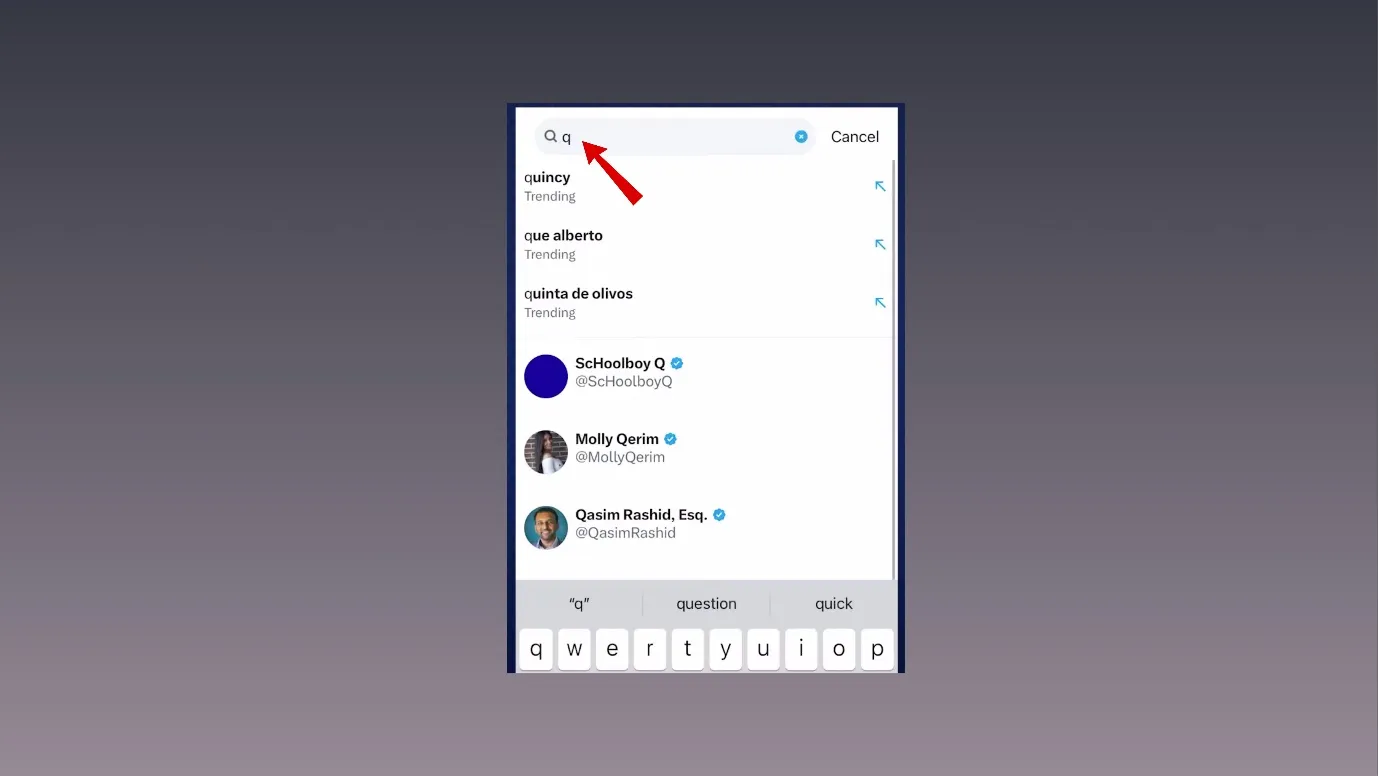
If your profile does not appear, then you are shadow-banned.
This type of shadow ban is called Search Suggestion Ban.
Search for your replies.
- Open an incognito browser, log in to an X account that is not yours and does not follow your original X account. (Do not log in to your original account on X)
- Search for your original X profile.
- Once your profile appears, go to the “replies” section
- Search for a recent reply that you had given in the past.
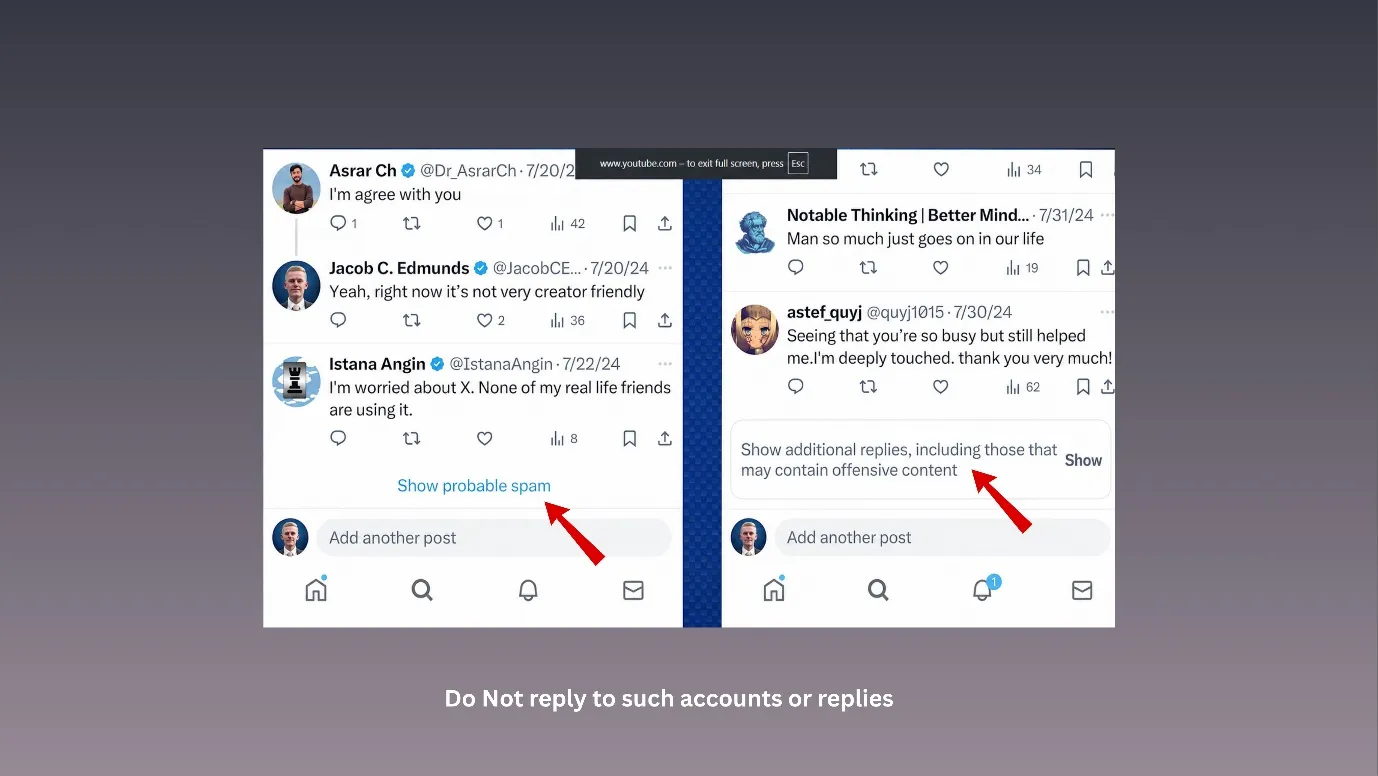
- Check if that reply does not appear, or appears under “show more replies.”
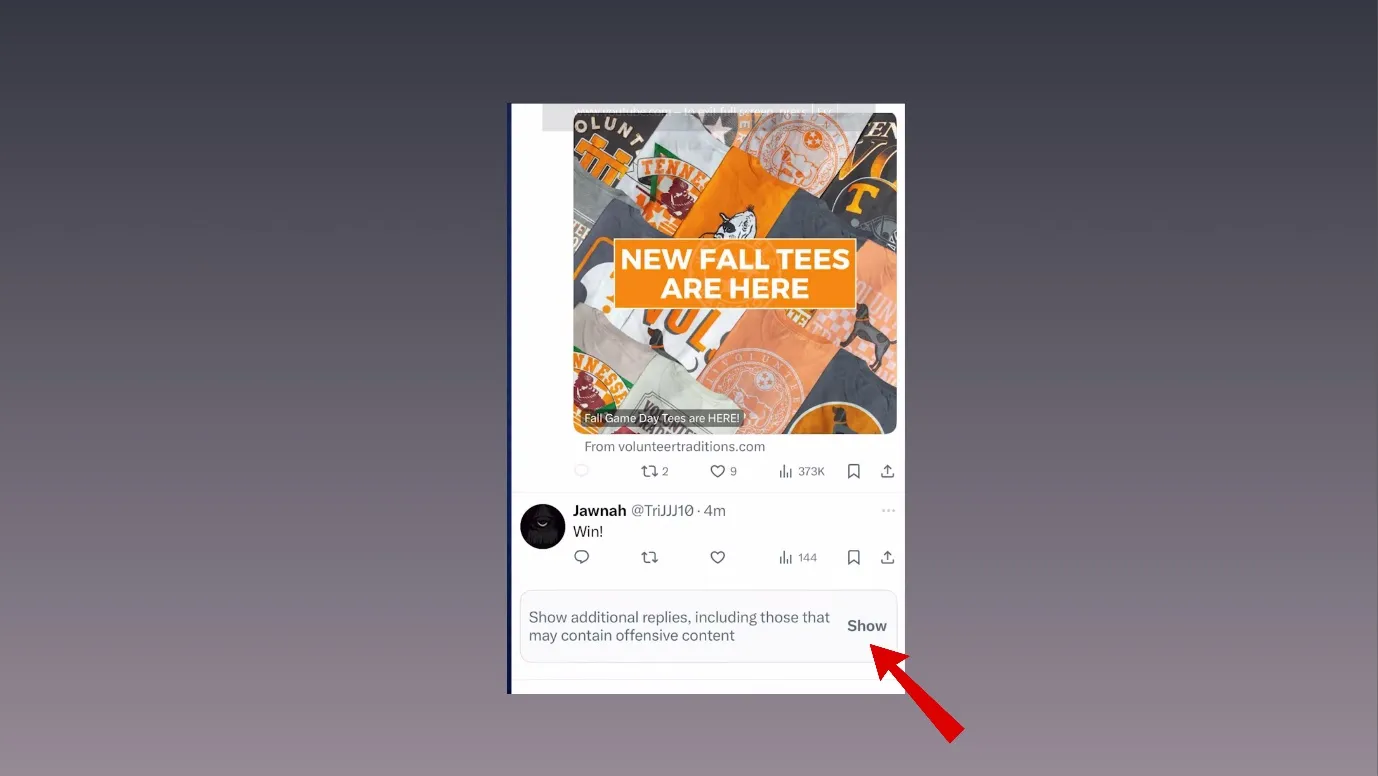
Alternatively,
- Reply to someone’s public tweet.
- Ask a friend to open that tweet.
- Ask them to check whether your reply is visible normally.
- Also ask them to click “Show more replies.”
- If your reply appears under “ Show more replies”, then you have been shadow-banned, and this shadow ban is called, Reply Deboosting.
- If the reply does not show up, then you have been shadow-banned. This type of shadow ban is called a Ghost Ban.
Search using your used hashtags
- Post something on X and use a less crowded hashtag.
- Now, open an incognito browser, log in to an X account that is not yours and does not follow your original X account. (Do not log in to your original account on X).
- Search that hashtag.
- Check the Latest
If your post does not appear, then you have been shadow-banned. This type of shadow ban is called Hashtag Ban.
Check from a 3rd party shadow ban checker tool.
When you type am I shadow-banned on X(Twitter) on Google or any browser, you will see many 3rd party tools.
Some of the famous tools are
We suggest trying these tools as a last resort, because these tools work sometimes.
Proof · Verified
2k+ grew faster with one tool.
Why was my account shadow-banned on X?
After knowing the status, people usually inquire about why this happened. So, let us discuss all the probable reasons why you could have been shadow-banned on X.
Here is the table showing all the reasons why a shadow ban could have occurred.
Reason | Simple meaning |
Posting too much | Tweeting too many times in a short time can look like spam. |
Repeating the same content | Posting the same tweet, link, reply, or hashtag again and again can look fake. |
Too many hashtags | Using many hashtags in every post can trigger spam filters. |
Mass following/unfollowing | Following or unfollowing many people quickly can look suspicious. |
Using bots or automation | Auto-replies, auto-likes, auto-follows, or mass DMs can cause restrictions. |
Sharing suspicious links | Posting unsafe, spammy, or repeated links can reduce your reach. |
Offensive content or misleading content | Hate speech, threats, harassment, or abusive posts, or false information do not go well on X. |
Too many user reports | If many people report your account, X may limit your visibility. |
Trolling or fighting | Frequent arguments, rude replies, or aggressive behavior. |
New or incomplete account | No profile photo, unverified email, or sudden heavy activity can look suspicious. |
Copyright/rule violations | Posting copied or restricted content can cause visibility limits. |
Sensitive keywords/hashtags | Some flagged words or hashtags may make X reduce visibility. |
Free · Instant · No signupSee what ZuAI generates from your website — right now.
Paste your URL. Watch ZuAI write a month of brand-on captions in seconds. Preview before you create an account.
How do I fix a shadow ban on Twitter?
After knowing the answer to ” Am I shadow-banned on X(Twitter)”, the next thing you should do is to fix it.
First, identify the cause of the shadow ban from the above table, and then you can fix it.
Take a break from Tweeting.
When you have realized that you are shadow-banned, then we suggest you to take a break for at least 7 to 10 days from tweeting.
This will stop things from getting worse.
Do a clean-up
If you have realized which posts, replies, or retweets could have caused a shadow ban, then delete them.
This step needs more time than you think. You will have to dig deep.
You will have to see all your past activities, hashtags you used earlier, posts or replies you gave in a community, etc. Be patient and see all of them one by one.
Remember that you should not delete posts in bulk.
Unfollow any suspicious account on X.
If you have followed any account that is itself spammy, then X may also consider you as spammy.
You should follow only genuine, real, and quality accounts on X. Be careful about
- Accounts that have few followers but heavy followings
- Accounts that post hate-based content, too much biased content, or negative stuff all the time
- Accounts whose posts have too many hashtags or links all the time.
- Accounts whose replies seem suspicious/ promotional/automated, etc.
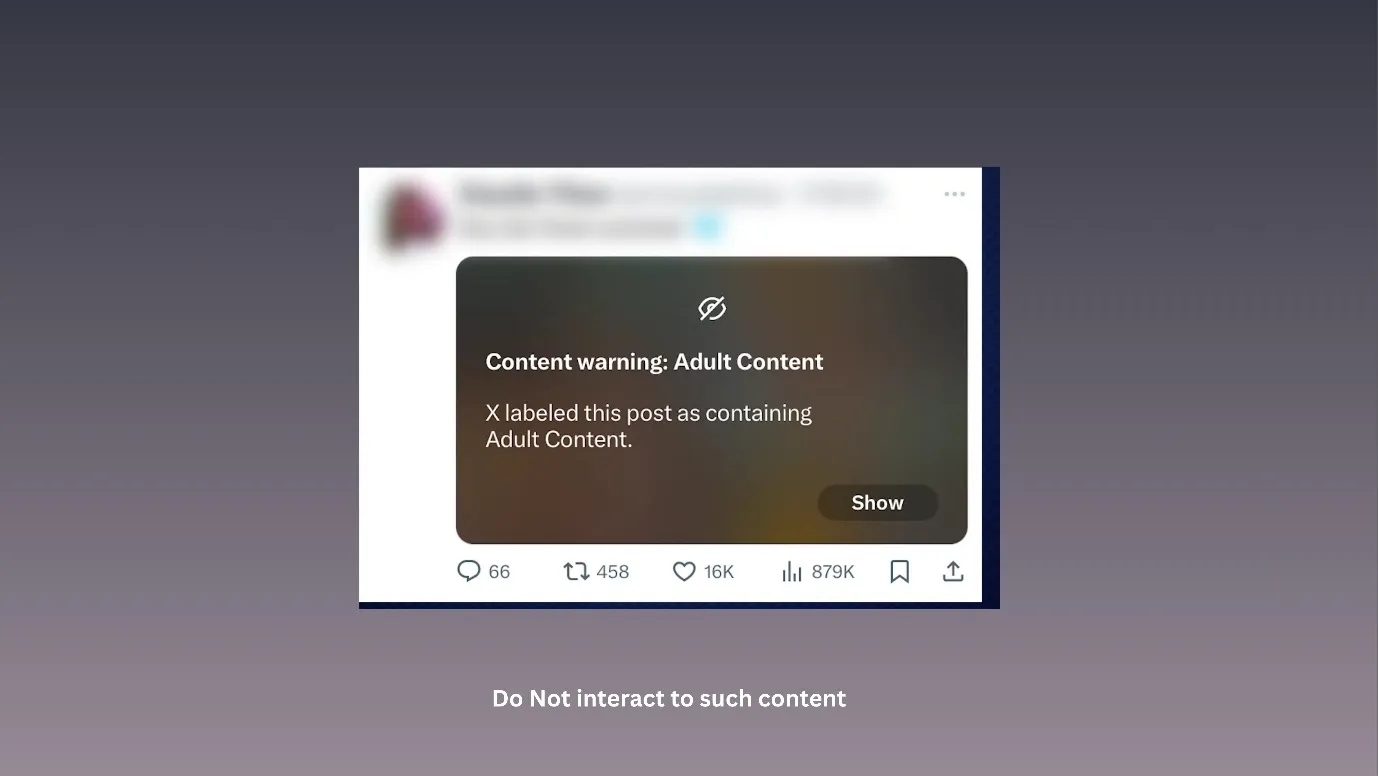
Again, do not unfollow many accounts at once.
Contact X support team
You can go to the help section of X and mention your shadow ban problem. You should wait patiently for them to respond.
Speed · 10-minute setupOne coffee from URL to a full month of scheduled posts.
Drop your URL, brew your coffee, come back to 30 brand-on captions ready to publish.
How to prevent shadow ban in the future?
After knowing everything about shadow-banning on X(Twitter), its causes and fixes, it is important to know how to avoid it in the future.
We all learn from our mistakes, and after learning, we should not repeat it, but rather focus on prevention. Here are some steps that can prevent a shadow ban on X.
- Do not post too much, avoid many retweets at once, or give replies to all the tweets you come across. Many people do this in order to grow fast on X, but it leads to shadowbanning.
- A thief’s friend is also considered a thief. So, if you are following or interacting with suspicious accounts, then you are at risk. So, follow only genuine people on X.
- Always get verified on X. Get verified that you are human.
- Do not overuse hashtags; use the content-related hashtags, and try to keep only five or seven hashtags per single post.
- Also, do not violate regulations on X, like using the words that are banned, sensitive, or that spread hate.
- Inactivity on X does not earn a good reputation; you should be active on X to show credibility. If you run short of time, then you can use our X post generatorto create content.
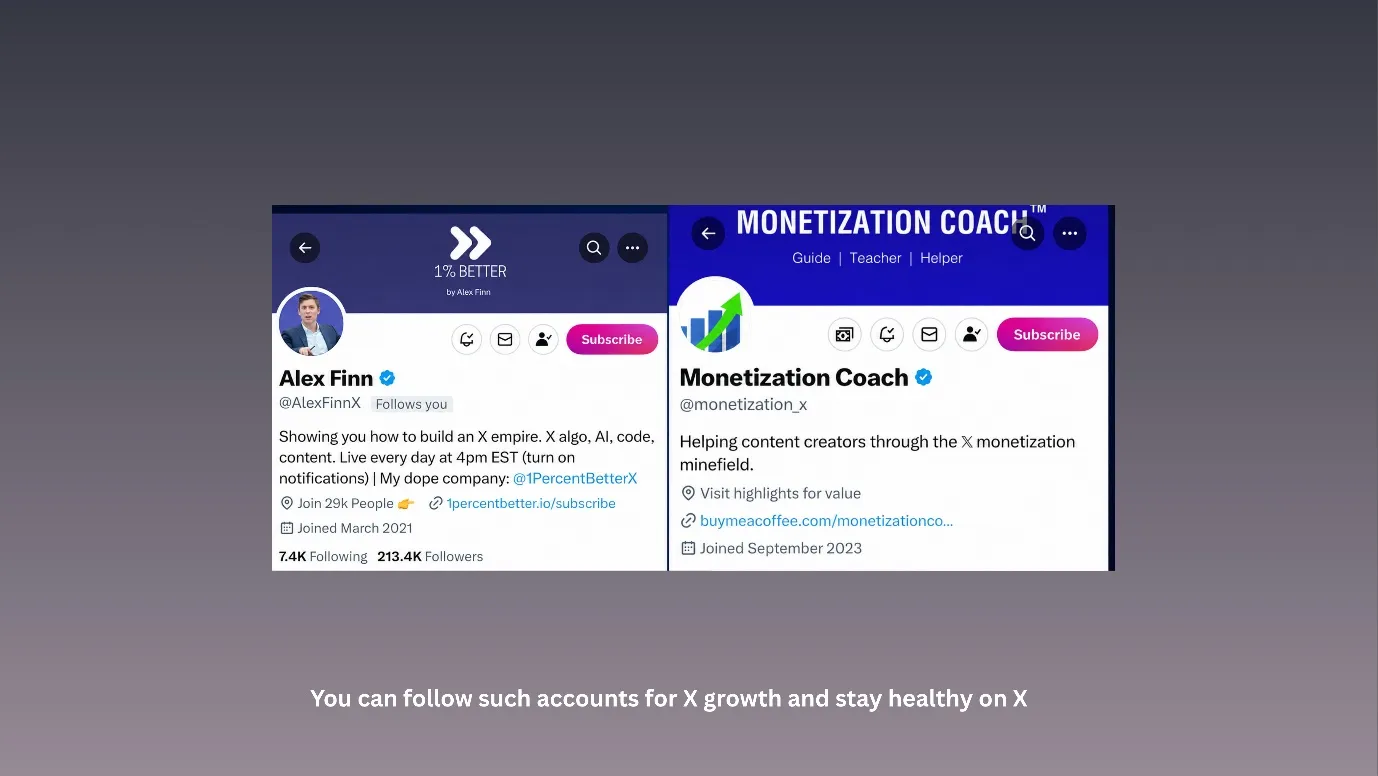
- Follow accounts that talk about growth on X. They keep on posting about shadow banning and tips to avoid it.
Blank tab. Six open browsers. No clue what to post.


 After · With Indzu
Paste one URL. Get 30 scheduled posts.
Got to know about shadowbanning?
We hope that, along with answering your question, “Am I shadow-banned on X(Twitter)?”, we also addressed many of your other doubts about the topic.
If you could find out the exact reason for your shadow ban, congratulations, you are one step ahead of others. As you have understood one of its intricacies.
You can also learn more about X, its post dimensions, and compare X with its competitor, if you go through our blogs.
Our blogs can keep you updated about every tidbit of social media. So, keep reading and growing.
Time killer · Pain
Spending 6 hours writing posts that get zero traction?
Paste your URL. ZuAI turns it into 30 brand-on captions in 10 minutes — no blank-page panic, no generic AI filler.
FAQs
Q1. What are types of shadowbans on X.
Ans. The table below shows the types of shadow ban on X.
Type | Meaning |
Search Suggestion Ban | Your profile does not appear in search suggestions |
Search Ban | Your tweets do not appear in search results |
Reply Deboosting | Your replies are hidden or pushed under “Show more replies.” |
Hashtag Ban | Your tweets do not appear under hashtags |
Thread Shadowban | Parts of your thread may not be visible to others |
Label shadowban | Your account has a label |
Full/Ghost Ban | Your tweets, replies, and profile become almost invisible to most users |
Q2. How long does a shadow ban last on X (Twitter)?
Ans. A shadow ban can last from 1 day to 15 days.
Situation | Possible duration |
Minor spam-like activity | 24 to 48 hours |
Normal shadowban | 2 to 7 days |
Repeated suspicious activity | 1 to 2 weeks |
Q3. Is my New Twitter account shadow-banned?
Ans. Check these points to confirm whether your account is shadow-banned or not.
- Your views suddenly drop heavily.
- Your tweets do not appear in search.
- Your replies are hidden under “Show more replies.”
- Your hashtag posts do not appear in hashtag search.
- Other people cannot find your posts normally.
(Try to perform all these searches from your friend’s X account, or try incognito mode and log in with a different X account.)
Q4. What are Twitter shadow ban fixes?
Ans. Here are some fixes for the X shadow ban.
- Stop tweeting or posting for some days.
- Delete any offensive, spammy, suspicious, etc. posts, replies, or tweets. Check your previous activities.
- Unfollow any suspicious account on X.
- Patiently wait for 15 days, and if the shadow ban is still not fixed, then perform the clean-up once again (i.e., repeat point number 2)