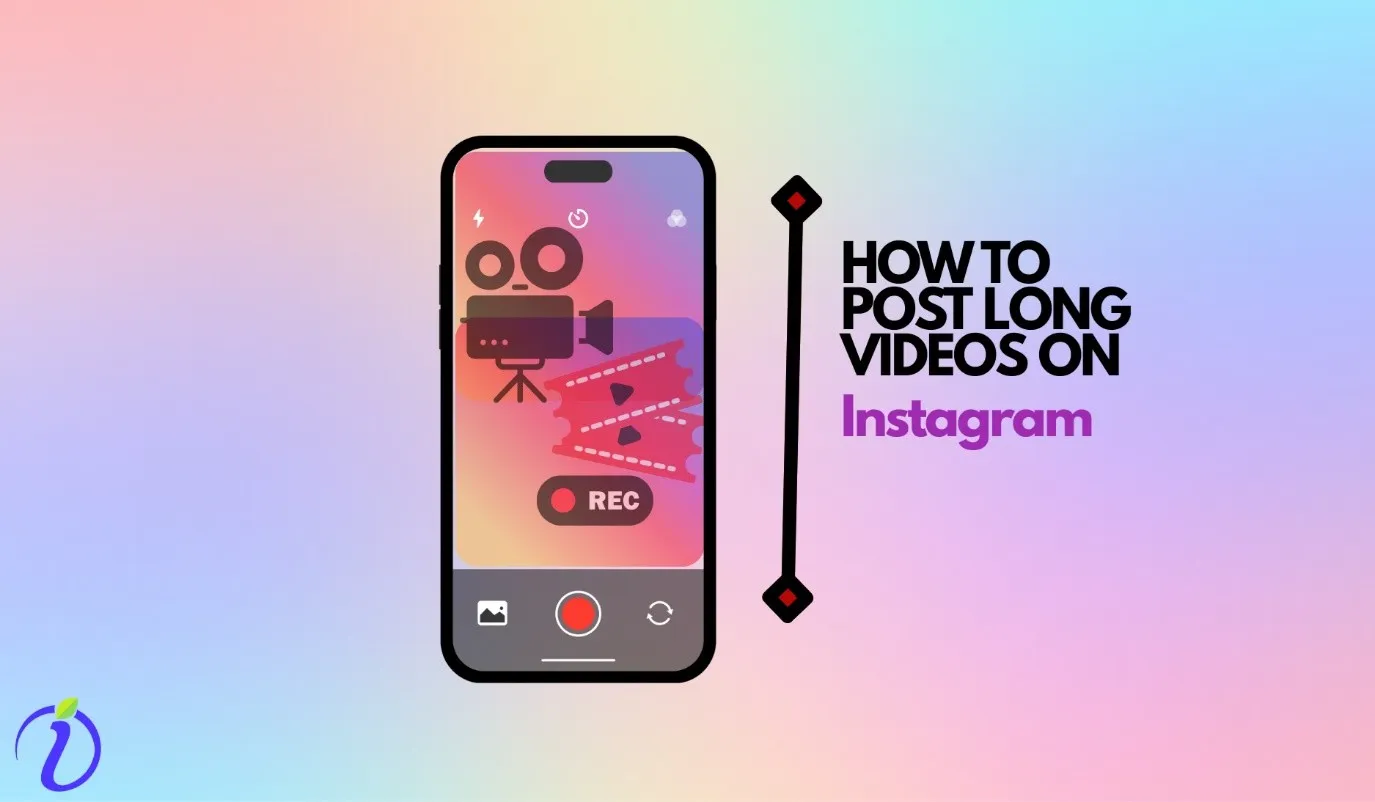
Everyone knows that Instagram makes others notice you faster. It gives you a minimum of 30%- 40 % faster growth rate compared to other platforms. While Instagram is famous for drawing attention via its short-form content, what if we tell you that you can post long videos on Instagram to pull some traction, too?
But how to post long videos on Instagram? Are there simpler ways to do that? It could solve many of your problems. While planning a video for other platforms, you can enjoy the ease of posting it on Instagram too.
In this blog, we have shared a few ways to share your long videos on Instagram.
Just as this blog, there are hundreds of other blogs that can solve your tiny to not-so-tiny problems on social media. Make sure to keep an eye on the blogs; you might stumble upon something useful.
 Time killer · Pain
Spending 6 hours writing posts that get zero traction?
Paste your URL. ZuAI turns it into 30 brand-on captions in 10 minutes — no blank-page panic, no generic AI filler.
How long can a video be on Instagram?

It is 2026, and Instagram has extended its video limits.
For reels
You can record and edit videos | Up to 20 minutes |
You can upload a video | Up to 20 minutes |
For posts
Although you will hear many people and sources say you can post a 60-minute video for a post. That might not be true.
As we tried to post a video larger than 20 minutes, Instagram constantly reminded us that videos could be 20 mins long. Sometimes it also modified that restriction for 30 mins.
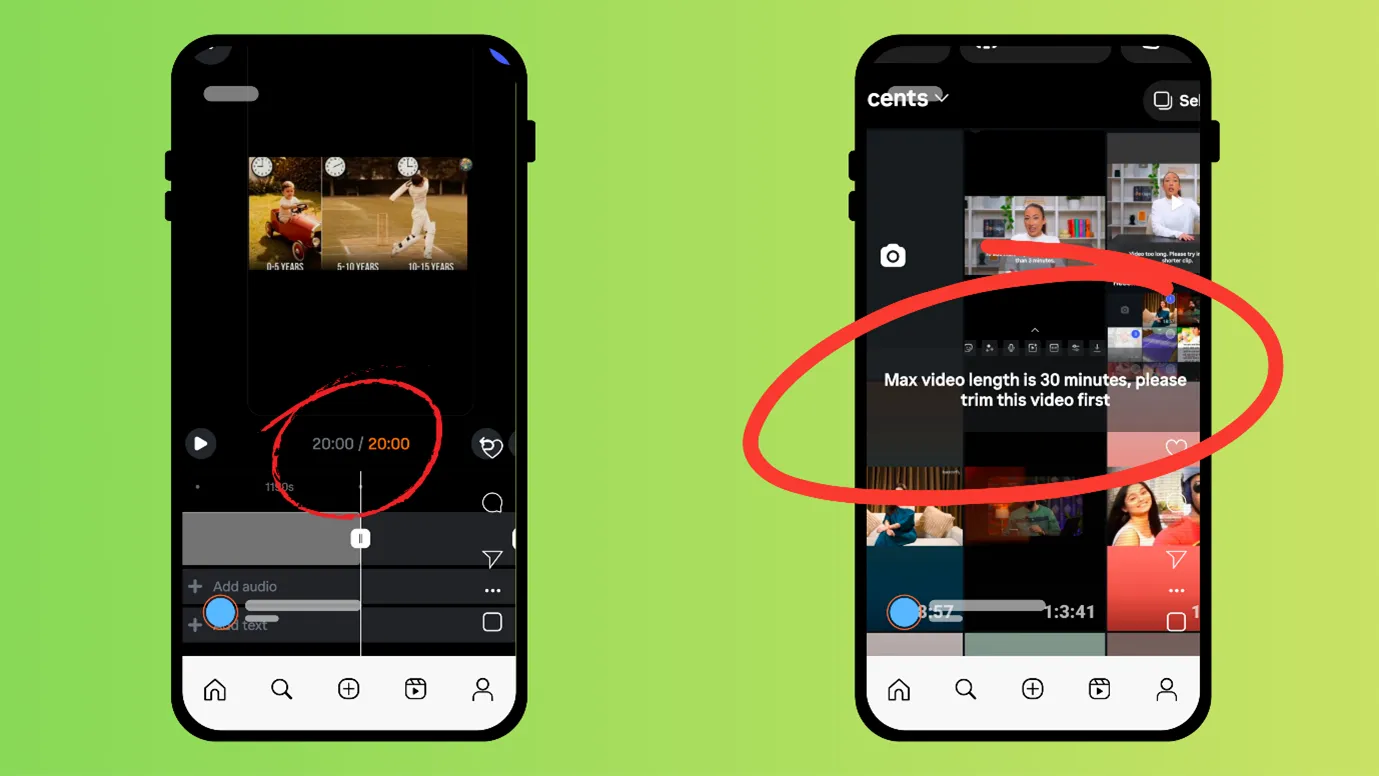
( When we tried posting from the phone)
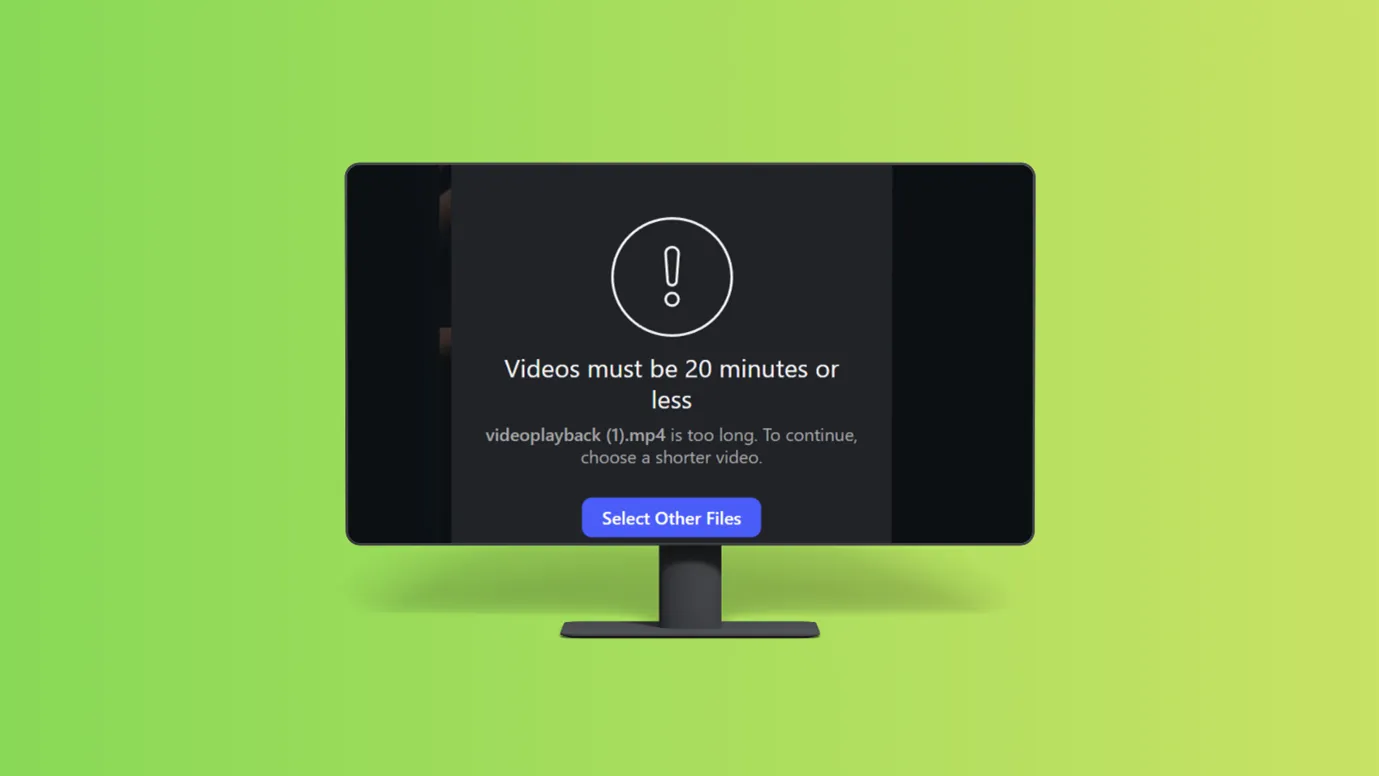
( When we tried posting from the desktop)
For Stories
The maximum duration of each story will be 60 sec. If you post a video longer than 60 secs, your video will be broken into slides (each of 60 secs)
Outcome · RecommendedGet 30 days of social content from your website — in 10 minutes.
Instagram video length keeps changing
Let us understand it via this table
| Year | Instagram reel duration |
|---|---|
| 2020 | Reels launched |
| 2021 | 60-second Reels duration |
| 2022 | 90-second Reels became available |
| 2023–2024 | In some regions, reels up to 3 minutes were allowed |
| 2025–2026 | 20-minute reels are allowed |
Proof · Verified
2k+ grew faster with one tool.
How to post long videos on Instagram? Let us learn 5 ways
You might have seen a lot of people or blogs suggesting that you post long videos as posts.
Previously, Instagram posts up to 60 mins were allowed.
But as Instagram keeps updating itself, the old ways won’t work.
We have listed some new ways to post long videos on Instagram.
Post from Meta Business Suite

Instagram and Facebook can be managed simultaneously via Meta Business Suite.
And Meta Business Suite does allow posting longer videos.
We tried posting a video that was more than 20 minutes, and it allowed us.
If you want to use Meta Business Suite
- Open a Facebook account with the same email ID that you have on Instagram.
- On Facebook, you can see an option for Meta Business Suite. You can open that (on the website) or install that app (if using a phone)
- Next, connect your Facebook and Instagram.
After that, you can start posting.
Use Instagram to drive traffic to other platforms

You may not be able to post long videos (over 20 mins) on Instagram. Still, you can definitely post long videos on YouTube, Facebook, etc.
And post a short preview of it on Instagram.
You can use any video editor app to cut a small part from your lengthy video. You can try
Cut your videos into small parts and post them as part 1, part 2, etc.

Again, this step also requires the video editing tools; using these tools, you can bifurcate a long video into small parts.
But just bifurcating won’t be enough; you will also need to edit the beginning and the end of a video to maintain the flow.
Post the link of your long-format video on Instagram

Not only previews, but you can also share the link of your long-format video (posted on Facebook, YouTube, or Bluesky) in Instagram captions.
You can also share the link in DMs, post links in stories, etc.
Instagram can act as a good medium between a user and your long-form videos.
(You can also learn how to post YouTube video on Instagram.)
Host a live on Instagram

If Instagram is your favorite platform and you do not want to skip posting your long-format video on Instagram at any cost, then instead of posting a video, host a live on Instagram, conveying all the important information via live video.
If you face any problem while going live, you can refer here.
Free · Instant · No signupSee what ZuAI generates from your website — right now.
Paste your URL. Watch ZuAI write a month of brand-on captions in seconds. Preview before you create an account.
How to post long videos on Instagram reels?
Whether it’s reels or posts, Instagram has set a 20-minute limit for both.
Instagram has also clarified that any reel longer than 3 minutes won’t be shown to new audiences.

If you want to post longer reels, you can post using the above-mentioned ways. But remember, if your sole purpose is gaining more viewership via reels, then posting longer reels won’t be beneficial.
Speed · 10-minute setupOne coffee from URL to a full month of scheduled posts.
Drop your URL, brew your coffee, come back to 30 brand-on captions ready to publish.
How to post longer reels on Instagram Story?
In 2026, Instagram has not clarified directly how long your stories can be.
But Instagram has said that if you post a story or longer reel as an Instagram story, then they will be broken and shared, and each slide will be 60 seconds long only.
Blank tab. Six open browsers. No clue what to post.


 After · With Indzu
Paste one URL. Get 30 scheduled posts.
How to send long videos in Instagram chat?

There is no exact mention of how long a video can be sent in Instagram chats.
But roughly, you can send a 90-second to 120-second-long video in Instagram chats.
There are 3 easy ways to send long videos in Instagram chats.
You can share the long videos in Instagram chats by sharing links
You can share a link to a YouTube, Facebook, Google Drive, or Instagram post in chats.
You can trim your long videos and send them via chats
Using any video editing app, you can trim long-form videos into many smaller parts to send them in chats. An AI clipping tool can also find the key moments in a long video and cut them into short clips for you.
You can also split a long video into multiple smaller parts and send them via chat.
You can also try compressing a long video
There are many free video compression apps available online.
- Handbrake (if you are using a desktop, download the software and compress your videos)
- VN editor
Use them to compress the videos.
Try to keep the video under 100 mb.
Time killer · Pain
Spending 6 hours writing posts that get zero traction?
Paste your URL. ZuAI turns it into 30 brand-on captions in 10 minutes — no blank-page panic, no generic AI filler.
Ready to post your long videos on Insta?
We hope that after going through all the tips, you will have dispelled any doubts about how to post long videos on Instagram. But keep in mind that Instagram keeps changing its limits.
There will never be any permanent changes to the time limit or video length on this platform. Therefore, you should always stay up to date on video limits, algorithm flows, etc.
Also, if you are a creator or business targeting growth through social media, do not rely on a single platform. Post your content on all platforms.
You can use smart scheduling tools like Indzu to post on all platforms at once.
On days when you do not feel like creating content, you can also create content via Indzu.
We are here to make your social media growth journey simpler and faster, so keep reading.
Outcome · RecommendedGet 30 days of social content from your website — in 10 minutes.
FAQ
Can I post a 7-minute-long video on Instagram?
Yes, you can easily post a 7-minute video on Instagram. You can post via an Instagram post or reel.
Is IGTV still available on Instagram?
No, IGTV was shut down in 2022. Instagram wanted to focus more on reels. Shorter format content is more popular on Instagram.
That is, Instagram shut down IGTV in 2022.
How long can Instagram Stories be?
IN 2026, Instagram allows you to post a video that is 1 minute long. But if you post a video on your story that is longer than 1 min, then it will be broken by Instagram into slides (each of 60 sec)
How do I post a 5-minute video on my Instagram story?
- You can post a 5-minute video on Instagram Stories. But your story will be bifurcated into 5 slides. (each slide would be 1 min long).
- Alternatively, you can post your 5 min video as a post or reel and give the link in stories.
- You can also post the 5-minute video on any other platform and share the link on Instagram story.