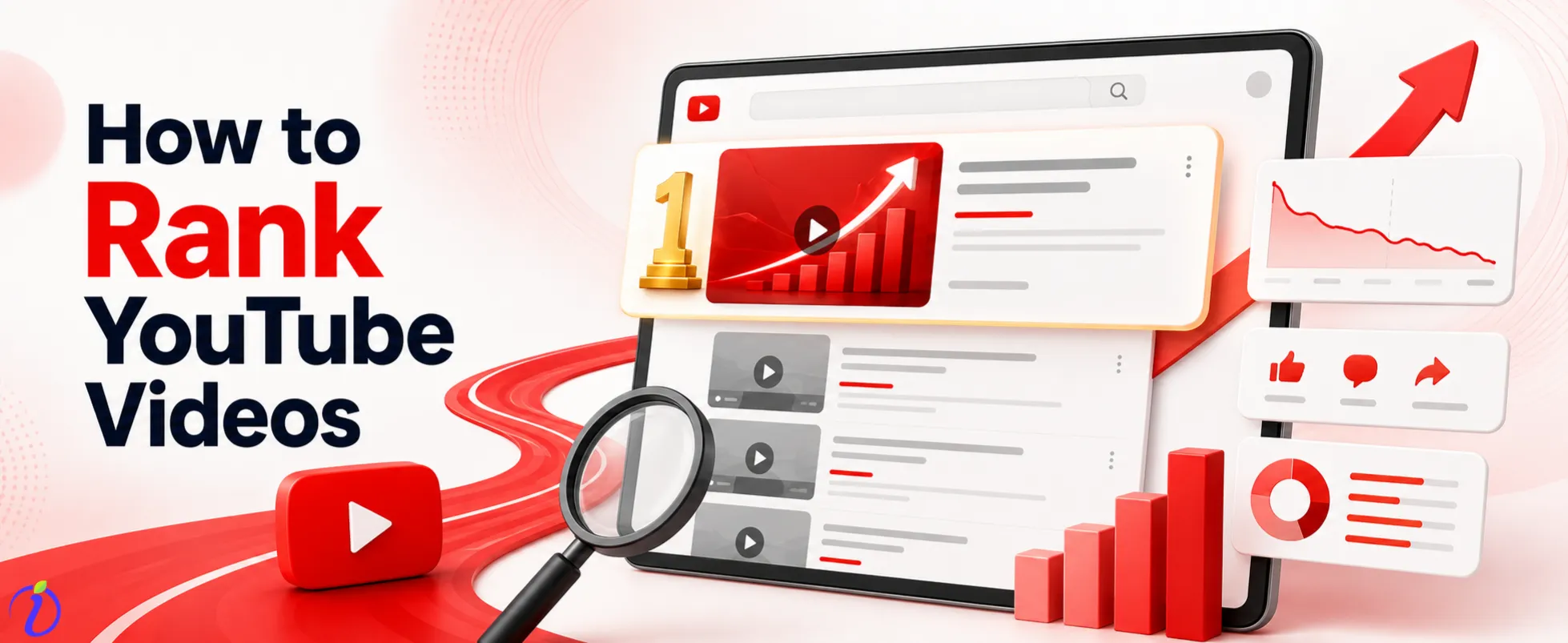
The second largest search engine in the world is YouTube. People are typing in billions of queries every day looking for tutorials, reviews, comparisons, how-to guides and expert opinions. If your videos aren’t optimized for how to rank youtube videos and showing up in those results, you’re missing out on organic traffic.
That’s where YouTube SEO comes in.
This guide covers everything you need to know from keyword research and title optimization to watch time, engagement signals and channel authority. This blog is for everyone who want to get their videos seen by the right people organically.
 Time killer · Pain
Spending 6 hours writing posts that get zero traction?
Paste your URL. ZuAI turns it into 30 brand-on captions in 10 minutes — no blank-page panic, no generic AI filler.
What is YouTube SEO ?
YouTube SEO is the process of optimizing your videos, channel and metadata to improve their ranking in YouTube search results and suggested video feeds.
When someone searches for “how to edit videos on iPhone” or “best email marketing tools,” YouTube’s algorithm scans thousands of videos to determine which ones are most relevant, most useful, and most likely to keep that viewer watching.
As a brand, your job is to provide the algorithm with enough signals on what your video is about and how it can bring in more traffic and satisfy viewers.
YouTube SEO operates on two levels:
Search ranking: Your video shows up when someone types in a query in YouTube’s search bar.
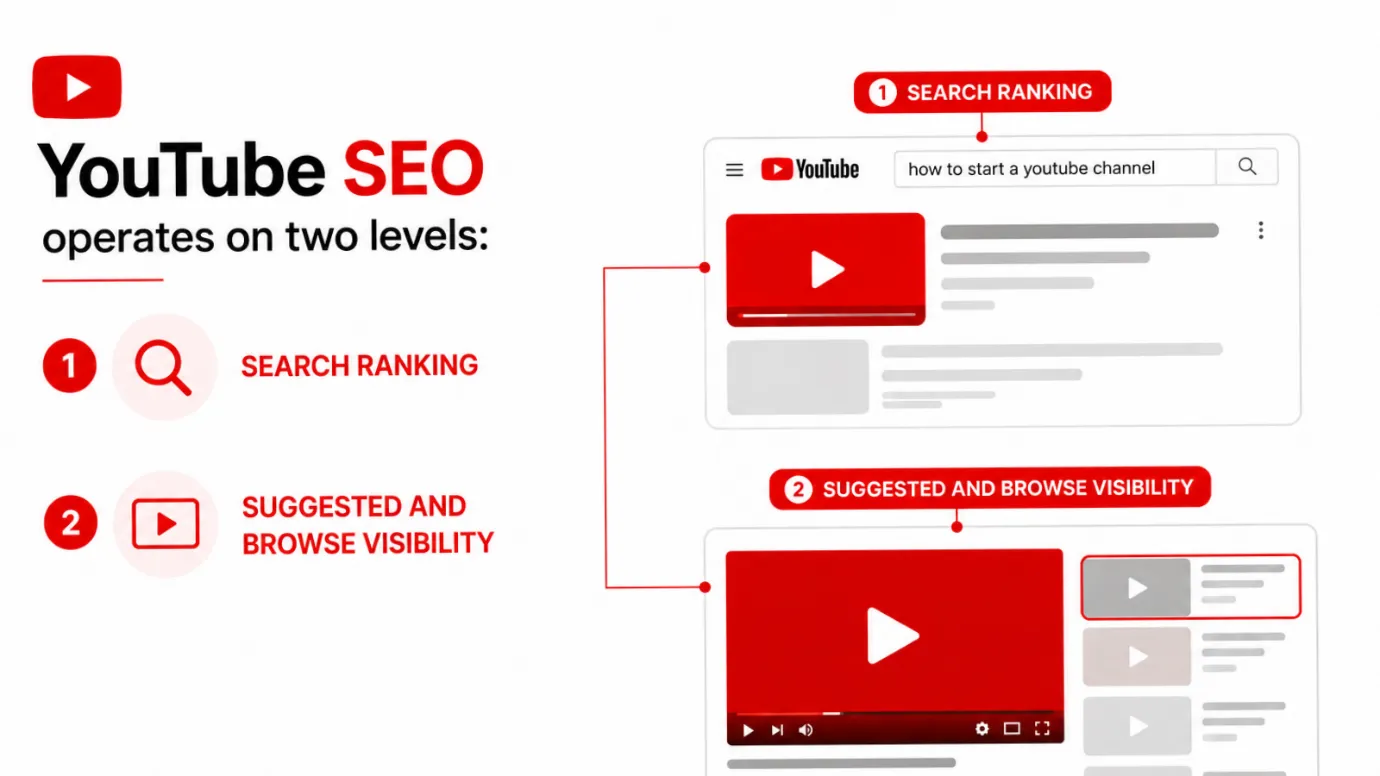
Suggested and browse visibility: Your video is recommended next to similar videos or in a video player’s homepage.
Both suggestions work pretty well. New high-intent viewers come in via search discovery. Recommended visibility helps you reach out to people who might not be actively searching, but are most likely to be interested.
Outcome · RecommendedGet 30 days of social content from your website — in 10 minutes.
Importance of YouTube SEO
Great videos can get lost without optimization. More than 500 hours of video content are uploaded to YouTube every minute. If your video doesn’t send clear signals to the algorithm regarding its topic and value, it gets drowned in that volume.
There are some practical reasons why YouTube SEO is important for your brand:
Sustainable organic reach: An optimized video can rank for months or years and continue to drive views organically without paid promotion
Targeted Traffic: Search-driven viewers are actively looking for what you’re offering and they come with a purpose.
Channel growth: Consistent rankings establish authority, attract subscribers, and increase your channel’s overall visibility
Cost efficiency: Organic traffic on YouTube is free (except the time required to create and optimize your content).
Cross-platform visibility: YouTube videos often appear in Google search results, providing your content with an additional discovery channel
Creators and brands that treat YouTube as a search engine, not just a content platform will always outgrow.
Proof · Verified
2k+ grew faster with one tool.
How to Rank YouTube Videos with YouTube SEO
Step 1: Conduct Keyword Research
The first step in YouTube SEO is understanding what your audience is searching for. If you optimize a video around a phrase nobody is looking for, it doesn’t matter how great the content is.
Use the YouTube search bar
Type your topic into YouTube and see the suggestions in auto-complete. These are real questions that people are already asking. Say you type in ‘YouTube SEO’, you might get suggestions like:
- What is YouTube SEO?
- YouTube SEO Strategy.
- How to optimize YouTube Shorts.
- YouTube SEO Checklist.
This is the free search data handed by Google.
See what’s already ranking: Search your topic and check out the top results. What are the titles like? What is the length of the videos? What keywords are in the descriptions? This shows you what the algorithm is rewarding and what viewers respond to.
Use keyword tools: Tools such as SEMrush, Ahrefs, and Google Keyword Planner can provide you with search volume, competition levels, and keyword ideas relevant to YouTube. It shares a more clear picture than the search bar.
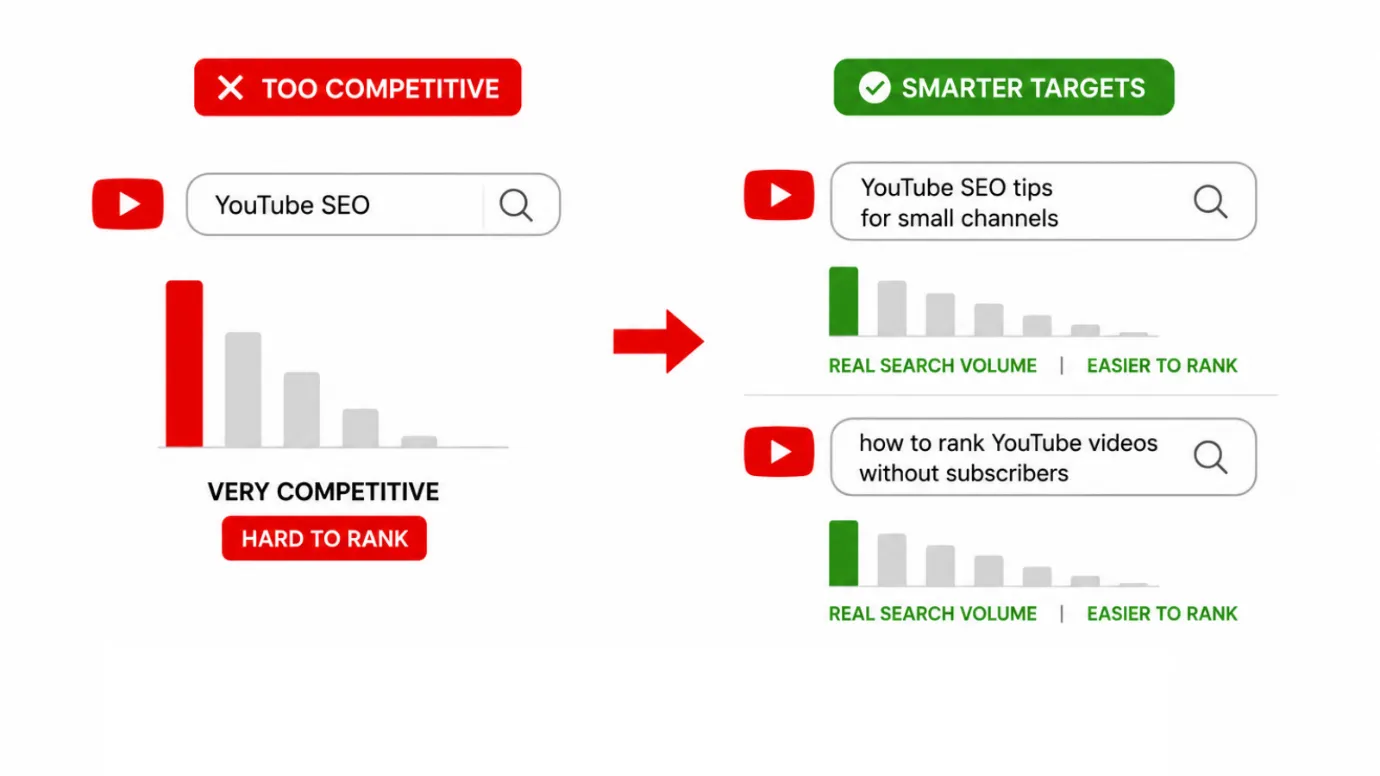
Target the right keyword difficulty: If your brand channel is new, then high volume, highly competitive keywords will be tough for the initial game. Target mid-tail and long-tail keywords. These keywords are very specific and less competitive but have more search intent.
Instead of targeting “YouTube SEO” (very competitive) you might target “YouTube SEO tips for small channels” or “how to rank YouTube videos without subscribers”. These have real search volume and a much more realistic path to ranking.
 Understand search intent: Before you build a video around a keyword, consider what someone looking for that phrase is hoping to find.
Want a tutorial?
Product review?
Comparison?
Quick answer?
Create your video to match that intent exactly.
Step 2: Optimize Video Title
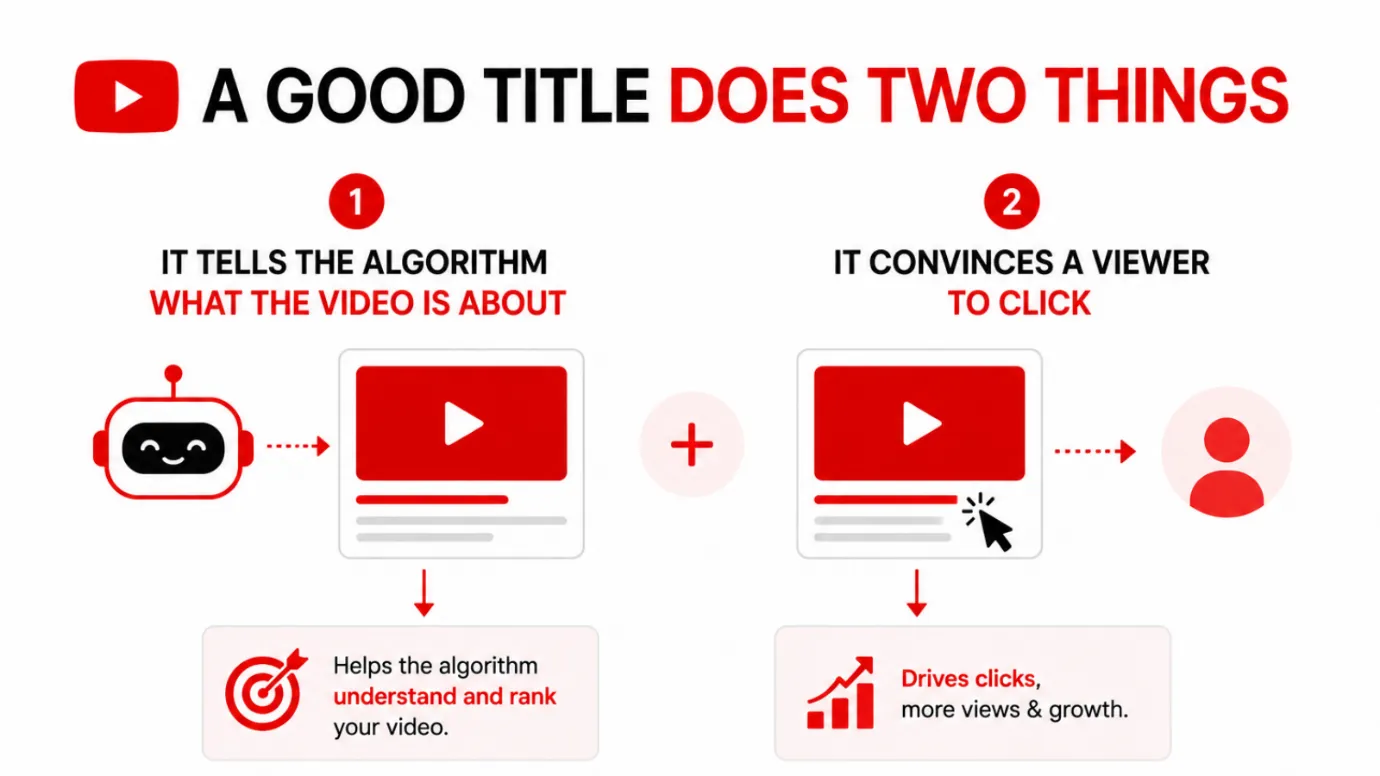
Your title is one of the most important ranking signals of YouTube. It’s typically the first thing a viewer will see. A good title does two things: it tells the algorithm what the video is about, and it convinces a viewer to click.
Add your primary keyword: Your target keyword needs to be in the title, preferably at the beginning. For instance,
- “YouTube SEO: How to Rank Videos Faster In 2025”
- “How to Do Keyword Research for YouTube (Step-by-Step)”
- “7 YouTube SEO Mistakes That Kill Your Rankings”
They’re each led with the core keyword, followed by a compelling reason to click.
Use clear and specific titles: Titles like “This changed everything for my channel” are vague, and might work for big creators with established audiences, but won’t rank in search and won’t convert cold traffic. Titles that are specific and tell the benefit or outcome tend to do better.
Keep titles under 60 characters when possible: YouTube usually shows around 60 characters in the search results before cutting it off. If your most important words are at the end, they may not be read.
No click bait: Misleading titles that do not match the content hurt your average view duration and watch time. Watch time is one of the most important ranking signals for YouTube. If you overpromise, your metrics will backfire.
Step 3: Write a Killer Video Description
Your YouTube video description gives the platform a much better idea of what your content is about. YouTube reads your text. The algorithm will understand your topic and match your video to the right search queries, so write a good description.
Prioritize your most important information: The first 2-3 lines are read by YouTube algorithm before the “show more” cut-off. Hence place the main keyword in the brief description section of the YouTube Video.
Write naturally, include keywords: Use your main keyword in the first few sentences and sprinkle related terms throughout the description. Don’t jam them in awkwardly. Write as if you’re explaining the video to a colleague. Related keyword variations tell YouTube what your video is about.
Write at least 200 to 300 words: Share more content to the algorithm. Many of the top-ranked videos have descriptions of 500 words or more, almost like a short article on what the video is about.
Add Timestamps: Chapter markers (timestamps) help viewers navigate your video and help YouTube understand the structure of your content. They also appear directly in YouTube search results, and can boost click-through rates.
Add relevant links and call to actions: Add links to related videos, playlists, or your website. These help to improve the overall viewer experience and keep people engaged with your channel.
Step 4: Be Careful with Tags
Tags used to be one of the most important ranking factors on YouTube. They still matter, but not so much anymore. They are background, not the main show.
Make sure to include your main keyword as the first tag. This supports the main theme of your video.
Add related words and variations. Add long-tail keywords, alternative phrasings, and related topics. For example, if your main keyword is “YouTube SEO” then your tags could be “YouTube SEO tips,” “how to rank YouTube videos,” “video SEO,” “YouTube algorithm,” and “YouTube growth strategy.”
Don’t use irrelevant tags. Using popular unrelated tags to attract more views is not more a trick. YouTube actively penalizes this behavior because it has a negative impact on viewer satisfaction.
Keep your tag list on track. Usually 15 to 20 well-chosen tags is enough. Quality and relevance are more important than quantity.
Step 5: Create Clickable Thumbnails
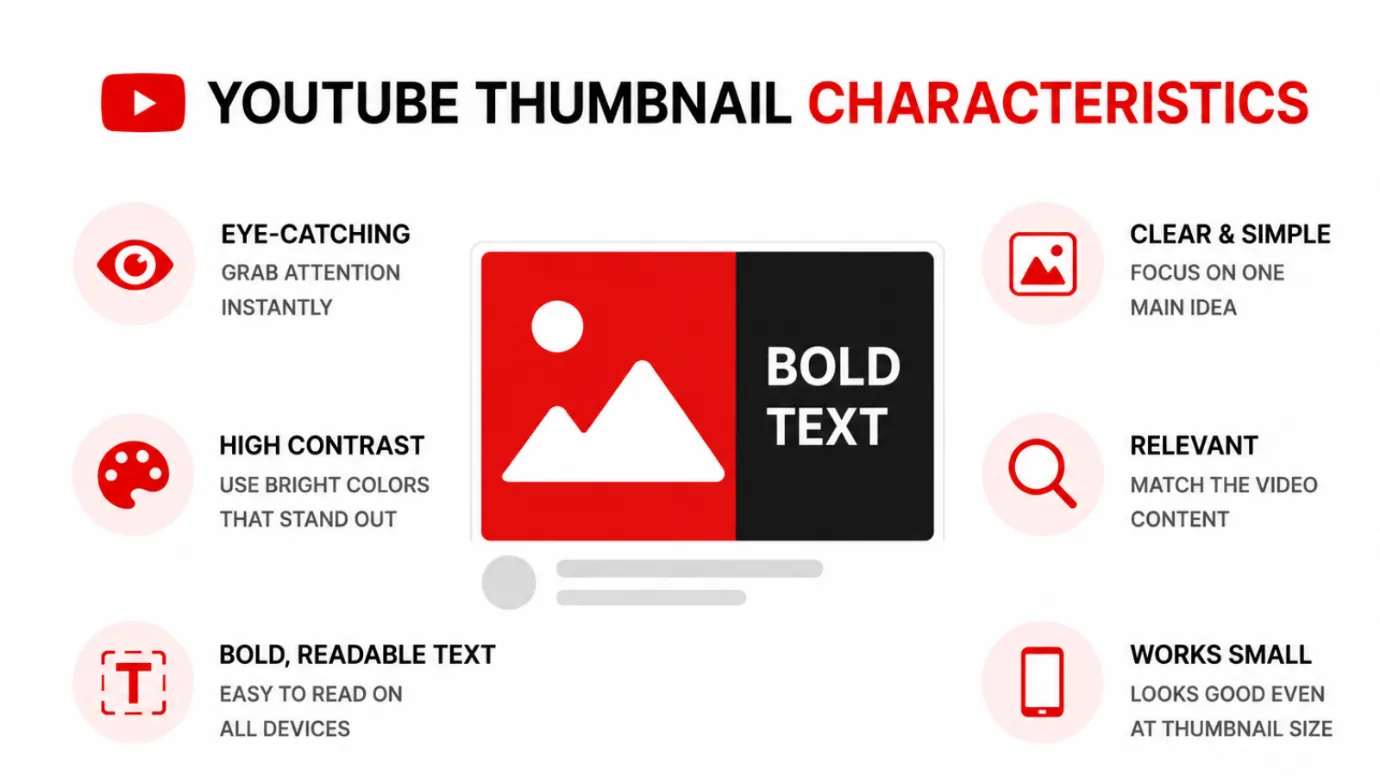
YouTube SEO is not just about showing up in search, it’s about getting clicked when you upload a new video. Your thumbnail is the most important factor for your click-through rate, which directly impacts how YouTube distributes your content.
A powerful thumbnail:
- Is easy to read and visually clear.
- Uses high contrast, bold colors that pop against white background of YouTube.
- Has a clear focal point, usually a face, object or bold text.
- Sparks curiosity or communicates a clear benefit.
- Looks like it matches your other thumbnails.
If your click-through rate is low, even the top-ranked video will lose visibility over time. A low CTR says to YouTube that viewers aren’t interested and show them less.
Experiment with different thumbnail styles and compare CTR data in YouTube Studio. Small changes in color or copy or composition can affect performance quite a bit.
Step 6: Boost Watch Time and Audience Retention
Watch time and audience retention are the most powerful ranking signals of the YouTube algorithm. YouTube wants to serve content that people watch – not simply click.
Watch time is the total number of minutes viewers have watched your video.
More watch time = stronger ranking signal.
Audience retention is the average percentage of your video that people watch. A video that consistently holds 60% retention is a much stronger signal than a video that was watched at 20%.
Here’s how to fix both:
Hook viewers in the first 30 seconds. The start of your video is the highest risk drop-off zone. Start with what the viewer will get from watching. No long intro, no sponsor read, no background music. Go straight to the value.
Use good structure in your content. Say to your viewers what to expect, and then deliver. A clear structure helps to reduce early drop offs and helps people to watch longer.
Tight pacing. Slow, padded content is a fast way to lose viewers. Edit out awkward pauses, repetition and tangents. Each minute deserves its place.
Try Pattern Interrupts. Camera angle, graphics, B-roll, text overlays and visual variety break monotony and keep attention longer.
End with strong direction. Don’t let your video fade away. Tell viewers exactly what to watch next, and why. When people stay on your channel, it improves your session watch time, which is a factor YouTube uses to determine how much it will promote your content.
Step 7: Build Engagement Signals
YouTube tracks viewer count. Engagement signals, such as likes, comments, shares, saves, and subscriptions, are all signs of viewer satisfaction.
More engagement = stronger signals to YouTube that your content is connecting = more distribution.
Find the right time to ask for engagement. Don’t beg for likes and subscriptions in the first five seconds, you haven’t earned that right yet. Make a natural, specific ask, only after you’ve delivered value. “If this helped you, like this video,” is a better call to action than a generic “smash that like button.”
Respond to comments. Active comment threads are an indicator that your content provokes discussion. Responding to comments, particularly within the first 24 to 48 hours of publishing, increases engagement and builds community.
Ask questions in your video. Inviting the viewers to leave their answer, opinion or experience in the comments section is one of the best ways to naturally increase comment volume.
Plan how you share your video. Sharing your video to relevant communities, newsletters or social channels within the first 24 hours provides a boost of early engagement that can impact how YouTube distributes it in the future.
Step 8: Include Captions and Transcripts
Closed captions and transcripts give YouTube’s algorithm more text to read and index. This makes it easier for your video to be found for relevant search queries.
YouTube generates auto captions, but they often contain errors. If you upload a corrected transcript or manually adding captions will ensure accuracy and better indexing.
Accurate captions also make your content accessible to deaf and hard-of-hearing viewers, non-native speakers, and people watching in sound-off environments. This expands your potential audience and usually increases watch time stats because more people can keep up.
Step 9: Organize Your Content Using Playlists
Playlists are a powerful tool, but most creators underutilize them for both SEO and viewer retention.
When a viewer watches your video and the next video in a playlist auto-plays, YouTube counts that as session watch time, which is a strong ranking signal.
Playlists also show up in YouTube search results, providing an additional way for your content to be found aside from searching for individual videos.
Create playlists with similar videos grouped in topics. If you have six videos on YouTube SEO, five on content creation, and four on analytics, create separate playlists with keyword-rich titles and descriptions.
Use playlist descriptions. Write a simple description for each playlist using keywords. This gives YouTube more text to index, and helps the playlist to show up in relevant searches.
Add your videos to multiple relevant playlists. A video-on-video thumbnails makes sense in a “YouTube SEO” playlist and a “Content Creation Tips” playlist, for example. Both extend your video reach within your own channel structure.
Step 10: Grow Channel Authority Over Time
Yes, the YouTube SEO is important, but YouTube also considers the overall authority of your channel.
A high-authority channel with regular uploads, great engagement from the subscribers, low audience drop-off, and a defined topical focus gets more distribution for all its videos.
Select a niche and stay with it. And it’s easier for YouTube to categorize and suggest them when they tend to focus on a consistent set of topics. A channel that talks about YouTube SEO, business strategy and cooking sends mixed messages. It is much easier for YouTube to understand and recommend to the right audience a channel that is entirely focused on digital marketing or video creation.
Post on a regular schedule. Uploading regularly lets YouTube know that your channel is active and trustworthy. They also provide your audience with a reason to return. One upload a week consistently is better than five in one week and then nothing for a month.
Optimize your channel page. Your channel description, banner and featured sections all add to your SEO presence. In the description, include keywords relevant to your channel and use the featured section to highlight the most relevant and best videos you have to offer.
Create External links. When authoritative websites, blogs or social platforms link to your YouTube videos it sends a strong authority signal. The authority of your channel grows over time as you post your videos in blog posts, distribute them in newsletters, and have them mentioned in other content.
Free · Instant · No signupSee what ZuAI generates from your website — right now.
Paste your URL. Watch ZuAI write a month of brand-on captions in seconds. Preview before you create an account.
Top YouTube SEO Mistakes to Avoid
Even creators who know about YouTube SEO still make avoidable mistakes that limit their results.
Trying to rank for too broad keywords. If your channel has 500 subscribers, and you are going after “how to make money online” you are competing against established channels with millions of views. Begin with niche keywords that are less competitive and expand from there.
Ignoring the description. Many writers write one or two sentences and move on. One of the easiest and most ignored optimizations you can do is a detailed, keyword rich description.
Using deceptive thumbnails or titles. Clickbait might get a click, but if people leave after 30 seconds, your retention numbers will tank and YouTube will stop pushing the video. Your title and thumbnail are catchy and true to the content.
Posting without any plan to promote. Publishing and waiting is not a strategy. Within the first 24 hours, share your video to your email list, social channels, or any relevant communities to help kickstart the engagement signals that impact early distribution.
Treating each video as a standalone. The ones who link related videos, create playlists, and guide viewers from one piece of content to another consistently beat the ones who don’t. Clear “watch next” pathways should be built into every video.
Never look at analytics. YouTube Studio has detailed data on impressions, CTR, watch time, audience retention and traffic sources. If you are not reviewing this data on a regular basis, you are missing out on direct feedback on what is working and what needs to change.
Speed · 10-minute setupOne coffee from URL to a full month of scheduled posts.
Drop your URL, brew your coffee, come back to 30 brand-on captions ready to publish.
A Real World YouTube SEO Checklist
Before you publish any video, do the following:
- Completed keyword research and found a primary keyword.
- Title includes the main keyword and provides viewers with a clear reason to click.
- Description is 200 words minimum with the main keyword in the first 2 sentences.
- Related keywords and variations are naturally included in the description.
- Added timestamps for videos longer than 5 mins.
- Tags will include the primary keyword and 10 to 15 related, relevant terms.
- The thumbnail is legible, stark and interesting when small.
- Video starts with a strong hook in the first 30 seconds
- The request for engagement is after value delivery.
- Accurate caption or transcript is uploaded.
- Added one relevant video playlist at least.
- Video is shared to relevant channels in the first 24 hours.
- Analytics are scheduled for review 48 hours and 14 days post-publish.
Blank tab. Six open browsers. No clue what to post.


 After · With Indzu
Paste one URL. Get 30 scheduled posts.
YouTube SEO
YouTube SEO is not a one-time task, it is a system. Every video you optimize builds your channel authority. Each time you increase watch time or CTR, it results in more distribution. Every bit of feedback from your analytics makes your next move sharper.
You don’t need millions of followers to rank. Every day new channels pop up at the top of the search results. They target the right keywords, they give the viewer exactly what they want and they build their channel consistently over time.
Get started with one video this week. Go through the checklist optimize each field and make sure it is launching properly. Look at the analytics. Use what you learn. Repeat.
That process, performed consistently, is how YouTube channels grow from invisible to authoritative.
For more Youtube videos for your channel, try our indzu tool.