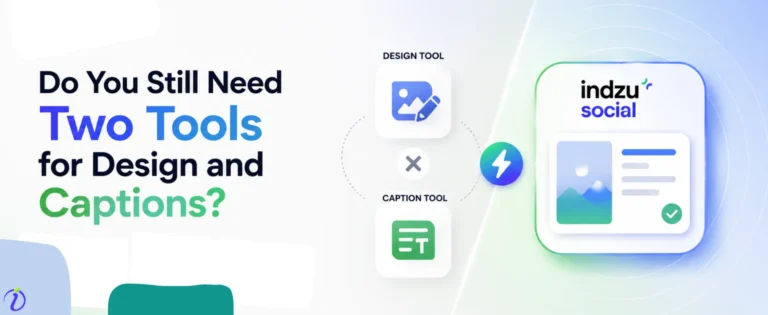
Creating social media posts each day and planning for the next day can be a real hassle for brands. But nowadays, when AI content workflow is creating buzz, are you not wondering what the best choice for your brand will be? Well, let me tell you. If you are here and still searching for a tool that can satisfy your thirst, the Indzu social tool is here.
It’s an extraordinary tool for social media content creation and publishing for small brands to large agencies. And you know what, the best part about it from generating ideas to publishing content, Indzu can do it in less than 10 minutes.
So, let’s dive into the blog and learn how Indzu will become your best friend while creating social media posts for all platforms within ten minutes.
 Time killer · Pain
Spending 6 hours writing posts that get zero traction?
Paste your URL. ZuAI turns it into 30 brand-on captions in 10 minutes — no blank-page panic, no generic AI filler.
The problem many brand faces while trying to convert an idea into a post
Outcome · RecommendedGet 30 days of social content from your website — in 10 minutes.

Maintaining your brand value in this tough, competitive business environment is quite challenging. And social media posting has now become quite an essential part of branding. But there are multiple problems a business faces while trying to convert an idea into a post.
- Where should we focus on your content, branding, or marketing?
- Wasting time by writing and rewriting captions for each social media platform
- Running out of fresh content ideas
- Struggling with how to create a platform-oriented post
- Maintaining a constant brand voice across all posts.
- Find the appropriate hashtags for every post.
- Coordinating between writers, designers, and marketers slows down the content producing process.
- Balancing creativity with marketing goals.
- Managing multiple social media accounts from one place.
- Deciding the best time to publish the content across platforms.
- Publishing content on each platform from time to time and getting stressed about what to post the next day.
Proof · Verified
2k+ grew faster with one tool.
How Indzu Social Tool can help you
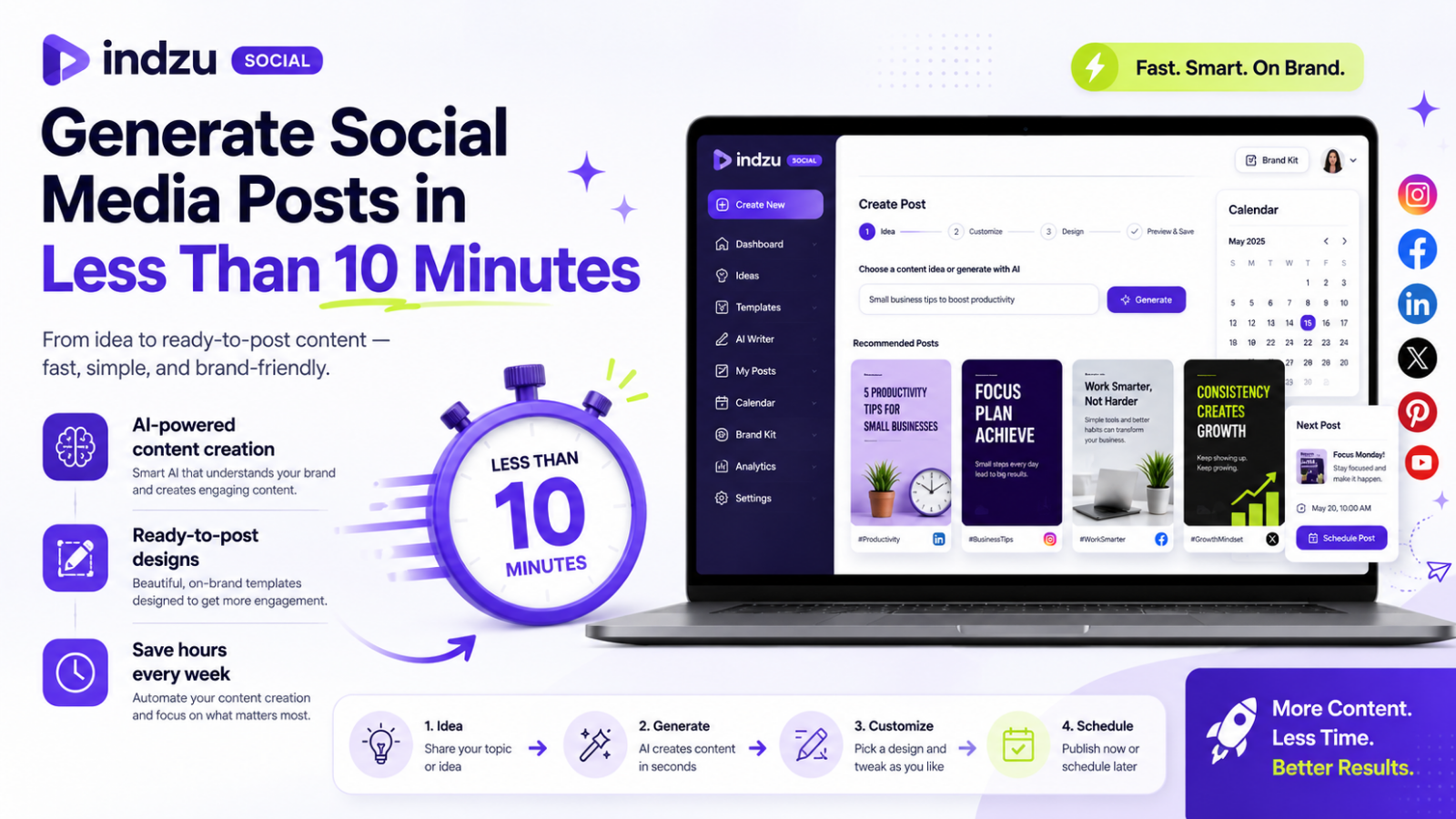
As I previously mentioned, they Indzu social tool could be your best friend and solve all the problems mentioned above within 10 minutes. Here’s how:
- Indzu tool will help you to transform ideas into posts.
- Save the time you spent on content creation.
- It will help you to get fresh content inspiration if you are having writer’s block.
- To create platform-specific blog platforms like Facebook, Instagram, LinkedIn, and X
- Helps to maintain your brand voice that aligns with your tone and messaging
- Indzu can suggest the best time to post your content.
- Suggest relevant hashtags according to your niche.
- Plan content with an AI content calendar.
- Your marketing team can create, analysis, review, and approve content from one platform.
- With Indzu, you have an automated social media posting facility.
- It can easily turn one idea into multiple formats.
- From one dashboard, any brand can manage all social media platforms. And create, schedule and publish content from there.
Free · Instant · No signupSee what ZuAI generates from your website — right now.
Paste your URL. Watch ZuAI write a month of brand-on captions in seconds. Preview before you create an account.
How Indzu Social Tool helps you to maintain AI content Workflow (Step-by-step)
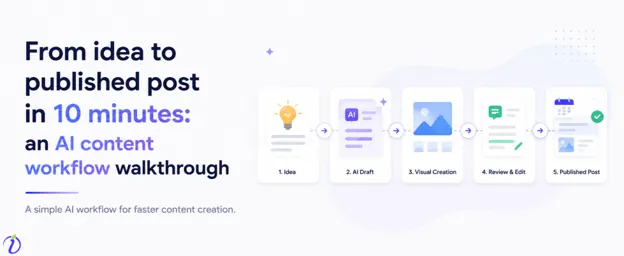
Creating content effectively is one of the greatest challenges for the brand, marketers, and creators. But Indzu social tool can generate content and publish it in minutes. Here’s how The Indzu social tool helps you maintain a smooth AI content workflow.
How to generate content and publish it within 10 minutes on Indzu social
Indzu Social makes content creation simple for small businesses, creators, and marketers. You can generate branded social media posts in just a few clicks using the “Quick generate” option.
Step 1: Open Indzu Social
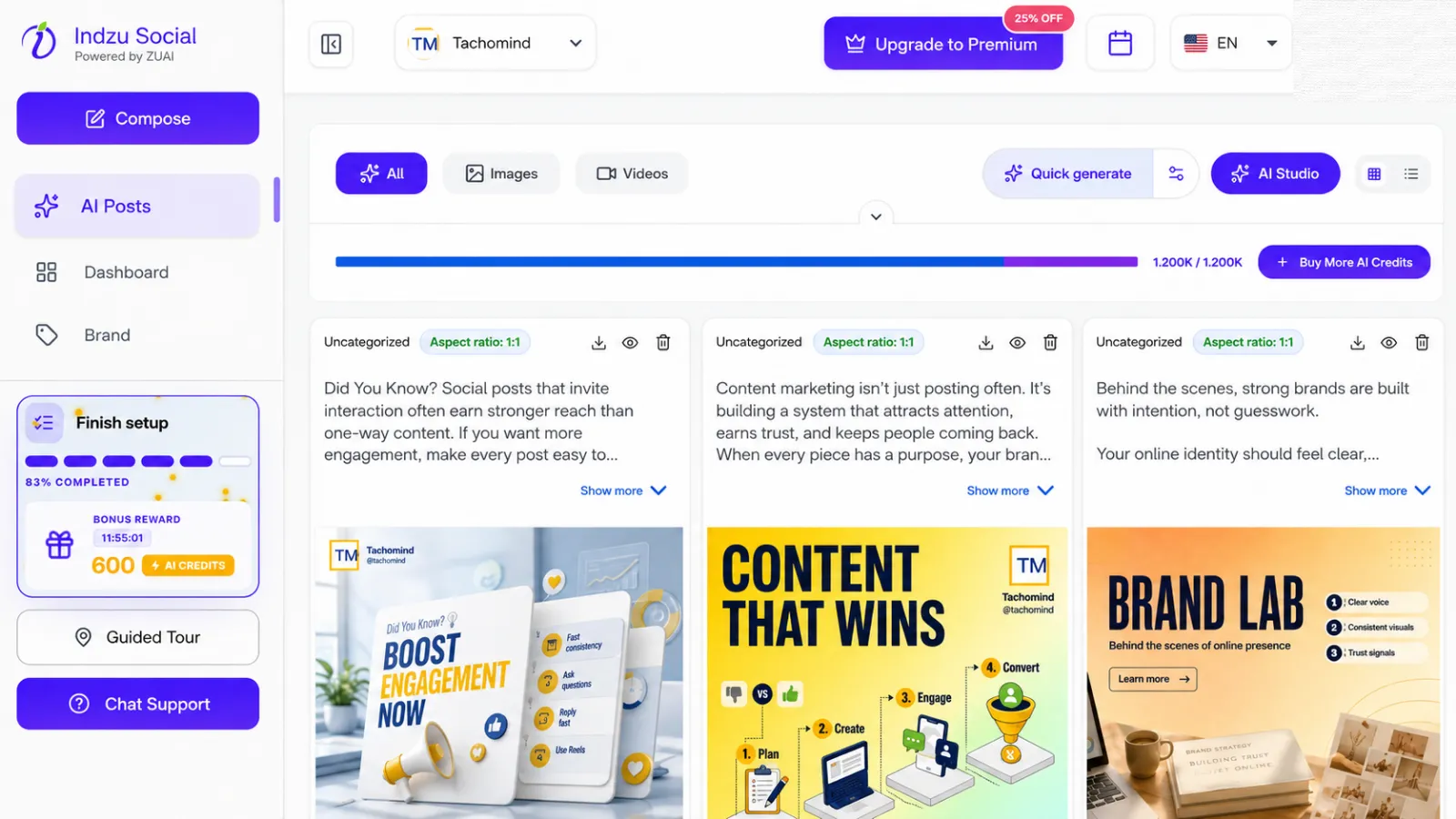
Log in to your Indzu Social account and go to the “AI Posts” section from the left sidebar. In this dashboard, all your AI-generated posts, images, videos, and content ideas will appear.
Step 2: Enter your Brand
At the top of the dashboard, choose your brand from the brand dropdown. For example, in the screenshot, the selected brand is Tachomind.
It helps Indzu create content that matches your business, brand tone, and visual style.
Step 3: Click on “Quick Generate”
On the AI Posts section, click the Quick Generate button. It will open the Quick generate settings pop-up, where you can generate captions according to your niche.
Step 4: Choose the “Aspect Ratio”
Select the content size based on where you want to publish the post, as different platform supports different dimensions, and Indzu shapes each post according to the platform’s requirements.
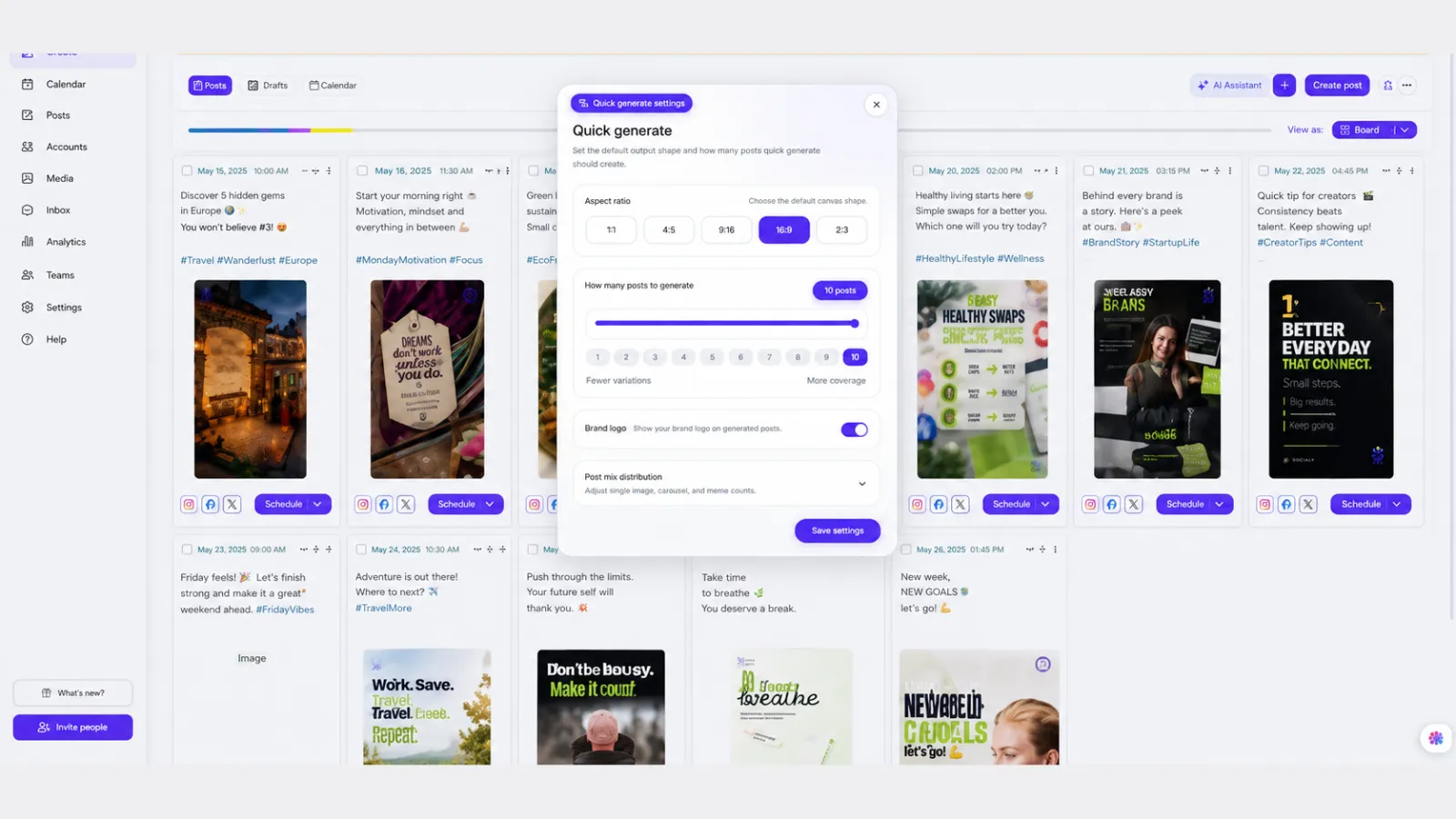
Aspect Ratio Best For
1:1 | Instagram, Facebook, LinkedIn square posts |
4:5 | Instagram feed posts |
9:16 | Reels, Stories, Shorts, TikTok |
16:9 | Landscape posts, YouTube thumbnails, video-style creatives |
2:3 | Pinterest pins |
Choose the format that matches your main platform.
Step 5: Select how many posts you want to create
Use the slider or number buttons to choose how many posts Indzu should generate. For example, with the help of Indzu, you can generate 1 to 10 posts at a time. If you ask, we can suggest you use fewer posts when you want more specific variations. Use more posts when you want wider content coverage for your brand.
Step 6: You can add a brand logo to appear more professional
You can enable the “Brand logo” option if you want your logo to appear on generated posts. It is useful when you want every post to look branded and professional.
You can turn it off to get clean content without a visible logo.
Step 7: Select “post mix distribution” to generate multiple types of post
Open the post mix distribution section. Here, you can decide what type of content Indzu should create.
For example:
Post Type | Meaning |
Single image posts | Simple branded social media graphics |
Carousel posts | Multi-slide educational or promotional posts |
Meme posts | Multi-slide educational or promotional posts |
For example, in the image, the post mix is set as:
Type | Count |
Single image posts | 3 |
Carousel posts | 5 |
Même posts | 1 |
It means our Indzu can generate a mix of regular posts, carousel content, and meme-style content for your regular needs.
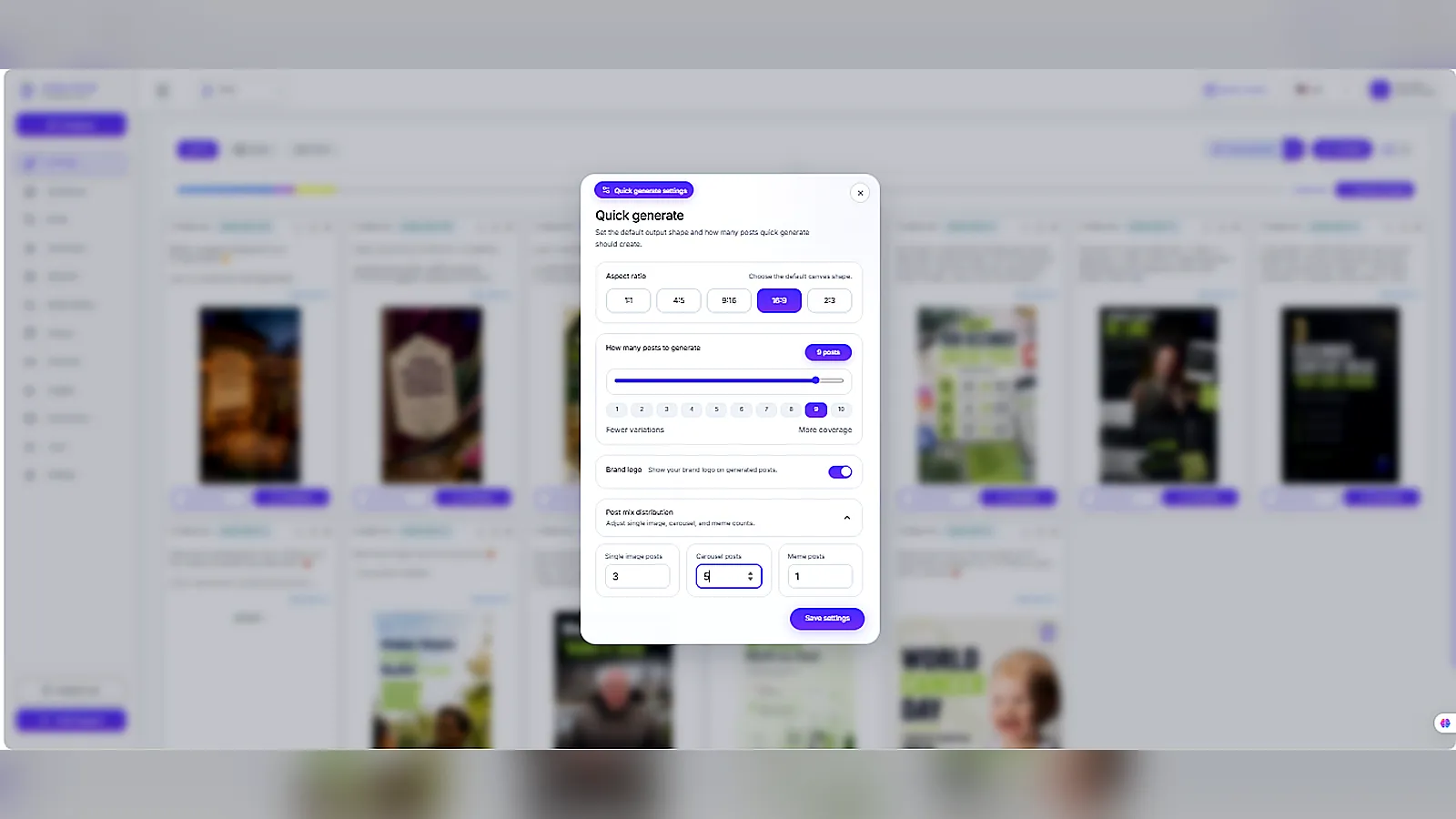
Step 8: Then you must choose “Save”
After choosing the aspect ratio, number of posts, logo option, and post mix, click Save settings. Indzu will use these settings to generate content for your brand.
Step 9: “Review” the generated post
Once the posts are generated, they will appear on the AI Posts page. You can filter them using:
Filter | use |
All | View every generated post |
Images | View only image-based posts |
Videos | View video-based posts |
Each content card shows the caption, category, aspect ratio, and post design.
Step 10- Open or manage your post
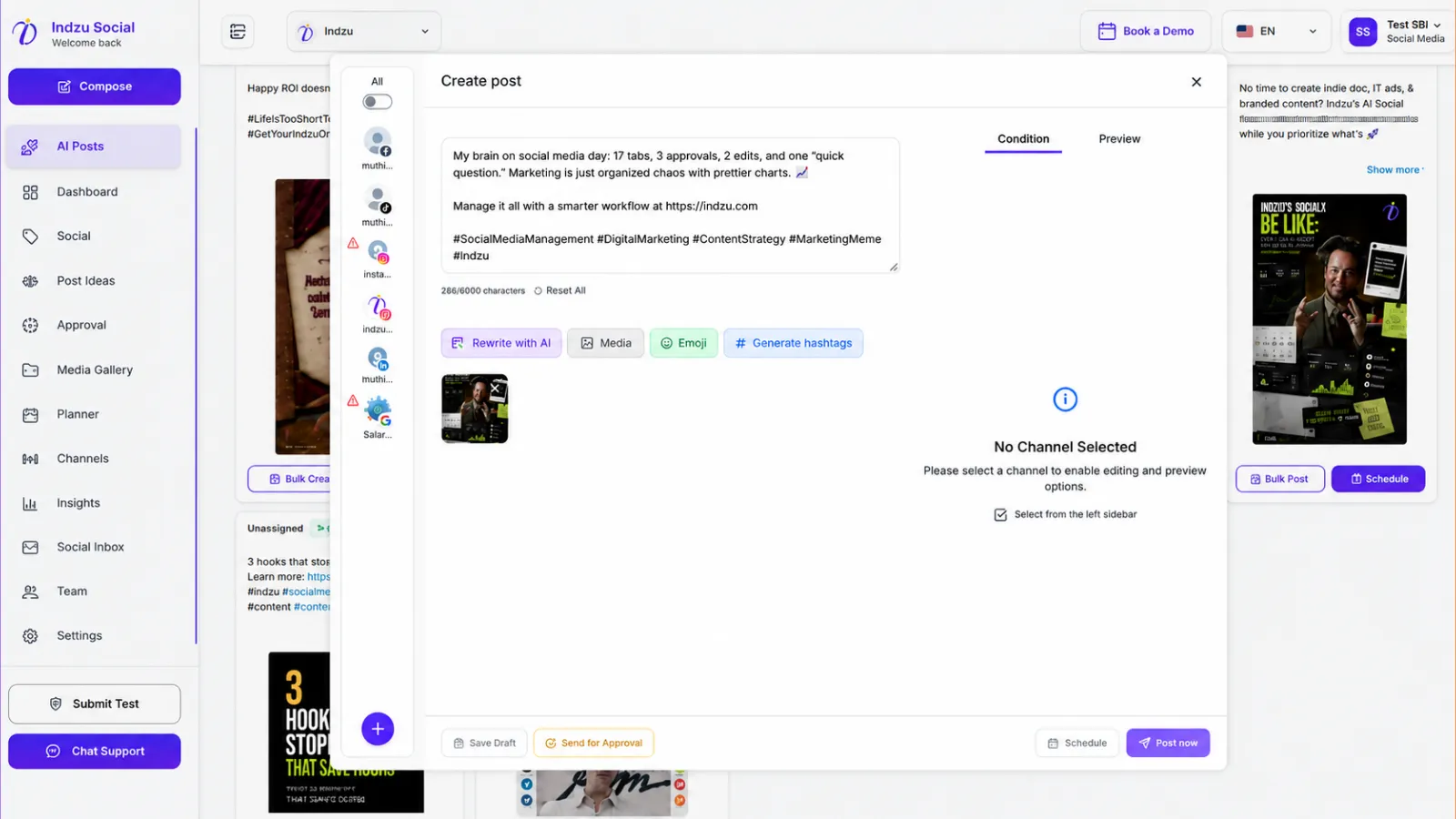
On each generated post, you can use the available action icons to:
Action | Purpose |
View | Open and preview the post |
Delete | Remove unwanted content |
| Show more | Read the full caption or post text |
It helps you quickly select the best content for your social media calendar.
Step 11- Then, the last step is to “Publish” or “Schedule” your post
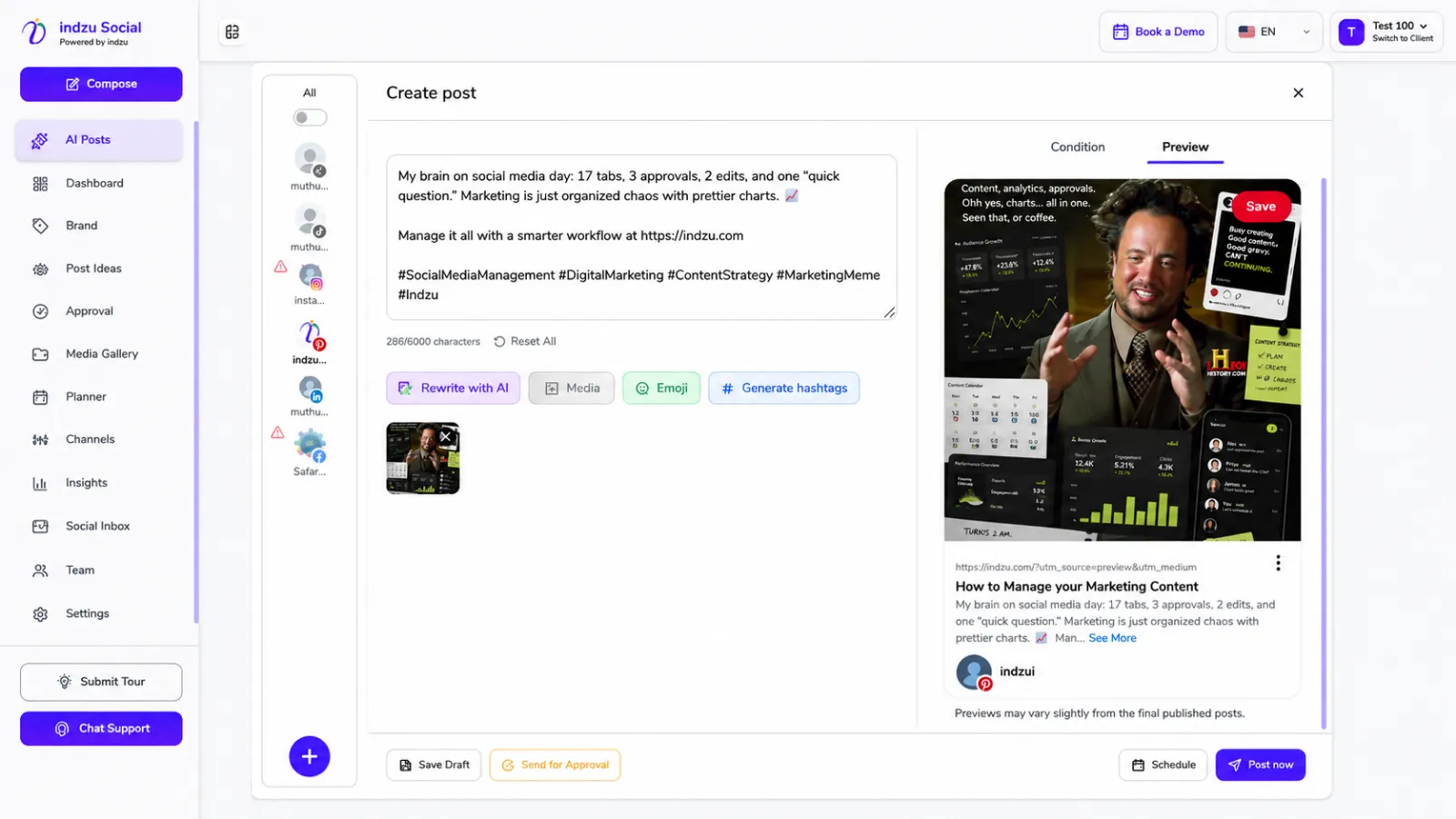
Now it’s your turn to select whether you want to publish the content right now on different platforms or schedule it to publish later. You can use our Indzu planner tool to plan your content as per your needs.
Speed · 10-minute setupOne coffee from URL to a full month of scheduled posts.
Drop your URL, brew your coffee, come back to 30 brand-on captions ready to publish.
Advantages of Having Indzu
The most common advantages of having Indzu as your content creation partner are-
It starts with an idea: the first step in an AI content Workflow
To create something new for your business or brand, the first thing you will need, can you guess? Of course, a brilliant idea where you pour out all your thoughts and plan your strategy. But to get that brilliant idea, don’t you need a brainstorming session? But why are you worrying about the ideas when Indzu is there and working with you hand in hand?
Finding high-performing content ideas
Indzu can definitely be a great help in finding content ideas for your brand. It has the ability to scan through a large amount of data and identify trending topics according to your niche much faster than humans. In shorts, Indzu can help you to select the best content that suits your brand by following a few steps:
- Analyze the trending topic
- Keyword research
- Competitor Analysis
- Competitor Analysis
- Content Gap detention
- Idea generation
- SEO optimization
Businesses looking for more tailored AI-powered marketing solutions can also work with an AI development company to build tools around their specific content workflows.
Use Indzu for brainstorming
Indzu can be your best friend when you use it like a creative collaborator rather than using it as an image generator. And instead of asking about one content idea, you can ask about various perspectives and variations on a certain topic.
For example, instead of asking “Give me content ideas for my Fitness YouTube channel,” you may ask “Give me 20 content ideas for a Fitness YouTube channel aimed at beginners who want to reduce weight at home.
Turn one idea into multiple content formats by Indzu Tool
Indzu can easily transform one simple idea into multiple formats within seconds. When you want to apply one idea but in multiple versions across your social media platforms, then the Indzu tool can be a great help.
For example: “Benefits of Early Morning Walking”. Indzu can turn this idea into multiple versions. Such as:
- Blog Post: “10 benefits of regular Early morning walking for a healthier life”
- Social media post: Morning walks are not just about fitness- it boosts mood, help to breath in fresh air, improves sleep.
- Video Script: A 2-minute video on how Morning walks are beneficial to our health for your YouTube channel.
- Infographic: A visual summary highlighting the key benefits of morning work.
- Podcast outline: Talking points: how a 30-minute morning walk can shape your life in the right frame and benefit your health in the long term
Right planning saves hours
Indzu calendar tools can save hours by prioritizing tasks, sending reminders, and even adjusting your schedule. And it often eliminates the burden of guesswork, and you can focus on creating high-quality content. But why do you need to create your own content? To create relevant content as per your brand, Indzu is here.
Create a 30-day content calendar with the Indzu tool
Creating a 30-day content with Indzu by ZU AI is the best thing that can happen to your brand. When you are planning your content for a whole month, it reflects how organized and consistent you are.
Build a publishing schedule with
Indzu social tools to generate posts, captions, descriptions, and comments in seconds. And with the help of Indzu, which is very flexible to use, you can schedule a month’s worth of content and publish it.
Create social media posts faster with Indzu
When you are cooking, making a new dish every day is quite impossible, right? Because it consumes too much time to think of a new recipe every time, and you have to serve the dish before lunchtime. In social media, generating high-quality content every day is quite a tough job. So here comes Indzu social tool. With the right tool, you can increase your productivity by 100%.
Generate captions in seconds
Writing captions each time for every post is quite time-consuming. AI-powered tools can generate captions and descriptions in seconds. You have to put your idea in Indzu, and in a second they can generate suitable captions for your post.
Rewrites posts for different platforms
Every platform has its own criteria and content format. And it’s quite natural that a post that works well on TikTok may not work well on LinkedIn. AI can quickly reinvent posts for different platforms and preserve the main theme of your content, and a quick check with an AI detector free of charge helps confirm each version still reads naturally before it goes live.
Blank tab. Six open browsers. No clue what to post.


 After · With Indzu
Paste one URL. Get 30 scheduled posts.
Conclusion:
In conclusion, we may say that Indzu is the best tool to have in your content creation journey with a reasonable budget . Indzu Pricing Plans – Choose Your Plan. And you can reduce your workload by 100%. You will need to plan according and let it be executed by our Indzu social tool.
Time killer · Pain
Spending 6 hours writing posts that get zero traction?
Paste your URL. ZuAI turns it into 30 brand-on captions in 10 minutes — no blank-page panic, no generic AI filler.
FAQ Section
Q1. Can AI create social media from a prompt?
Answer: Yes. AI can create social media content from a simple prompt. For example, with our Indzu Social, you can enter your business idea or website, and it can generate captions, post designs, carousels, and ready-to-use social media content for your brand in minutes.
Q2. What should I include in a social media post prompt?
Answer: A good social media post prompt should include
- Your business type
- Target audience
- Platform
- Topic
- Tone
- Goal
- Key message
- Post format,
- and call-to-action.
For example, if you put a clear prompt with above mention keywords, then it will generate relevant content for your social media platforms.
Q3. Is automated social media posting a good idea?
Answer: Yes, automated social media posting is a great idea, especially when you have to focus on many other things. It helps to save time and maintain consistency. You can plan a whole month’s worth of social media posting content.
Q4. What is the most popular tool to generate 30-day content in just a few minutes?
Answer: Several tools can generate high-quality content, but it depends on your needs. The best tool around you is Indzu, powered by ZU AI. It can brainstorm ideas, generate posts, and even schedule your whole month’s content.