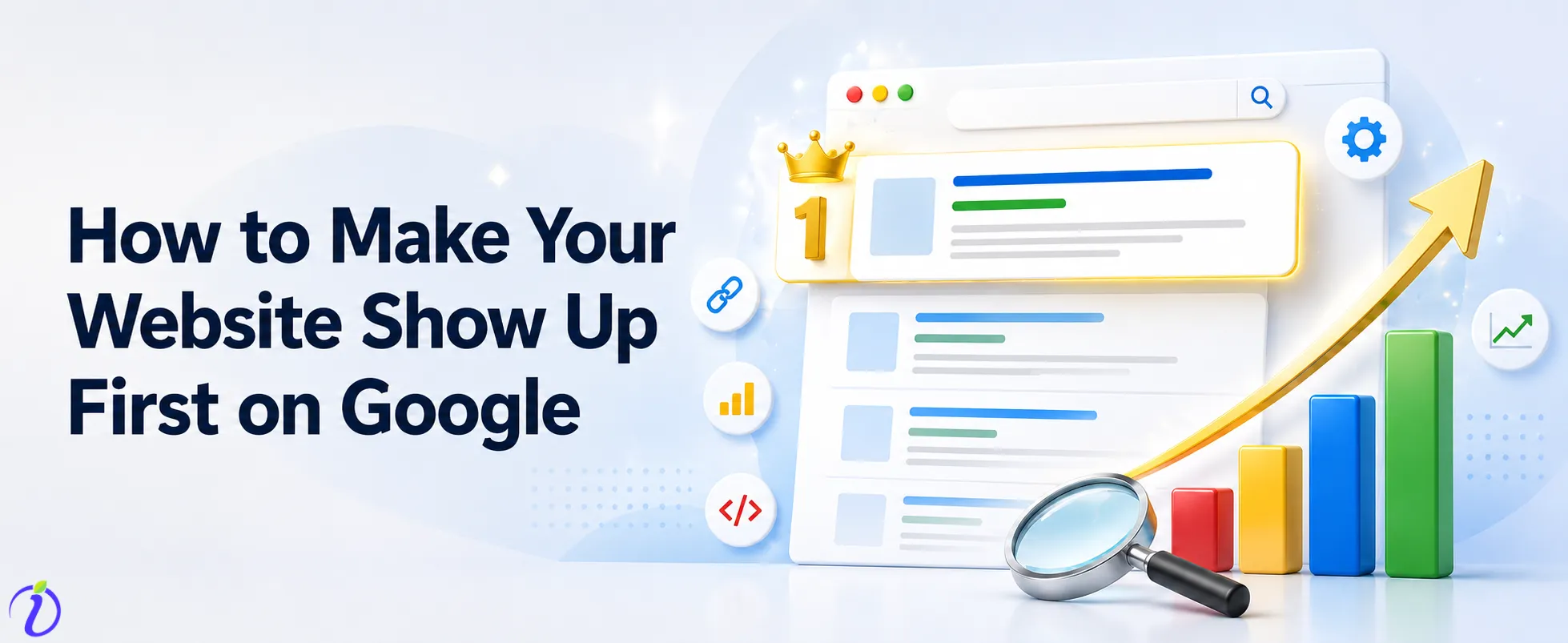
If your website is the most helpful, trustworthy, and easy to find, you will eventually make it to the top of the search results.
Getting to the top of Google is the best thing you can do for your digital marketing, but a lot of people think it’s just a “quick win” or a bunch of clever hacks. Building a high-quality, long-lasting digital asset is what really gets you to the top of the search results and Google’s main goal is to give the best answer to a user’s question too.
This guide goes beyond the false idea of “instant ranking” to give you a tried-and-true plan for long-term SEO success.
 Time killer · Pain
Spending 6 hours writing posts that get zero traction?
Paste your URL. ZuAI turns it into 30 brand-on captions in 10 minutes — no blank-page panic, no generic AI filler.
SEO is a Marathon, Not a Sprint
A lot of website owners fall for “black-hat” tactics or shortcuts that promise traffic overnight. Most of the time, these methods result in penalties or long-term stagnation. SEO results always takes time. It takes a lot of effort to keep up with technical optimization, content creation, and building authority. The only way to make sure your website will still work in the future is to align your website with Google’s core mission. Create pages to serve the users. Only Quality content will help you in the long-run. Because Google changes its search engine algorithms thousands of times a year.

Outcome · RecommendedGet 30 days of social content from your website — in 10 minutes.
What Makes Organic Search Different from Google Ads
It is important to know the difference between paid and organic search results. Google Ads bring traffic right away, but it stops when the money runs out. Organic SEO, on the other hand, builds value over time. It is an investment. Organic SEO takes time to build strong and bring traffic. Once you get a high ranking naturally, that position becomes a compounding asset driving steady traffic to your business for months or even years without the need of paid ads.
Proof · Verified
2k+ grew faster with one tool.
Why is Ranking on the First Page of Google Important for your Business?
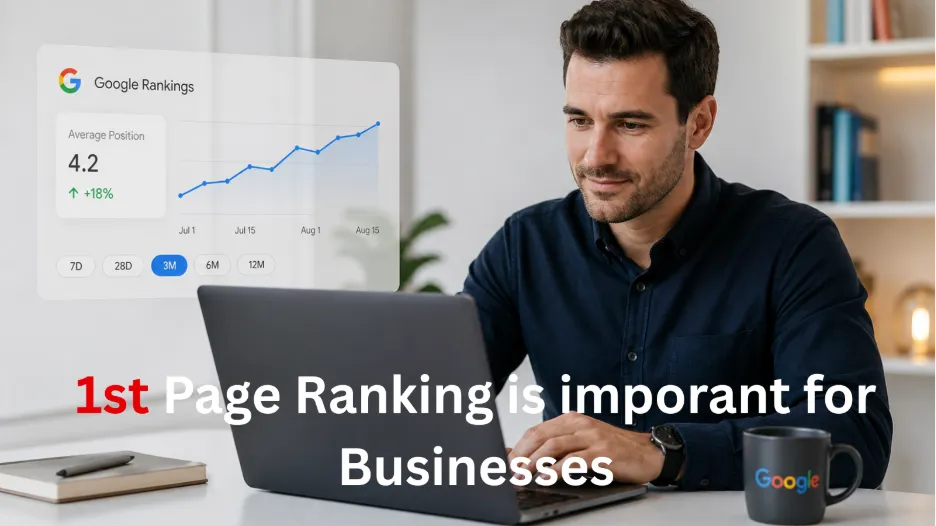
The amount of traffic that goes to the first and second results on Google is huge. The first place usually gets the most clicks, which gives your brand a big boost in authority and conversion rates. When your brand is at the top of the list, it tells users that your brand is the best in the business, which is like a stamp of approval from Google. This visibility isn’t just for show; it is the key for long-term customer acquisition and sustainable business growth.
Before you can rank, Google must be able to find, read, and understand your site. This is the technical groundwork for How to make your website show up first on Google that gives you the “permission to play” in the search landscape.
Free · Instant · No signupSee what ZuAI generates from your website — right now.
Paste your URL. Watch ZuAI write a month of brand-on captions in seconds. Preview before you create an account.
Phase 1: Technical Foundations
Link Your Website to Google Search Console
The main link between your website and the search engine is Google Search Console (GSC). It gives you direct information from Google about how well your site does in search results, which keywords triggers your pages, and whether any technical error is preventing people from accessing the website. When you verify your domain in Search Console, you get access to important diagnostic tools that tell you exactly what needs to be fixed to improve your ranking.
Create and Submit Your XML Sitemap
A file called an XML sitemap tells search engines where to go. It lists the important pages on your website and acts as a roadmap for Google. When you submit this sitemap through GSC, you help the search engine find and crawl your pages much faster than if it had to rely only on discovery links to do so. Keep Google up to date by making sure your sitemap is updated every time you add new content.
Check Your Indexing Status: Making Sure Googlebot Can Crawl Your Site
Google’s huge library stores your pages through a process called indexing. Your pages won’t show up in search results if they aren’t indexed. Check to see if your pages are accessible by using the “URL Inspection” tool in Search Console. If Googlebot encounters errors, like broken links or server problems, it will skip your content. Regular audits ensure that Google keeps your most important pages in its index.
How to Use Robots.txt to Manage Search Engine Access
The robots.txt file tells search engine crawlers which parts of site they shouldn’t look at. This is mostly used to keep Google from crawling sensitive or private admin pages, but if you set it up wrong, it could block Google from your most important content. Make sure this file is clean and simple so that you don’t accidentally hide important pages for your business from the search engine.
Phase 2: Learn how to do keyword research and understand search intent
It’s pointless to rank high for the wrong keywords. You need to make sure that your content matches the searcher’s intent in order to be successful. In this section of How to make your website show up first on Google, let us learn to d keyword research and understand search intent.
Find Your Target Keywords
Short-Tail and Long-Tail Keywords are the most important part of your plan. Short-tail keywords, like “shoes,” get a lot of traffic but are very competitive. Long-tail keywords, like “best running shoes for flat feet,” are more specific, get fewer searches, and usually lead to more sales. Long-tail phrases that clearly explain what your audience wants are easier for new websites to rank for, so focus your efforts on those.
Understanding Searcher Intent (Informational, Navigational, Transactional)
Google categorizes searches by what the person wants. A navigational searcher wants a specific site, an informational searcher wants an answer, and a transactional searcher is ready to buy. You need to make sure that the content on your page meets these needs. If your page is a sales page, it shouldn’t just be a blog post that teaches something; it should also meet the needs of the buyer. The fastest way to boost your ranking performance is to match intent.
Competitor Analysis: Using the Keyword Gap to Find New Opportunities
Check out the sites that are currently in first place. What are they doing right? What are they missing? You can find topics that your competitors haven’t covered by doing a keyword gap analysis. You can “steal” the top spot by giving users a better experience than the current top site if you make more thorough or up-to-date content on these neglected topics.
How to do keyword research for free as a beginner?
You don’t need to spend a lot of money on software to find valuable search terms. The “Performance” report from GSC shows you which queries are already bringing in visitors. Google’s “Autocomplete” feature and the “People Also Ask” section also show you what real users are typing into the search bar in real time. Use these tools to make a list of things that your audience is really interested in.
Speed · 10-minute setupOne coffee from URL to a full month of scheduled posts.
Drop your URL, brew your coffee, come back to 30 brand-on captions ready to publish.
Phase 3: Making Content That People and Google Love
The main thing that affects search rankings is content. Google likes content that is clear, original, and reliable.
E-E-A-T (Experience, Expertise, Authoritativeness, Trustworthiness)
Google uses the E-E-A-T framework to check the quality of content. To get a high rank, you need to show that you have real-world experience and professional knowledge. Include author bios, cite reliable sources, and make sure your information is correct.
For example, if you are creating content on healthcare, you need to demonstrate high levels of trust.
Structure Content Easy to Read and Scan
Most people don’t read; they scan. Break up long blocks of text with short paragraphs, clear H2 and H3 subheadings, bullet points, and bold text. Make your webpages with simple English and easy to read even by a grade 7 student without much effort.
The Parts of Good Real Content: Solving the User’s Problem
The best thing about high-quality content is that it helps the user right away. Quality content don’t use extra words. It will always share a precise answer for most user queries. Google always prefer webpages that are visited by the user through search results and never go back to search results.
Optimizing for Featured Snippets and Answer Boxes
The boxes that appear at the very top of results are called “Featured Snippets.” You can feature webpages on snippet, if the answers are clear and provides direct answer to a question. Google prefers bulleted list. So, make sure your data is organized and easy for Google to share the answer to the users without the need of searching again.
Blank tab. Six open browsers. No clue what to post.


 After · With Indzu
Paste one URL. Get 30 scheduled posts.
Phase 4: Best Practices for On-Page SEO
Once your content is solid, you need to optimize the page structure so Google understands your focus.
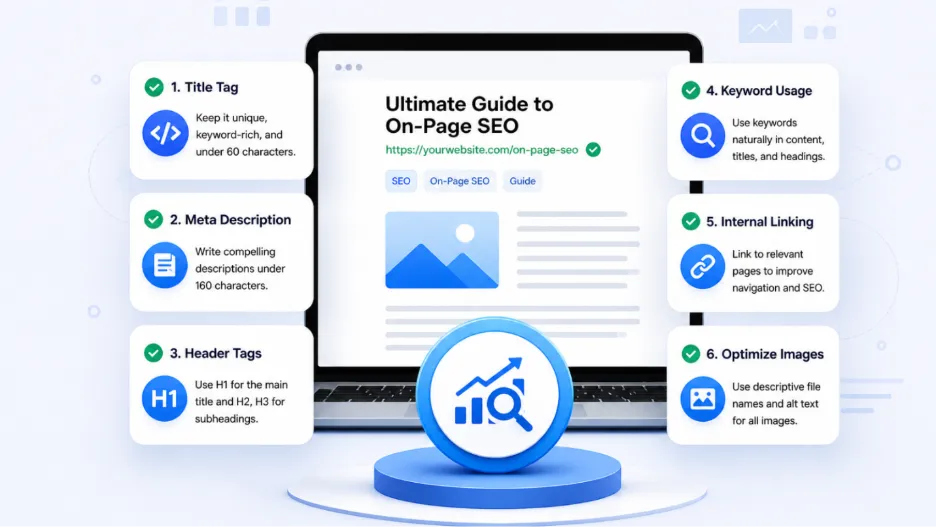
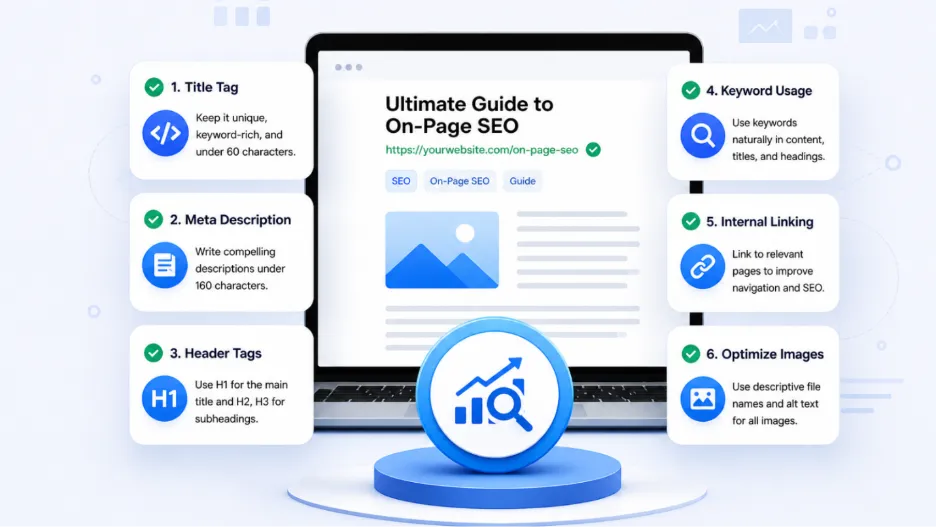
Crafting Click-Worthy Page Titles and Meta Descriptions
Your title tag and meta description are your “ad copy” in the search results. They need to be compelling enough to drive clicks. Keep titles under 60 characters and ensure they contain your primary keyword. Use the meta description to summarize the value proposition, encouraging the user to click through to your website.
Organizing Content with Logical Header Tags (H1, H2, H3)
Search engines use header tags to understand the hierarchy of your information. Your H1 should describe the main topic, while H2 and H3 tags should delineate subsections. This logical structure helps Google crawl your site efficiently and improves the overall user experience by making the content easier to navigate.
Optimizing URL Structure for Clarity
yourwebsite.com/guide/seo-tips
A clean URL like the above is better than a messy string of numbers. Keep your URLs short, descriptive, and keyword-rich. This helps both Google and your users understand exactly what the page contains before they even click.
Image SEO: Using Alt Text and Descriptive File Names
Images are often overlooked. Use descriptive file names (e.g., seo-checklist.jpg) rather than generic ones (IMG_001.jpg). Additionally, always include “alt text” to describe the image. This makes your site more accessible and provides extra context for Google to understand your page’s relevance.
Internal Linking Strategy: Passing Authority to Key Pages
Internal links are the “roads” that connect your content. When you link from an authoritative, high-traffic page to a newer or deeper page, you pass some of that “authority” along. This helps distribute ranking power across your entire domain, ensuring that your most important content receives the boost it needs.
Time killer · Pain
Spending 6 hours writing posts that get zero traction?
Paste your URL. ZuAI turns it into 30 brand-on captions in 10 minutes — no blank-page panic, no generic AI filler.
Phase 5: Prioritizing User Experience (UX) and Performance
Google’s algorithm heavily favors websites that are fast, secure, and easy to use on any device.
Embracing Mobile-First Indexing and Responsive Design
Google uses “mobile-first indexing,” meaning it primarily looks at the mobile version of your site to determine rankings. If your mobile experience is poor, you will not rank at #1. Your design should be more responsive with clickable call to action buttons and super comfort texts even on small screens.
Improving Page Speed with PageSpeed Insights
Speed is a critical factor. Users have a short attention span, and slow pages result in higher bounce rates. Use Google’s PageSpeed Insights tool to identify what is slowing your site down. The culprits are mostly heavy images or excessive plugins. Try to identify those and rectify them to ensure rapid load times.
Understanding Core Web Vitals and Why They Impact Rankings
Core Web Vitals are specific metrics that measure the actual user experience, such as loading speed, visual stability, and interactivity. Google wants to see that your site isn’t “jerky” or slow to respond. By keeping your Core Web Vitals scores in the “Good” range, you provide a superior experience that Google is much more likely to reward with higher rankings.
Outcome · RecommendedGet 30 days of social content from your website — in 10 minutes.
Conclusion
Reaching the #1 spot on Google is not an accident; it is the result of a deliberate, user-focused strategy. Enhance your foundation and identify what your audience need and create quality content and ensure seamless user experience. This foundation will be promoted by Google. If you are looking for more interesting blogs, stay tuned for more updates.